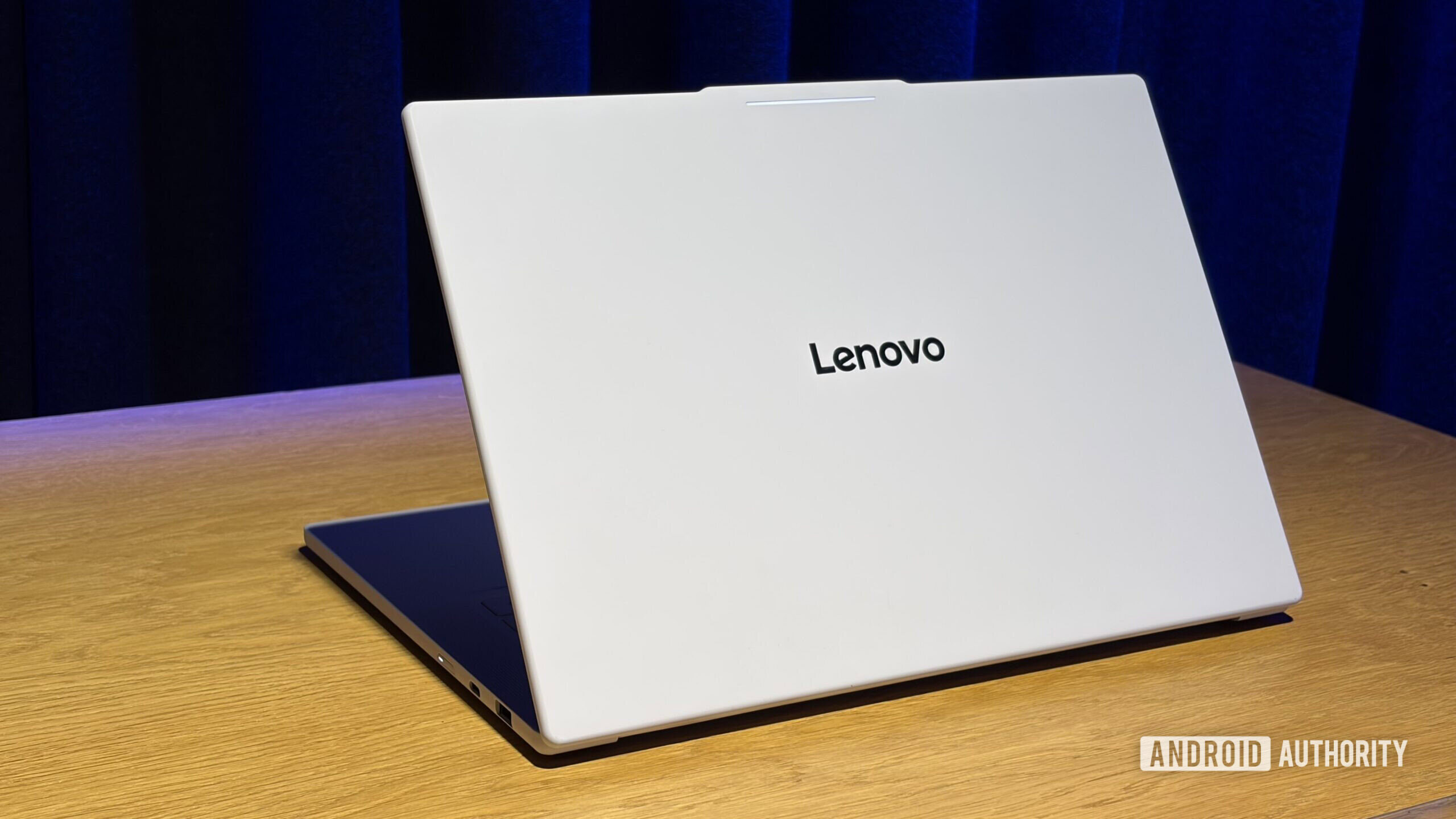
Googlebooks feel like the first laptops built for Android owners
There's a good chance that my next laptop will be a Googlebook. If you're an Android user like me, then yours might be too, because Google is making a compelling pitch: The Googlebook does for the Android phone what the MacBook does for the iPhone (and then some). John Maletis, Google's head of laptops and […]
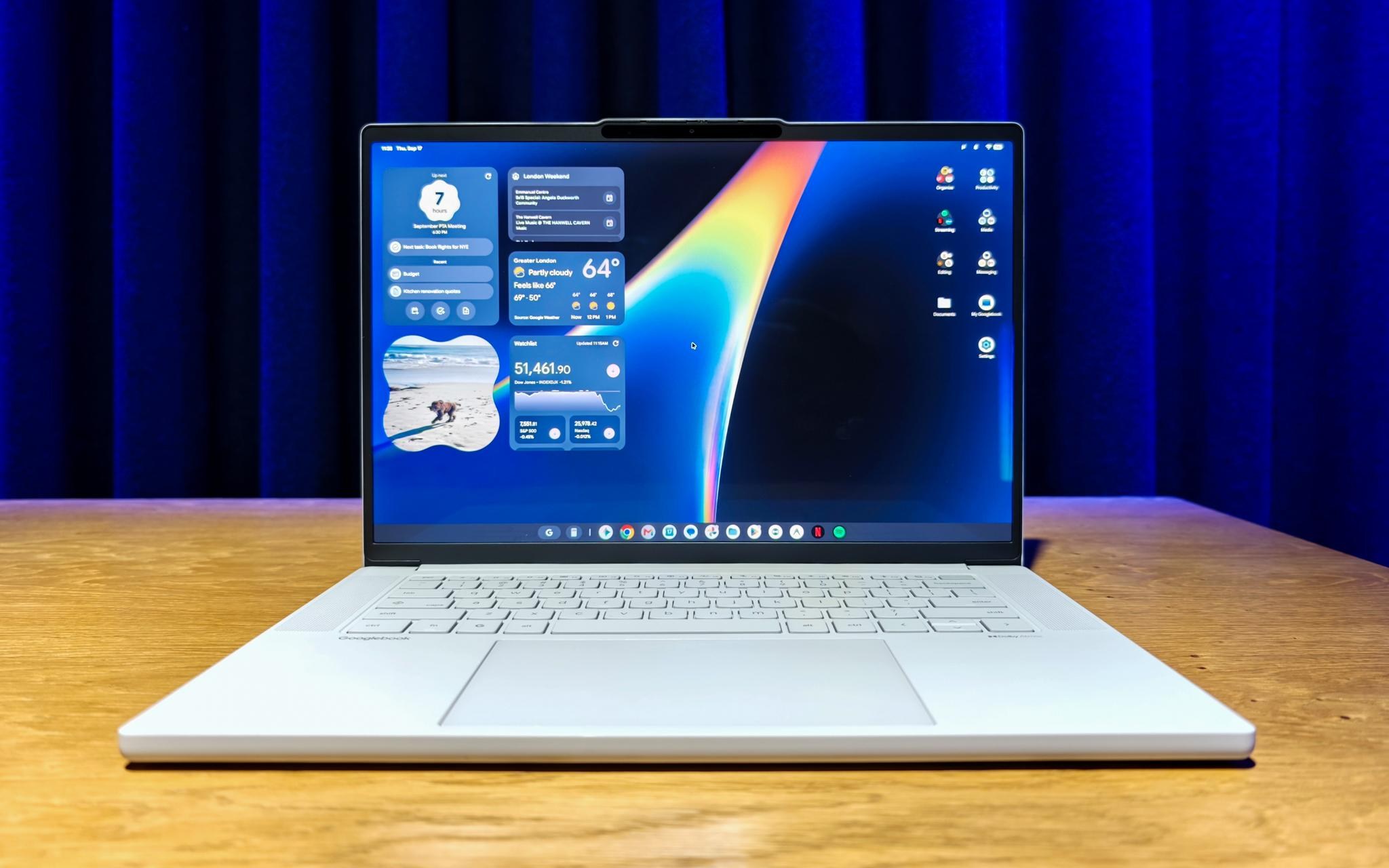
Upon first using a Googlebook, an immediate sense of familiarity hit me, followed by the realization that it is essentially Android. This similarity will likely play a significant role in the success of Googlebooks. Initially, I was not seeking a desktop operating system that mimicked my Pixel phone, as I had previously used Chromebooks for years and thought Googlebook OS would not differ greatly from ChromeOS.
The desktop and app dock appeared similar, but the enhancements implemented on top of Android made a substantial difference. The shared design and user experience allowed me to navigate Googlebook OS with ease, similar to an experienced user. Notably, essential features such as Quick Settings and Notifications were situated in the top-right corner, adhering to Android conventions.
This small change felt natural upon initial use, as I instinctively moved the cursor to that top corner instead of the usual bottom corner found on Chromebooks. Additionally, I knew I could add and edit widgets by long-pressing on the desktop, reminiscent of my phone's homescreen, evoking a nostalgic feeling. The Settings app was identical to that on Pixel phones, and I was pleased to find Pixel Weather (along with its widgets) and the excellent Recorder pre-installed.
The app drawer functioned much like the Pixel Launcher. Compared to ChromeOS, Googlebook OS allows for the placement of apps, widgets, and files/folders on the desktop, greatly enhancing productivity. Despite the strong resemblance to my Pixel phone, launching Gmail and Google Calendar opened the web versions rather than Android apps.
Google clarified that these were Trusted Web Activities (TWAs) instead of Progressive Web Apps (PWAs), which provide homescreen widgets through a web wrapper approach. The primary advantage of TWAs is their ability to leverage web apps, a strategy that emphasizes Googlebook OS's lineage to ChromeOS. Initially, I expected a resurgence of desktop-class Android apps, but Google intentionally chose a different approach.
They opted to let app developers decide the best strategy for their applications, which is a fair decision. Google provided an example of how they approached the Gmail and Workspace teams, explaining that they preferred the web version over the Android app for users of Googlebook OS. However, I believe this may be a missed opportunity, as offering third-party developers the choice to create desktop-class applications could lower the barrier to entry for a new OS.
A significant concern I voiced in my review of the Pixel Tablet three years ago is the continued use of the web-based version of Google Messages rather than a more native alternative. The Chrome browser on Googlebooks offers a full-featured experience, including extensions and the new vertical tab list. However, other experiences are clearly powered by Android, such as the Google app and Gemini.
When invoking the Magic Pointer overlay, prompt responses appear in the Android Gemini app. Google views this Android-based OS as an opportunity to utilize the existing Gemini and AI work developed for phones as a foundation for the desktop. On-device AI, powered by Gemini Nano, is utilized to generate AI descriptions of screenshots for search, as well as Magic Pointer, Rambler, and Create My Widget through a hybrid intelligence architecture.
While I need more time to fully assess the effectiveness of Magic Pointer, I credit it for being user-friendly, easily enabled, and offering valuable accessibility. The much-maligned Magic Pointer feature is now available with a single key press, replacing the previous three-key combination. Rambler, another major Gemini Intelligence feature, can be launched from a Quick Insert key, previously found in place of Caps Lock.
Pressing the new Quick Insert key reveals a floating window providing quick access to emojis, recent screenshots, the Gboard clipboard, and Rambler in the bottom-right corner. This ChromeOS-inspired addition offers a convenient and efficient user experience. Google has adopted the successful Android OEM model for Googlebooks, but they have carefully controlled how updates will be delivered.
Google is responsible for rolling out updates, unlike OEMs in ChromeOS, preserving one of the key ChromeOS elements. Partners can specify preloaded apps but cannot perform heavy customization, such as altering status bar icons. This ensures a consistent experience across all Googlebook partners. Google aims to update Googlebook OS quarterly, mirroring the Android Quarterly Platform Release (QPR) model, while security updates can occur at any time between these updates.
Google invested considerable effort in developing Googlebooks, and it is evident in the final product. An example that particularly surprised me was the creation of an Antigravity app with native UI for Android. I had assumed they would merely offer the Linux version, but Antigravity for Android is distributed via the Play Store, demonstrating Google's commitment to leveraging the Android ecosystem.
Written by urgent.news from 9to5Google's reporting — not their text. Machine-written — may contain errors; check the original before relying on it.
This story
This is one outlet's version. Read the fullest account.
- Hands-on with Googlebooks — Five models, the new Googlebook OS, and a Mac-style experience for Android users at premium prices tomshardware.com
- Googlebook hands-on: What makes a laptop, a laptop? [Video] 9to5google.com
- Inside the Googlebook: I asked the head of Android why people will pay a premium for its new MacBook alternative tomsguide.com
- Hands-on with Googlebooks: Acer, Asus, Dell, HP, and Lenovo flagships mashable.com
- Google's Googlebook OS, built on Android with a Material 3 Expressive and ChromeOS hybrid UI, offers deep Android 17 integration, 10 years of support, and more (Dominic Preston/The Verge) theverge.com
- Premium materials and striking design set Googlebook apart blog.google
- Meet the Googlebook — I tried Google's new answer to the MacBook that combines ChromeOS with Android, and this could be the start of something big techradar.com
- Googlebooks launch October 4 starting at $899—here are the five models you can preorder today arstechnica.com