Samsung hides its best Galaxy features in an app most owners never install
A tucked-away Samsung suite unlocks plugin tools to reshape every UI element and reclaim hidden settings.
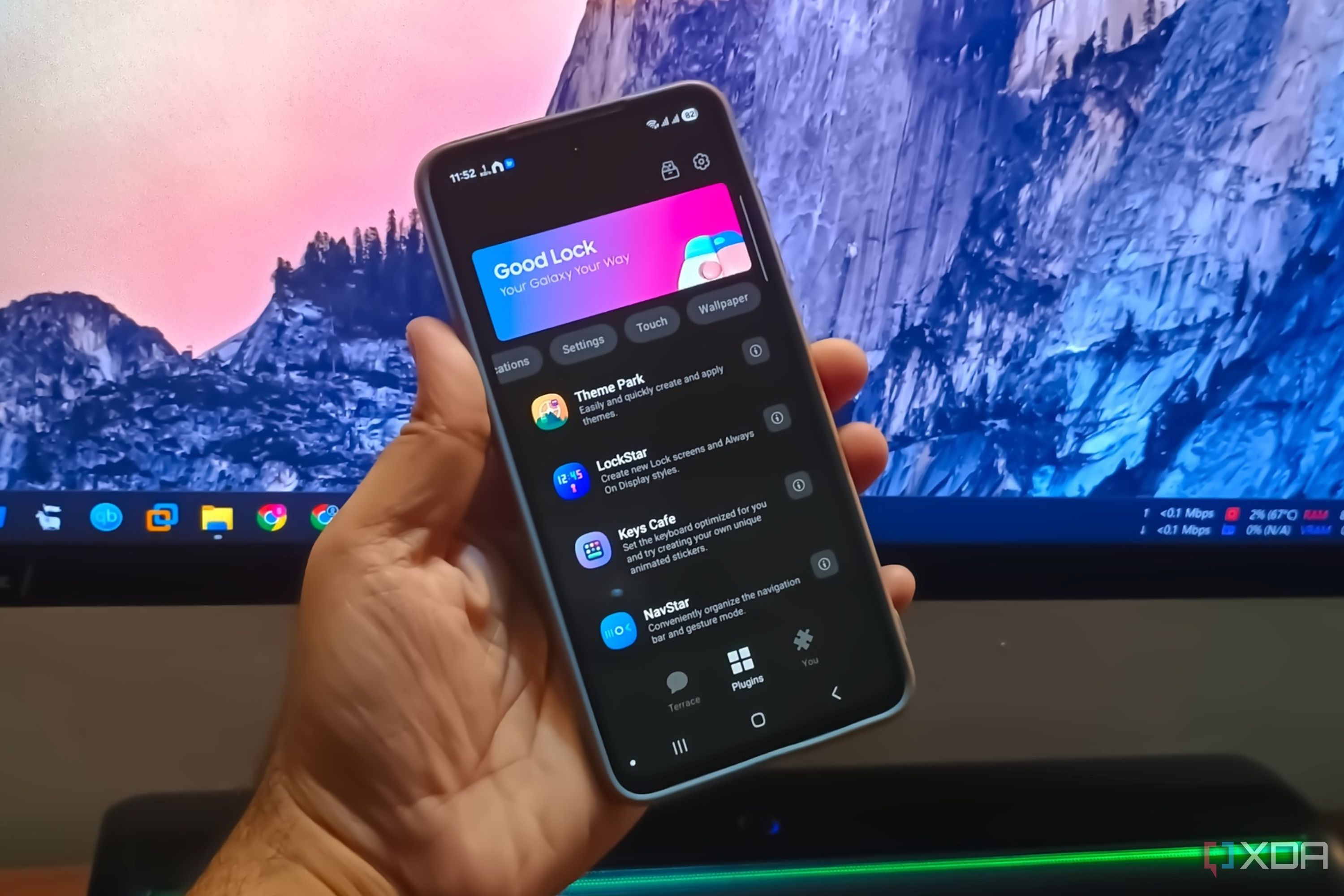
Samsung's One UI is widely praised as one of the best default Android experiences, and it continues to evolve with each new version. While the default UI is polished and feature-rich, Samsung has been working on more customization options that many users may not be aware of. Hidden within the official Samsung app store is a powerful app called Good Lock. This app offers a wealth of customization options that can elevate your Samsung device experience beyond the standard One UI settings.
Good Lock isn't just a launcher replacement; it's a collection of plugins that allow you to customize various aspects of your phone, from the quick panel and lock screen to the home screen design itself. With plugins like NavStar, you can modify the navigation bar's appearance and behavior, adding or repositioning buttons as needed. QuickStar gives you control over the quick panel's theme and content, helping you hide or customize buttons to suit your preferences.
One of the standout features of Good Lock is its ability to enhance the home screen. Home Up offers a range of customization options, including changing the home screen layout, adding a finder tool, and adjusting app icons. Users can choose between compact designs or more detailed layouts with additional features. This level of customization is not commonly found in other launchers, making Good Lock a standout choice for those looking to personalize their Samsung devices.
Beyond cosmetic changes, Good Lock also enables helpful functionality. The NotiStar plugin allows you to preserve important notifications by ignoring less critical ones, ensuring you don't miss crucial alerts. Modes and Routines offer automation capabilities, but the Routines+ plugin takes things further, allowing for more complex routines and touch macros. These features cater to users who want to automate tasks efficiently without relying on third-party apps.
Good Lock's integration with Samsung's ecosystem is seamless, with no risk of compatibility issues. Unlike many third-party apps that may suffer from permission problems or excessive ads, Good Lock provides a stable and reliable customization experience. Samsung's ongoing maintenance ensures that the app remains up-to-date and compatible with the latest devices and software versions.
Despite its powerful capabilities, Good Lock is often overlooked by Samsung users. It deserves more attention as a tool for power users who want to fine-tune their device's UI and functionality. The app could be more popular if Samsung promoted it more effectively, given its superior integration and extensive customization options. Many users argue that investing time in Good Lock before installing a third-party launcher would enhance their overall experience.
For those looking to explore the full potential of their Samsung devices, Good Lock is a must-try. Its range of features and customization options sets it apart from traditional Android launchers, offering a more comprehensive and user-friendly approach to device personalization.
Rewritten by urgent.news; may contain errors — check the original.
Source: xda-developers.com