The sticker on your SSD is a heat spreader, and peeling it off for a heatsink is a mistake
The label spreads the heat, and the heatsink sheds it. You want both.
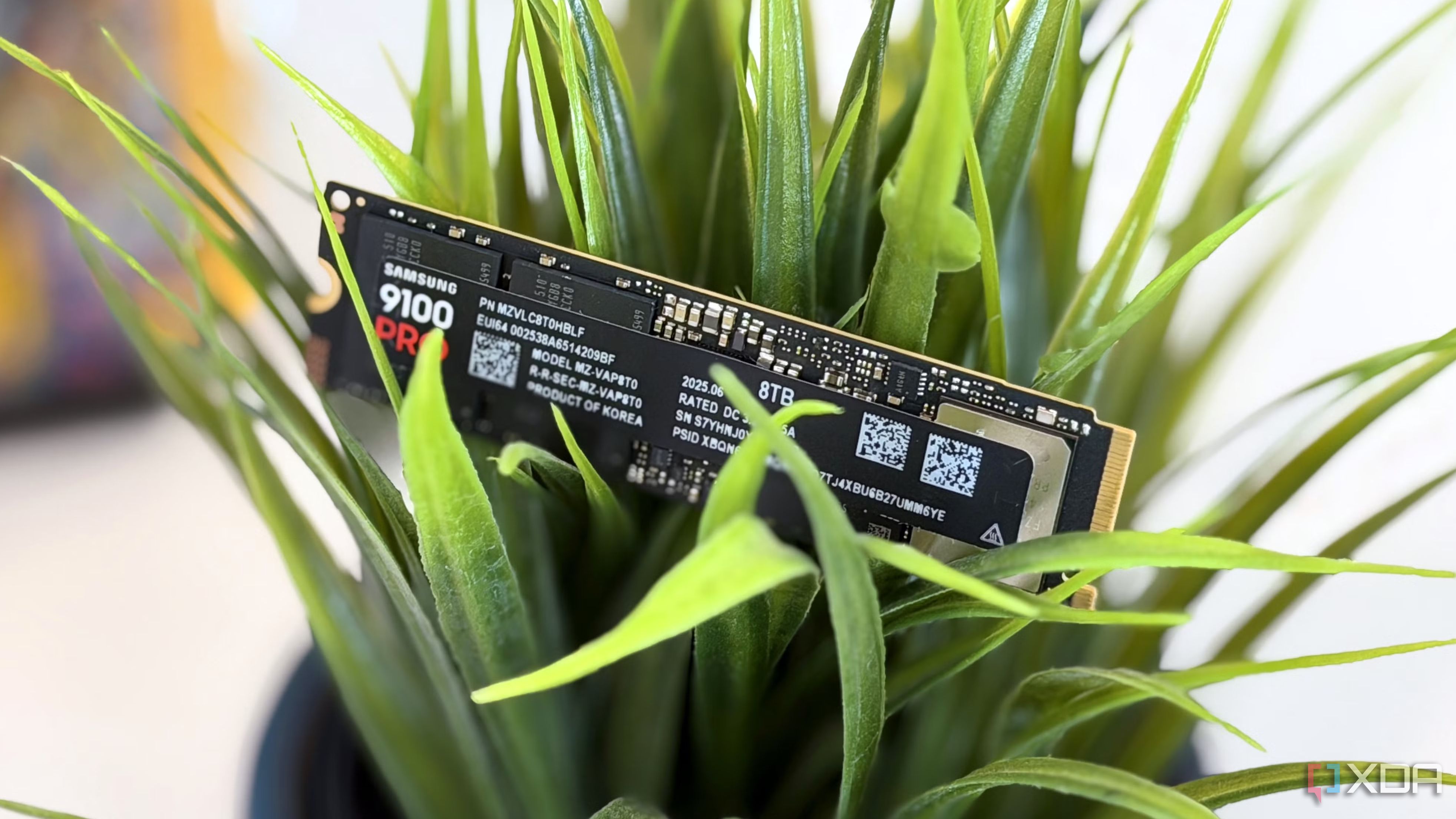
When I first encountered the sticker on Samsung's 9100 Pro SSD, I believed it was merely a standard label containing model and serial numbers. However, Samsung's product page identifies it as a "heat spreader label." This label plays a crucial role in preventing thermal throttling for the PCIe 5.0 SSD, which operates at an average power of 8.1W during sequential reads.
Some forum users have advised peeling off this label before attaching the motherboard's M.2 heatsink, but doing so would void the 5-year warranty on the drive. This has left many people confused about what to do.
The confusion arises because some SSDs, like Intel's Optane SSDs, state explicitly that their labels do not function as heat spreaders and removing them would void the warranty. However, Samsung's reasoning is that the label should be in direct contact with the chips, which have a high conduction rate. The label on Samsung's 9100 Pro does indeed touch the Nickel-coated controller and the Heat spreader label, both of which are designed for effective thermal control of the NAND chip.
The heat spreader label is a thin, nickel-coated sheet that efficiently conducts heat across its length. Hot spots under the label bleed into cooler areas, allowing the drive to maintain a more consistent temperature. The conductivity of the label ranges from 700 to 1,950 W/(m·K), which is 2 to 5 times greater than copper's conductivity. Even though the label is extremely thin (ranging from 10 to 100 µm), it has a large surface area, which helps in evenly spreading the heat generated by the drive.
The label's thickness and conductivity are crucial in managing heat distribution. For instance, Panasonic's graphite sheets, used for heat management, have conductivity values ranging from 700 to 1,950 W/(m·K), with the thinnest sheets performing the best. While the exact impact of removing the label on thermal performance remains unclear, it is generally agreed that the label plays a vital role in maintaining the drive's temperature within safe limits.
Peeling off the label to install a heatsink might seem like a good idea, but it actually disrupts the label's function of evenly distributing heat. The heatsink, on the other hand, provides additional cooling through its fins, metal mass, and larger surface area, which is necessary to dissipate the heat generated by the SSD. Therefore, it is recommended to leave the label intact and install the heatsink on top of it, ensuring a snug fit to avoid voiding the warranty.
Rewritten by urgent.news; may contain errors — check the original.
Source: xda-developers.com