I created an "Everything" vault in Obsidian, and it's one of the smartest moves I've made
One vault to organize absolutely everything.
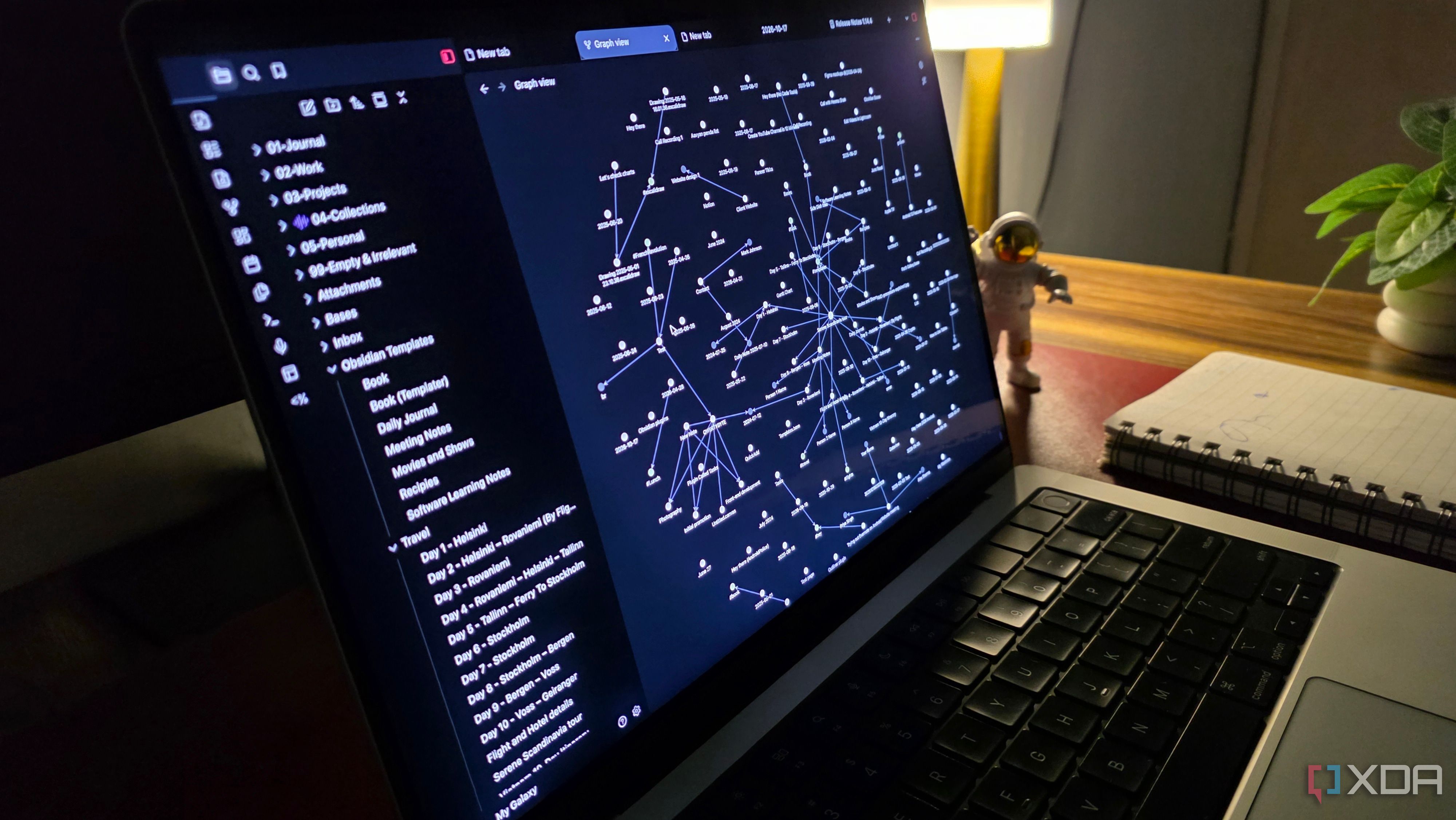
For years, I've appreciated the concept of keeping all my notes in a single location. However, my notes were scattered across various Obsidian vaults, and my tasks lived in another system. I decided to rethink how I utilized Obsidian, moving beyond it as just another Markdown-based note-taking tool. I created an 'Everything' vault to manage different facets of my digital life from one central location.
After experimenting with this approach, I firmly believe it represents one of the most intelligent productivity choices I have made.
The primary motivation for establishing an Everything vault was straightforward - I desired one location to manage various elements of my digital existence. Obsidian's versatility made this feasible, enabling me to handle work, personal projects, hobbies, random ideas, and more within a single vault. To achieve this, I initiated a new vault named 'My Galaxy' and established a straightforward folder structure.
For instance, my Work folder houses article concepts, research, client notes, meeting specifics, and crucial documents. A separate Personal folder accommodates everyday notes, plans, and daily reflections. Dedicated folders cater to Hobbies, Learning, Finances, Resources, and Quotes. Additionally, I crafted an aesthetically pleasing dashboard serving as the vault's homepage.
This interface features shortcuts to frequently accessed folders, ongoing projects, recent notes, daily tasks, and other pertinent information.
Obsidian's community is a valuable resource for inspiration. I discovered numerous inspiring dashboard and database-style layouts shared by users online, and there are many more concepts to consider when tailoring your workspace. Establishing a coherent folder structure is one thing, but maintaining it poses another challenge. As I continually incorporate new notes, ideas, research materials, and personal data, I aim to avoid spending time manually relocating each file to its appropriate location.
This is where AutoMover, a free Obsidian community plugin, becomes invaluable. The concept behind AutoMover is simple. By setting custom rules based on keywords in note titles, tags, and project attributes, I can automatically organize my vault. For instance, I can configure a rule to move notes containing 'Android Auto' in their filenames to a designated folder under Work.
Similarly, notes bearing the #books tag will automatically be placed in my Hobbies folder, while #finance-tagged notes will be directed to my Personal/Money folder. Implementing these rules is uncomplicated. I access AutoMover's settings, specify matching conditions, choose destination folders, and activate the desired automation feature.
When I open a note, the plugin can self-organize matching files, or I can manually execute the plugin's file-moving function to reorganize existing notes. AutoMover also facilitates advanced filename patterns, project-based rules, and the exclusion of files not intended for automatic organization. With these rules in action, I can concentrate on capturing information without worrying about where every note resides in my comprehensive vault.
While folders and AutoMover assist in maintaining a hectic vault, Obsidian Bases takes organization to the next level. This built-in feature allows me to transform my standard Markdown notes into robust databases. I can establish multiple views, assign properties, apply filters, and structure information without needing additional productivity applications.
For example, my Work folder contains numerous article ideas. Utilizing Bases, I can generate a specific database to monitor these ideas utilizing properties like publication date, category, priority, and status. I have the flexibility to switch between table, list, and card views based on how I wish to perceive everything. The same methodology applies to personal projects, reading lists, hobbies, and other collections.
The advantage, however, lies in the fact that I do not need to move or duplicate my notes. Bases organizes existing files into useful views, making my Everything vault feel like a complete productivity workspace rather than a mere assortment of folders.
Another significant benefit of possessing an Everything vault is the ease of finding information. Instead of recalling which folder houses a particular note, I can swiftly locate it using Obsidian's powerful search function in seconds. However, search represents only a part of the story. I also rely heavily on internal links and backlinks to interlink related notes across my vault.
For example, I can link an article idea to my research notes, valuable resources, and past projects. This enables me to navigate between relevant information without browsing through multiple folders. I also employ Obsidian's Graph view with customized filters to visualize connections between notes. Instead of viewing a cluttered graph of my entire vault, I can concentrate on specific topics, projects, or folders.
This interconnectedness renders my Everything vault genuinely cohesive. Establishing an Everything vault in Obsidian has revolutionized how I manage my digital life. Rather than toggling between various vaults or applications, I now maintain all components organized within one location. Of course, setting up such a vault necessitates time and effort.
You must design your folder structure, install suitable plugins, and make certain adjustments to align with your workflow. Nevertheless, the investment proves rewarding in the long term. Once everything is in place, Obsidian handles the majority of the work for you.
Written by urgent.news from XDA Developers's reporting — not their text. Machine-written — may contain errors; check the original before relying on it.