Apple's Wall-Mounted HomeView Ships Without a Power Adapter
Apple's wall-mounted HomeView will ship without a power adapter, USB-C cable, or mount, requiring customers to purchase compatible accessories separately. In a support document posted on October 14, Apple outlined different power requirements for the two versions of its new smart home hub. The tabletop HomeView requires a USB-C power adapter rated for at least 30W, supporting an output of 15V at…
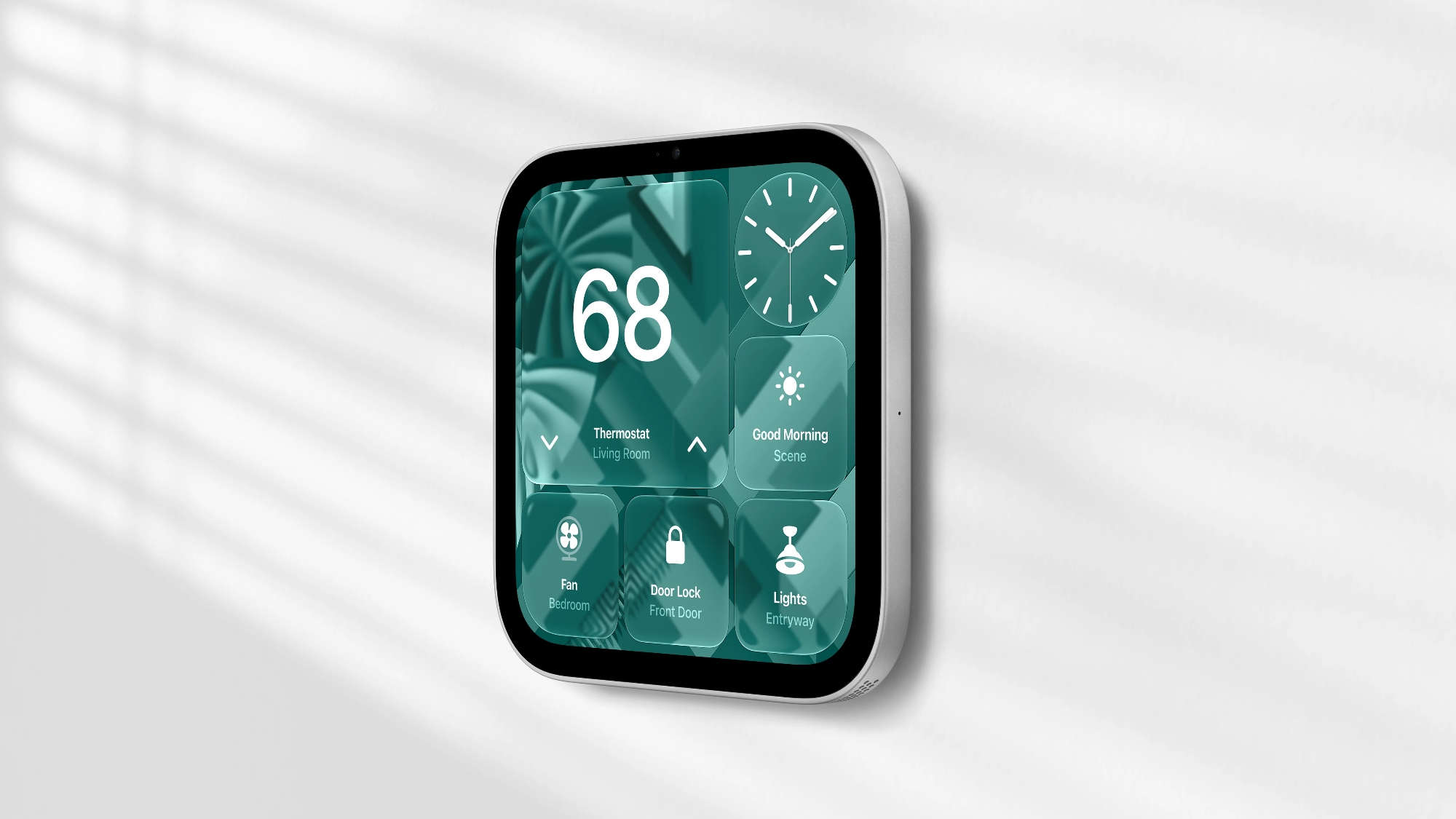
Apple has announced that its new wall-mounted HomeView smart home hub will not come with a power adapter, USB-C cable, or mounting hardware. According to a support document released on October 14, customers will need to purchase these accessories separately. The tabletop version of HomeView requires a USB-C power adapter rated for at least 30W, delivering 15V at 2A or higher.
In contrast, the wall-mounted model needs a power adapter rated for at least 20W, providing 9V at 2.22A or higher. The tabletop model comes with a 30W adapter and a 1.5-meter USB-C cable, while the wall-mounted version's box only includes the device and documentation. Customers who opt for the wall-mounted HomeView will have to buy a compatible third-party mount and power solution.
The device can be powered through a separate USB-C cable and adapter or a hardwired connection to line power, depending on the mount. If the device does not receive an adequate power supply, HomeView will display a "Power Adapter Not Supported" message, complete with a lightning bolt and yellow warning triangle. To resolve the issue, Apple recommends testing the device outside its mount with a compatible USB-C cable and adapter.
If the device functions when connected directly, customers should reach out to the mount manufacturer or a professional installer. Apple introduced HomeView earlier this week, unveiling a 7-inch Liquid Retina display, an A18 chip, and integration with Siri AI. Both versions of the hub will be available for pre-order in the United States for $299, with availability starting on November 13.
Rewritten by urgent.news; may contain errors — check the original.
Source: macrumors.com