Samsung SA expands digital wallet ecosystem
Local Samsung Galaxy users can now Scan to Pay with QR code payments in Samsung Wallet.
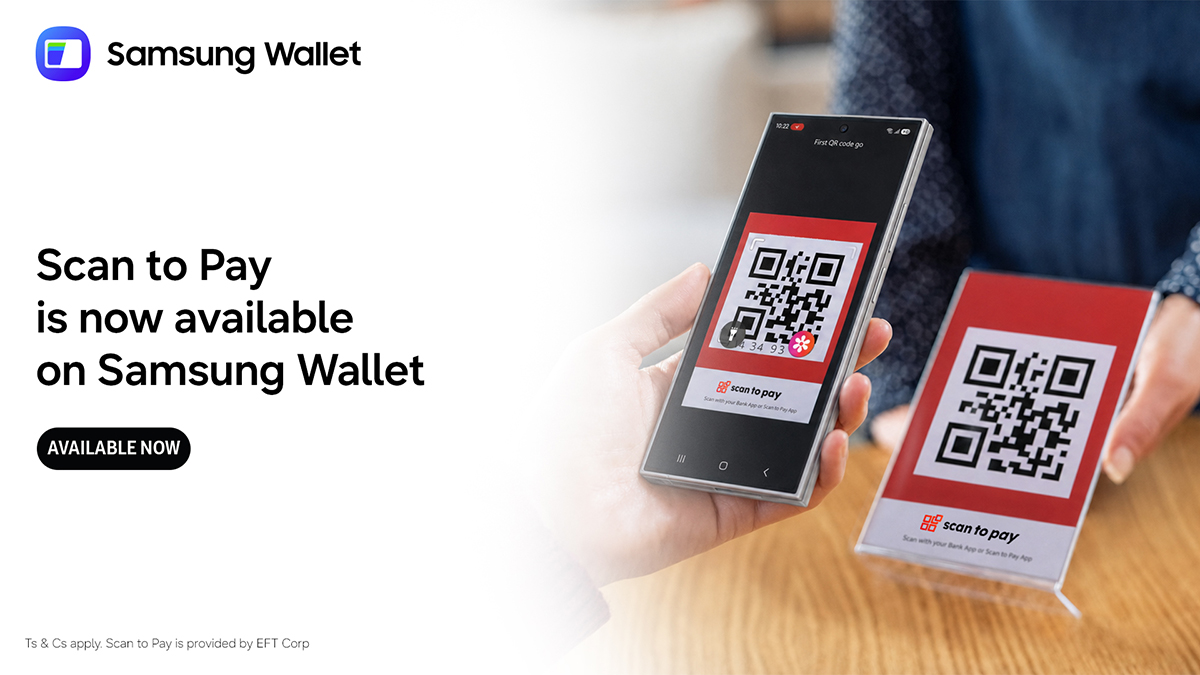
Samsung South Africa has launched a new QR payment option within its digital wallet application, Samsung Wallet. Collaborating with EFT Corp, the addition enables Galaxy device users to perform Scan to Pay transactions at participating merchants. The company explains that Scan to Pay provides users with an alternative method for purchasing at partnering businesses.
This upgrade enhances the Samsung Wallet ecosystem by adding more practical uses for customers, according to the company. Zahir Cajee, a product and commercial lead at Samsung South Africa, emphasizes that the company's product design process prioritizes understanding user needs and making daily usage simpler. Samsung Wallet made its debut in South Africa's digital payments scene in November 2022, merging Samsung Pay and Samsung Pass to securely store and manage passwords, digital keys, card information, and other details for both online and offline transactions.
The 2024 SpendTrend report attributes the growing popularity of digital wallets to the availability of services like Apple Pay and Samsung Pay in the country, as well as shifting consumer shopping habits, particularly among online shoppers who now frequently use international discount platforms such as Temu and Shein. Scan to Pay, developed by EFT Corp, integrates QR code technology with the requirements of contemporary consumers and enterprises.
The feature is present in over 600,000 acceptance points across South Africa and is included in more than 19 million applications for consumer banking, fintech, and financial service provider platforms. Scan to Pay assists in shaping the future of digital payments and hastening the transition to a more cashless society. To utilize QR code payments, Galaxy device users must open Samsung Wallet from their appropriate devices, scan the QR code, confirm their payment, and complete their transaction.
Written by urgent.news from ITWeb's reporting — not their text. Machine-written — may contain errors; check the original before relying on it.