I turned Obsidian into a complete productivity app with one free plugin and there is no going back
My vault does it all
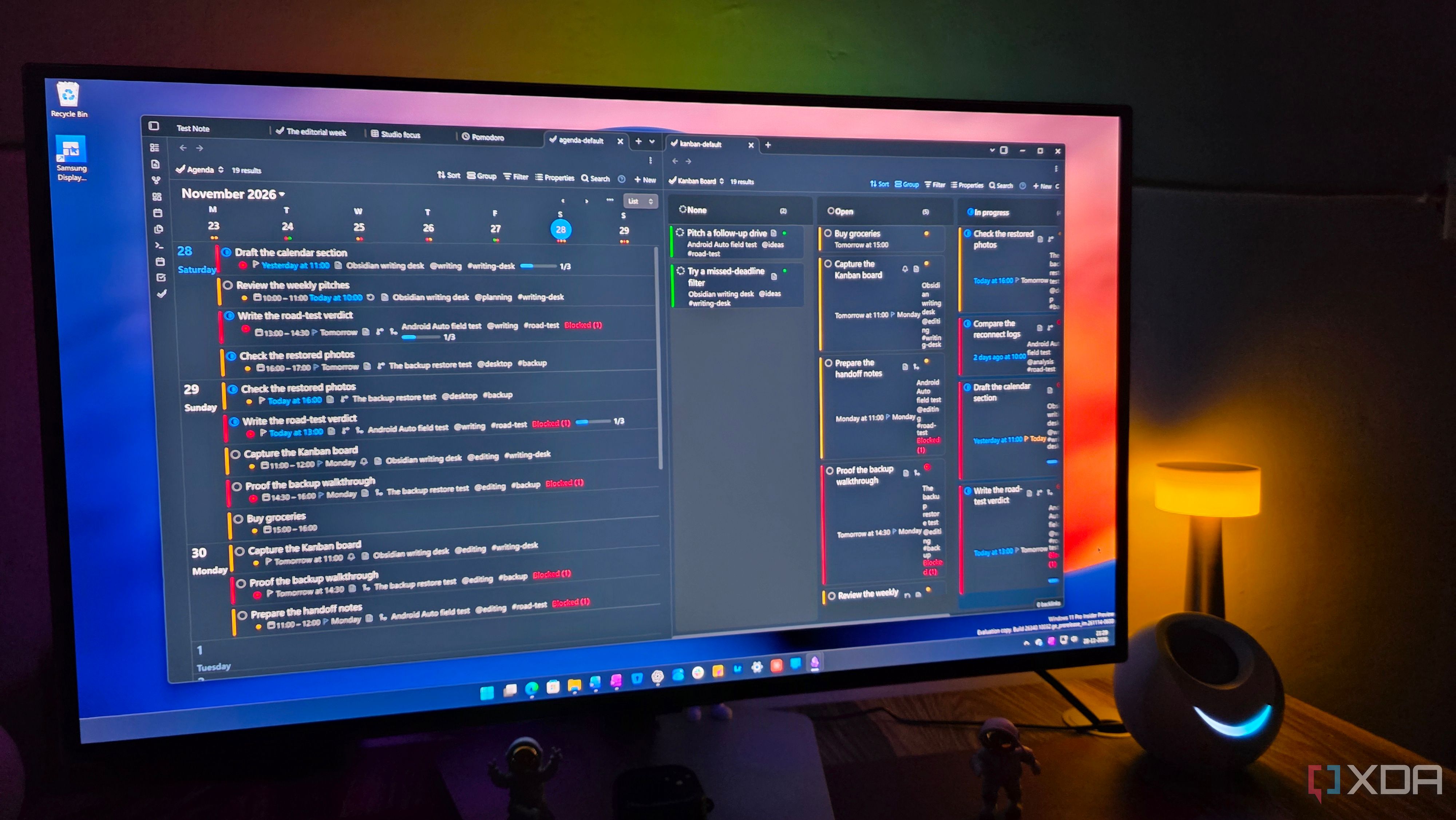
Obsidian, a popular note-taking app for managing notes and building personal knowledge bases, once required separate productivity tools for daily tasks, deadline tracking, and project planning. However, the introduction of TaskNotes, a free community plugin, revolutionized this workflow. TaskNotes is an open-source plugin for Obsidian that offers a comprehensive approach to task management, encompassing features beyond simple task lists, such as priorities, statuses, due dates, and project associations.
It incorporates calendar views, time tracking, recurring tasks, and a Pomodoro timer, providing a rich productivity experience within the Obsidian environment.
To begin using TaskNotes, users install it from the Obsidian Settings under the Community plugins menu, ensuring to also enable Obsidian Bases, which TaskNotes relies upon. Once set up, users can access the TaskNotes sidebar icon or command palette to create tasks and view productivity dashboards. Each task is stored as a separate Markdown file, allowing for the inclusion of detailed descriptions, attachments, and links to research notes without limitations.
TaskNotes tasks can be organized in various ways, including Kanban board views for visualizing editorial pipelines, calendar views for deadline tracking, and agenda views for daily planning. Users can filter, sort, and group tasks based on properties like priority and due dates. For example, tasks can be grouped to display high-priority assignments due this week.
One standout feature is TaskNotes' ability to understand natural language input, enabling users to simply type a task description like "Meet doctor next Friday at 6 pm," and it will automatically create the task with all relevant details. The calendar view provides a comprehensive overview of upcoming responsibilities, with options to switch between daily, weekly, and monthly layouts and the ability to drag and drop tasks for rescheduling.
TaskNotes also supports external calendar integration, allowing users to view both appointments and tasks side by side. The built-in time tracker enables users to start timers directly from tasks, eliminating the need for separate time-tracking apps. Additionally, a dedicated Pomodoro timer with customizable focus sessions and breaks is included, along with productivity statistics to help users understand their working habits better.
A practical example of TaskNotes' application is the creation of an "Editorial Studio" within an Obsidian vault, containing 18 tasks across three projects, complete with deadlines, priorities, and schedules. This setup includes a Kanban board for editorial pipelines, a Story backlog for managing assignments, and an agenda view for daily responsibilities.
TaskNotes effectively integrates productivity features into the Obsidian workflow, allowing users to plan their day, track deadlines, and monitor progress without leaving their vault. This integration provides a seamless productivity experience that combines the functionalities of apps like Todoist, Trello, and Toggl within Obsidian itself.
Rewritten by urgent.news; may contain errors — check the original.
Source: xda-developers.com