I rebuilt Claude piece by piece with open-source tools, and only one feature had no replacement
Open-source has every piece except for one
Claude is no longer merely a chat window or coding assistant; it has evolved into an all-encompassing AI tool that encompasses coding, chatting, administration, design, and note-taking. The service even offers Cowork, Design, and Docs in beta versions for paid plans. However, free users are subjected to heavy usage limits. This is where open-source tools come into play, bridging the gaps and alleviating the pressure on Claude's rate limits.
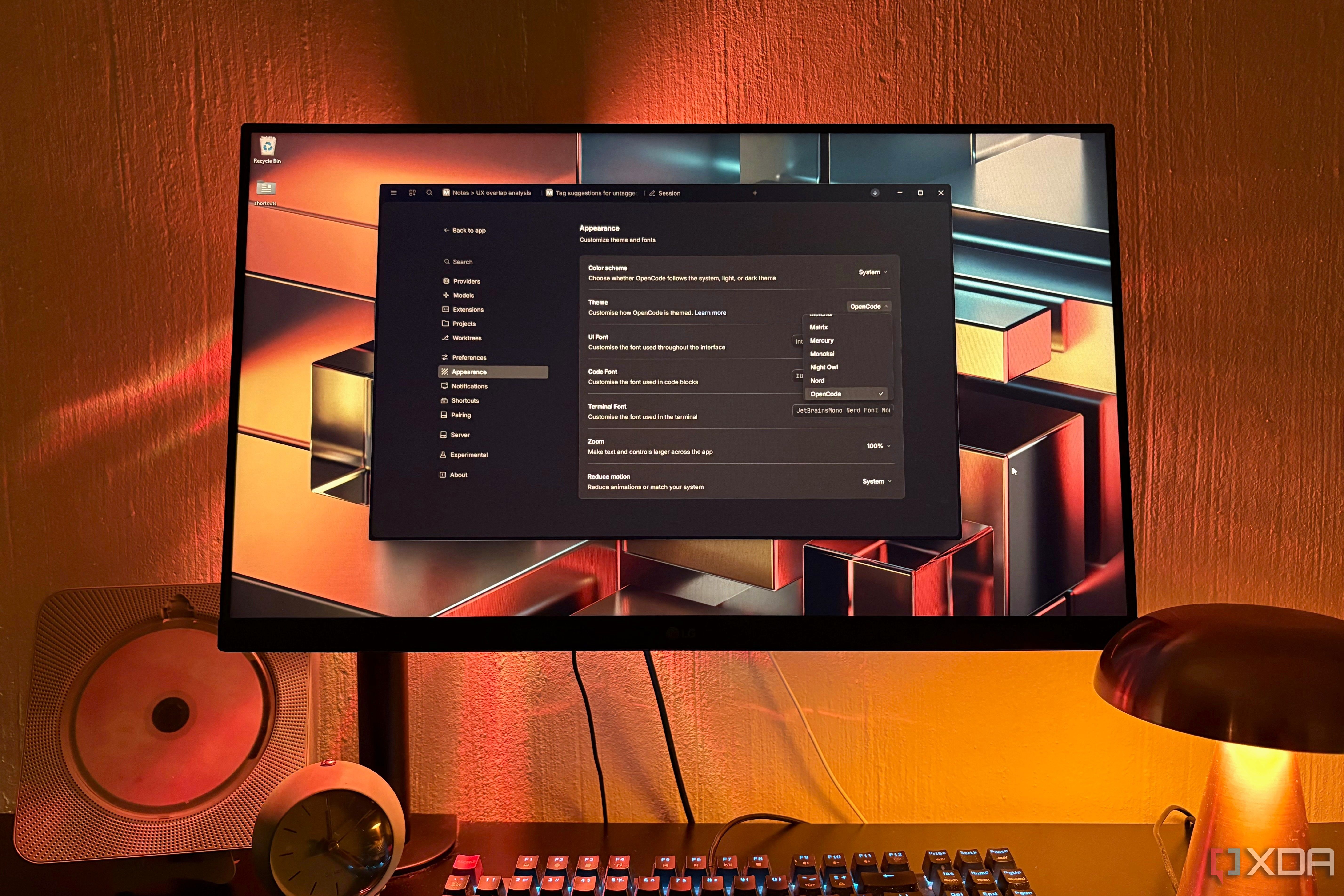
If you're using agents regularly, OpenCode might already be familiar territory. For newcomers to Claude Code, I suggest incorporating OpenCode into your workflow to enhance its capabilities. OpenCode, developed by Anomaly, began in the terminal before evolving into desktop and mobile applications. It's not exclusively for development; it functions as an agent with folder access for non-coders, handling computer administration tasks.
The model choice is pivotal for me as I keep it installed. OpenCode comes with free models that don't require an account, plus the ability to connect to over 200 providers, including local models. This allows me to maintain privacy by utilizing local models while still leveraging Claude's models when necessary. Claude Design has two open-source counterparts, OpenDesign and OpenCoDesign, launched within weeks of its launch.
Despite their differences, they both fulfill the same function as Claude Design. You input a description on one side of the window, and a live HTML mockup appears on the other. OpenDesign doesn't come with a model and relies on a coding agent already installed, while OpenCode supports this functionality. Both can utilize API keys or local models.
Open CoDesign, on the other hand, is more self-contained, accepting keys from Claude, GPT, or Gemini, or processing local models through Ollama. Both tools can read design systems from plain DESIGN.md files, which I appreciate for having my colors and type rules in an accessible format. Speed is a consideration; local models on my 8GB card take minutes to generate, making API a more practical choice for those with mid-tier hardware.
Cowork serves as Claude's hands-off mode, operating on the same foundation as Claude Code. Anthropic developed it after observing users utilizing Claude Code for non-coding tasks. Essentially, Cowork offers a user-friendly alternative for non-coders to perform admin file work. Unfortunately, it's not available on the free tier and consumes rate limits on the subscription plan.
This is where Eigent comes in, billed as the free open-source Cowork desktop app built on CAMEL-AI's multi-agent framework. Cowork can split tasks into sub-agents, but Claude determines when to do so. Eigent empowers you with this choice. In Workforce mode, it divides tasks into pieces and assigns them to specialized agents running in parallel.
For smaller jobs, Single Agent mode maintains one agent with continuous context. Eigent runs on your API keys or a local model, and supports MCP. Claude Docs launched in September, providing Claude with a shared and editable document feature. You request a document within a chat, Claude drafts it on the screen, and you can request edits or changes.
OpenKnowledge is my preferred open-source option for this task. It's a free WYSIWYG markdown editor from Inkeep, offering a Google Docs-like experience crossed with Notion. While Claude Docs integrates Claude directly into the document, OpenKnowledge provides an in-app Ask AI experience and is compatible with external agents like Claude Code, Codex, and Cursor through MCP.
Like the other tools, these open-source applications function independently but don't inherently recognize each other's existence. They are separate tools to navigate between. Memory management is where this discrepancy becomes apparent. Claude Chat and Cowork share memory when Cowork operates in the cloud, and Claude saves this memory as individual topics, allowing corrections to carry over to subsequent chats and cloud Cowork tasks.
Similarly, connectors to external services through MCP function uniformly across chat, Claude Code, and Cowork, while each open-source application requires its own MCP setup. The most straightforward workaround is utilizing a single folder containing markdown files that document your identity, past projects, and project rules. However, maintaining these files up-to-date manually after each session in every tool is a cumbersome task.
This is why I primarily rely on my local stack for smaller tasks, utilizing the privacy benefits and freeing up Claude's usage for more critical work.
Rewritten by urgent.news; may contain errors — check the original.
Source: xda-developers.com