I put Batocera 44 on a mini PC under my TV, and it's never been easier to relive my childhood favorites
If you want a dedicated retro gaming console, a mini PC and Batocera are all you need to get started, and it's very easy to use.
In today's modern gaming landscape, we often find ourselves reminiscing about the simpler games from our youth. However, it has become remarkably easier to access those classic games with a modern twist. One such way to relive your favorite childhood favorites is by using Batocera, a free Linux distribution designed specifically for offering a console-like experience.
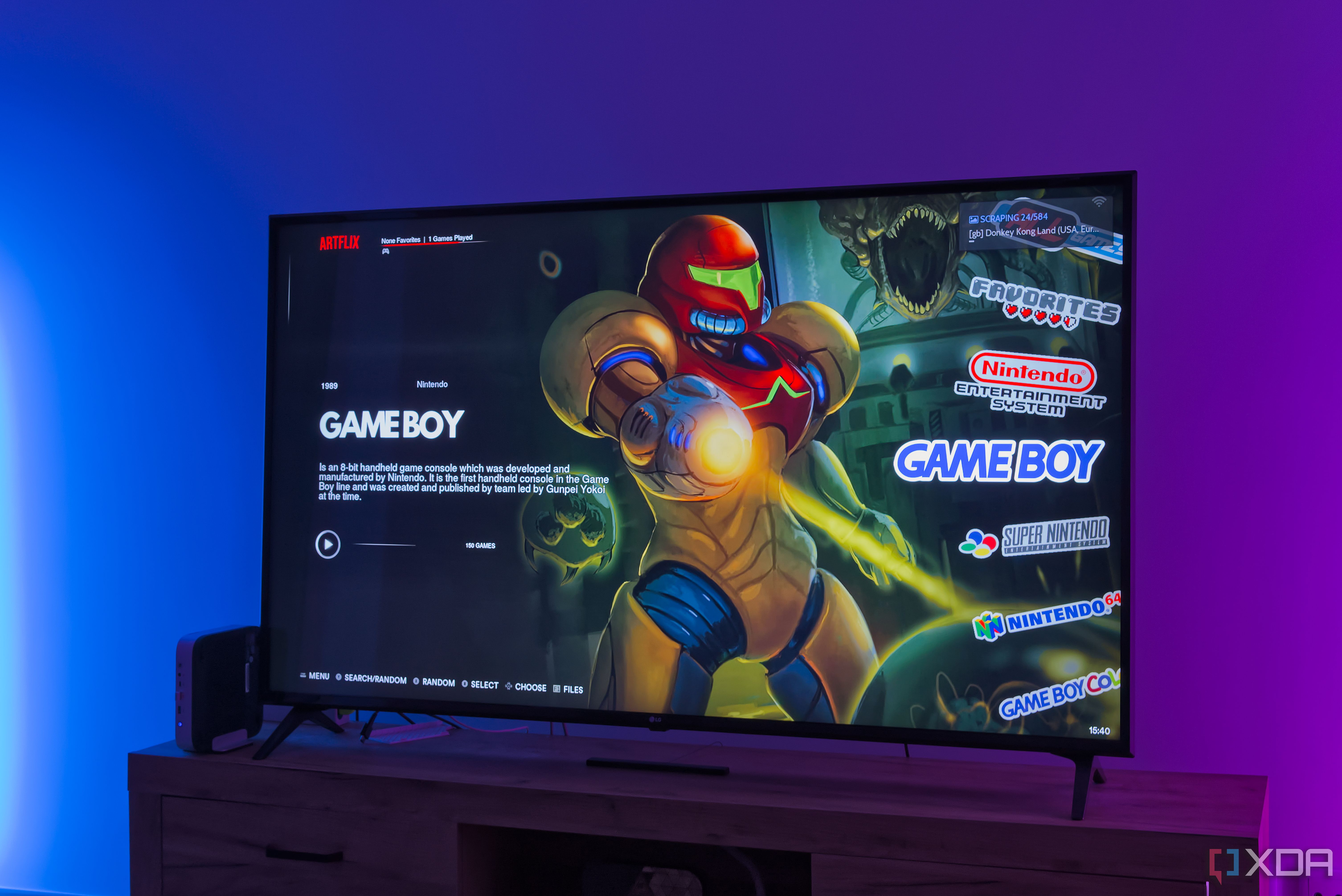
I set up Batocera on a mini PC next to my TV, and it has made reliving my childhood games an effortless and enjoyable experience. Batocera is an operating system in itself, relying on Emulation Station and RetroArch for its emulation capabilities. It functions as a Linux distribution that doesn't require a typical desktop interface, instead, it boots directly into the Emulation Station - Desktop (ES-DE) interface.
You can control it using a mouse and keyboard, or preferably, a wired controller, but it's also compatible with Bluetooth controllers that need to be connected manually. Batocera supports a wide range of consoles, from older platforms like the NES, SNES, and Game Boy, to more recent ones. It even includes built-in themes that present each game beautifully with box art, screenshots, and even trailers.
While getting started with Batocera is easy, exploring its full potential might require some in-depth reading of the team's guide.
Rewritten by urgent.news; may contain errors — check the original.
Source: xda-developers.com