These Google Photos alternatives made me rethink how I manage photos on my Pixel device
I explored beyond Google Photos and found a smarter way to manage my growing photo collection.
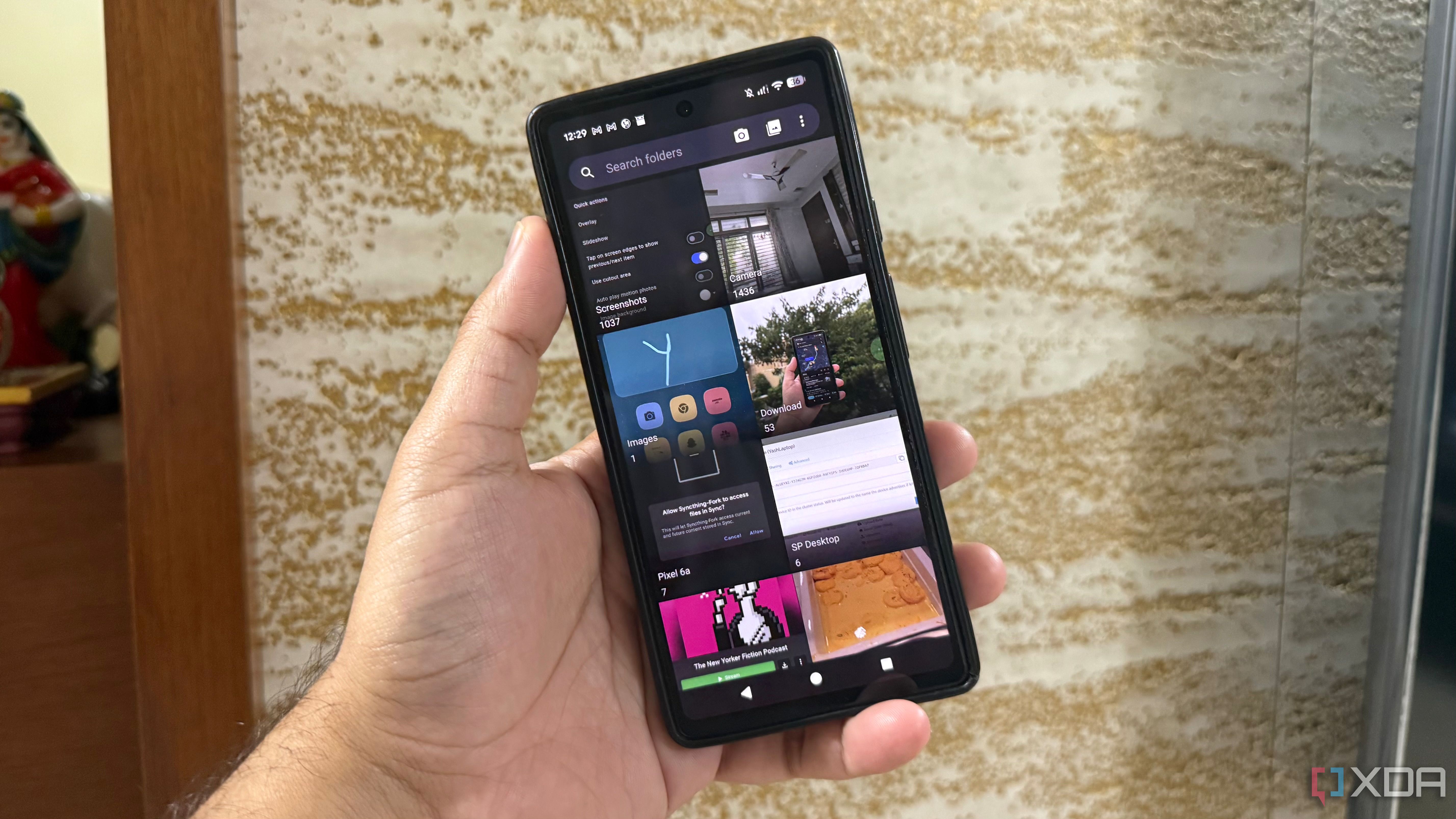
For years, Google Photos has been my preferred app for managing photos on my Pixel device. However, concerns about cloud storage, privacy, and the mounting number of photos led me to explore alternatives. After testing various options, including offline galleries and apps for running personal photo servers, two solutions have seamlessly integrated into my regular routine.
Privacy emerged as a primary motivation for seeking alternatives. Ente Photos addresses this concern while maintaining convenience. The Android app automatically backs up photos and videos, ensuring end-to-end encryption. Unlike traditional cloud services, Ente employs zero-knowledge encryption, preventing the company from accessing my original photos.
In addition to secure backups, Ente offers useful features like face recognition, which groups pictures of the same individuals, and Magic Search, enabling users to locate photos using everyday descriptions like "beach sunset" or "birthday cake." Both functionalities operate on the device, eliminating the need to send pictures to a server for AI analysis.
The app also supports shared albums, memories, and accessibility across various platforms, starting with a generous 10GB of free storage.
Aves Gallery proved particularly intriguing for users with diverse photo collections. In addition to standard timeline and folder browsing, Aves allows exploration of photos through albums, tags, locations, and maps. The map view is especially helpful for revisiting travel memories without knowing the exact date a picture was taken.
Beyond displaying thumbnails and filenames, Aves utilizes image and video metadata, enabling browsing by location, date, and other details. The app also recognizes special media formats, such as Motion Photos, panoramas, 360-degree videos, and GeoTIFF images. It seamlessly integrates with Android's global search, app shortcuts, and media picker, making it a versatile choice for users with extensive and varied photo libraries.
For those who prefer simplicity and don't require cloud storage, AI search, or additional accounts, Fossify Gallery stands out. It offers a clean and straightforward interface, focusing on making locally stored pictures easier to browse and manage. The app organizes photos and videos into albums with customizable options, providing a refreshing alternative to cloud-based photo platforms.
Fossify Gallery includes a built-in editor that handles cropping, resizing, rotating, drawing, and applying filters—all within the app, without needing to open another application. It supports various formats, including JPEG XL, RAW, GIF, and AVIF, ensuring compatibility with different types of media files. Notably, Fossify Gallery operates without ads or the necessity of an online account, providing a seamless browsing experience.
Although initially perceived as an additional task, running a personal photo server proved surprisingly appealing with Immich. After installing it using Docker and connecting its Android app to my server, I discovered the ease of managing photo and video uploads in the background, avoiding manual file transfers. Immich allows users to choose which device albums to back up, rather than uploading everything, providing greater control over the process.
Navigating the app features a familiar chronological timeline, albums, favorites, and a map view for browsing pictures by location. The smart search and facial recognition capabilities make large libraries much more manageable, allowing users to quickly find specific photos like "dog on the beach" or pictures of particular individuals.
Immich also supports Android Motion Photos, adding value for Pixel users. A standout feature is the Free Up Space option, which efficiently removes backed-up files from the phone.
After testing all four alternatives, my preferred combination consists of Immich and Fossify Gallery. Immich provides a comprehensive photo library that I can manage on my own server, while Fossify Gallery serves as my go-to for quickly browsing photos stored on my Pixel. These apps serve different purposes, allowing me to leverage the strengths of each without relying on a single solution.
Ente and Aves are also worth exploring, but Immich and Fossify have become the combination I see myself using regularly for photo management on my Pixel device.
Rewritten by urgent.news; may contain errors — check the original.
Source: xda-developers.com