Kodi still does things Plex and Jellyfin refuse to, and it's why it's on every TV I own
Kodi still knows what a media center is.
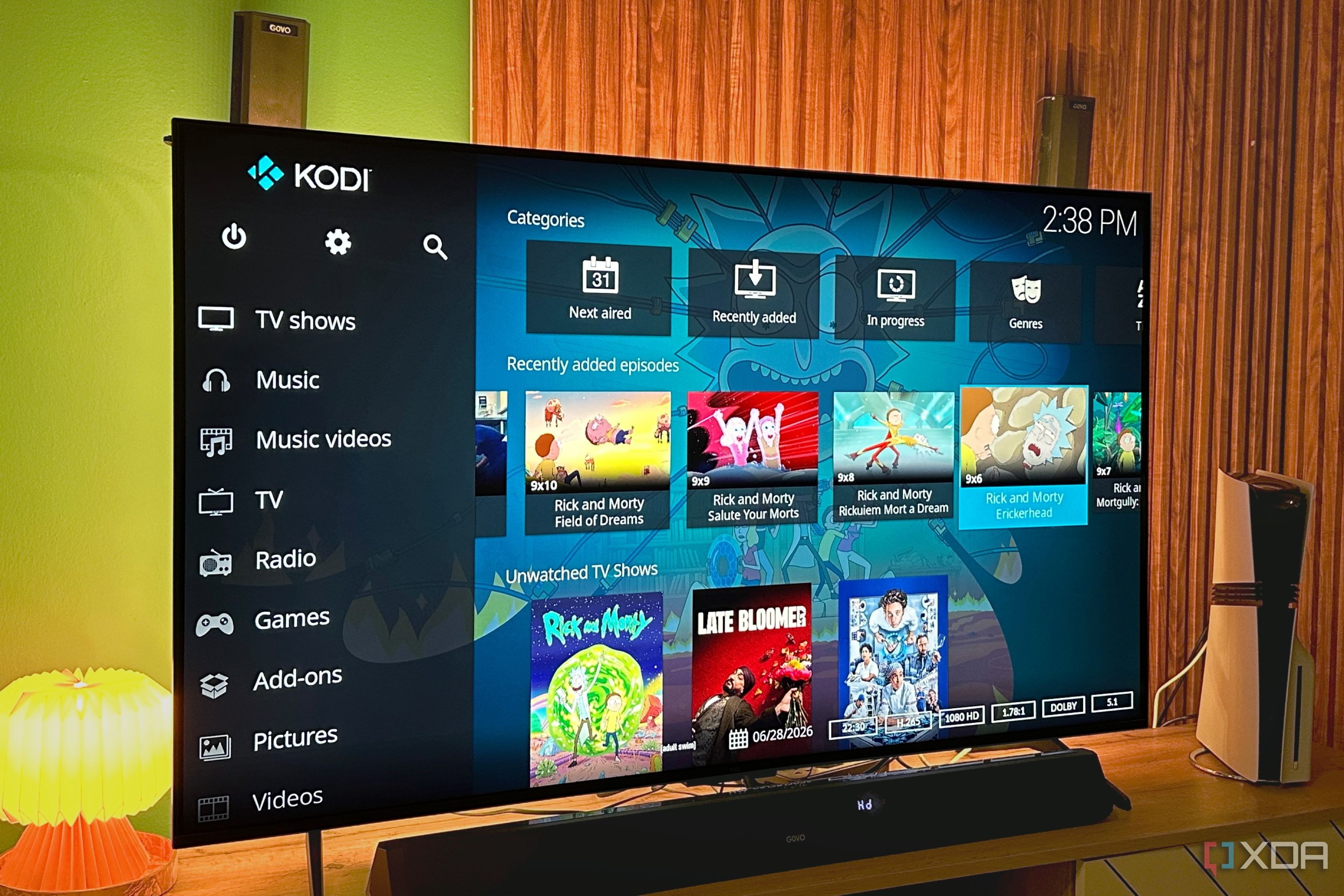
Kodi remains a popular choice for many who own multiple TVs, despite the competition from Plex and Jellyfin. While Plex and Jellyfin offer excellent server media exposure, Kodi feels more like a true media center, putting the local library at the forefront. Kodi's navigation is intuitive, featuring widgets and customizable home screens that allow users to prioritize content, especially when dealing with extensive collections. Its interface becomes increasingly cohesive after metadata is scraped and the library is built.
One significant advantage of Kodi is its playback controls, which are indispensable for adjusting subtitle timing or other playback issues. Kodi also offers granular audio settings, enabling users to switch tracks, handle multichannel audio, and adjust the Center Mix Level when downmixing surround sound to stereo. These features are not frequently used but prove valuable when needed.
Kodi's customization options are extensive, allowing users to alter the home screen, rearrange menus, choose libraries, add widgets, and determine the level of information displayed. Users can even remove unnecessary elements, ensuring the interface aligns with their specific viewing habits. This level of customization is far more comprehensive than what other media apps offer, enabling users to build an interface around their unique watching preferences.
Kodi's integration with self-hosted setups is seamless. Kodi complements Jellyfin by providing a user-friendly interface for the library, while Jellyfin handles the backend tasks such as metadata, users, and remote access. Kodi and Jellyfin work best together, with Jellyfin managing the backend tasks and Kodi handling the TV experience. This separation of concerns makes the home media setup more manageable.
Despite its strengths, Kodi has its weaknesses, particularly in being designed as a modern media server. Remote access, centralized management, and synchronizing multiple installations require more effort compared to other solutions like Jellyfin or Plex. However, Kodi compensates by offering control, albeit with some additional work.
Kodi's user interface can become complicated due to its extensive settings, skins, add-ons, and playback options. This complexity can make Kodi feel like a weekend project, but once configured, it largely operates in the background, leaving users with a seamless media experience. While it may not replace the entire media stack, it offers the best possible interface when watching content on the couch.
Despite its occasional fiddliness and hidden settings, Kodi remains remarkably effective in providing the desired TV experience.
Rewritten by urgent.news; may contain errors — check the original.
Source: xda-developers.com