4 apps turned my dull Android home screen into something I actually love looking at
I finally gave Phone a makeover
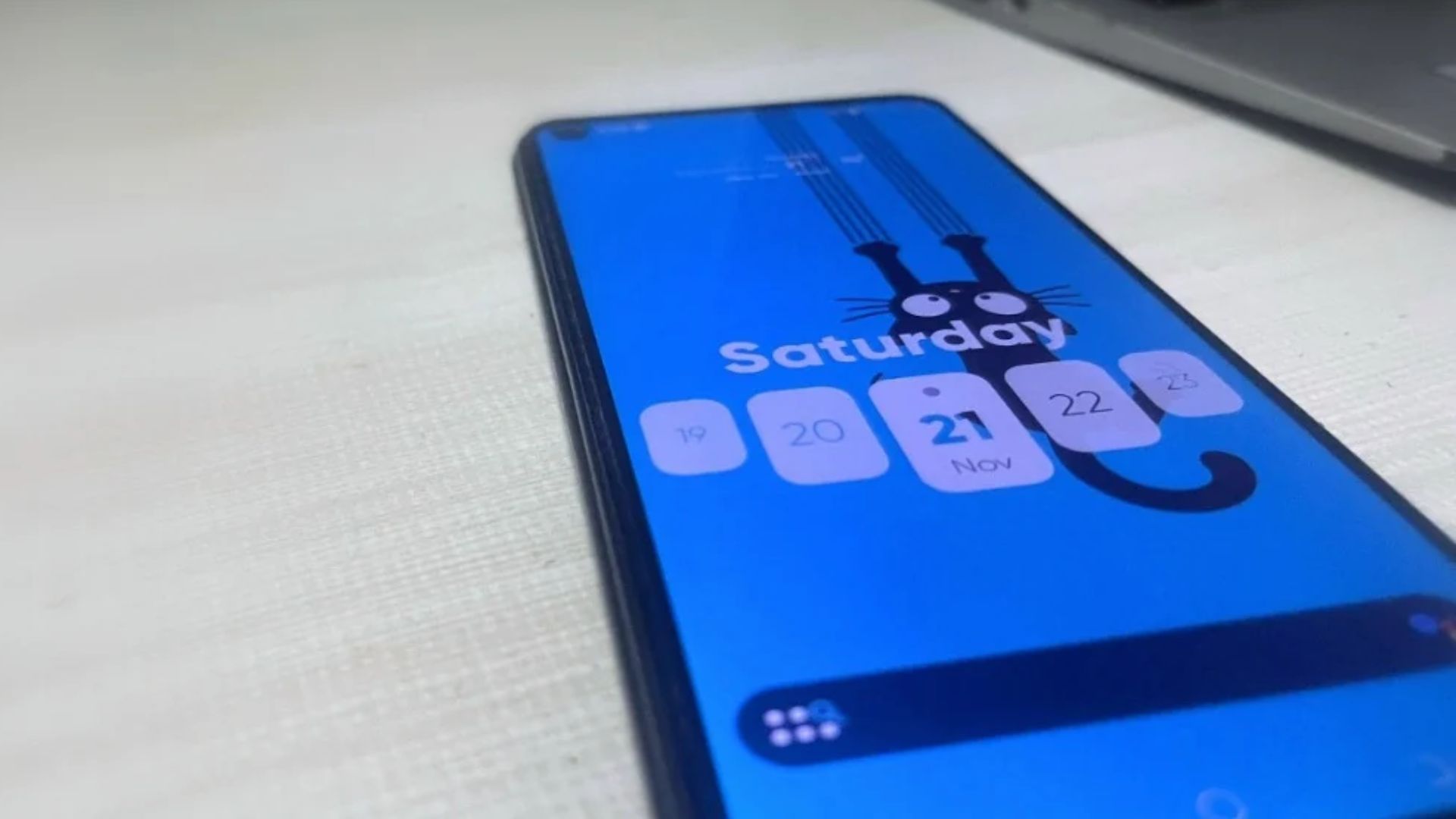
I am a fan of altering the appearance of my Android device because I dislike it remaining unchanged. Android allows for this, so I frequently experiment with different styles on my phone. My objective was to have my screen reflect my apps and information in a particular manner. To accomplish this, I employed Nova Launcher, KWGT, Whicons, and Backdrops.
Nova replaces your device's home screen with a customizable display. You can modify the dock, folders, icons, app drawer, and home screen. I chose a 9 by 7 grid for my desktop because I prefer seeing my apps at a glance. I then concealed the labels on the icons on my home screen to achieve a cleaner appearance. I eliminated all the apps on the home screen to create space for widgets without clutter.
Nova offers more than just layout changes. You can hide app labels, alter the appearance of folders and the app drawer, and use gestures to perform actions. Some of these features necessitate Nova Prime, but even the free version has numerous layout and style options. I didn't opt for Niagara Launcher because I couldn't customize widgets and icon packs as extensively as I desired.
You don't need to set it up in the way I did. I simply aimed for a visually appealing home screen with fewer elements. You can increase the grid size, allocate more space for widgets, or make your app icons transparent. Nova allows for customization to your heart's content until you find a setup that suits you. The widgets had to feel like they belonged on the home screen.
Although I enjoy Android widgets, they often don't align with my desired phone aesthetics. You can modify widget text, fonts, colors, images, shapes, and order in KWGT. Clocks, weather widgets, music players, battery indicators, photo widgets, and more are available in the information panels. You can begin with a blank design or modify an existing preset.
I started with the Widget 015 preset, scaled it to 100, and placed it on my home screen. I resized and positioned it until it looked satisfactory. I also wanted to quickly check the weather, so I added a separate widget for that. This enabled me to view weather information without opening another app and provide useful data on my home screen.
You can import external presets made by other users into KWGT Pro, but you must upgrade to KWGT Pro to do so. Before downloading multiple widget packs, test a design with your background and icons to see how it looks. I desired more uniform app icons. Some of the shaped and colored icons that came with the apps didn't match my aesthetic.
Therefore, I searched for an icon pack on Google Play. Whicons, with its integration with Nova Launcher, was perfect for my dark home screen wallpaper and minimalist setup. After installing Whicons, I added it through the Whicons app. My supported apps now have a uniform, simple appearance that complements my background and home screen widgets.
I chose the 'Hanging On' backdrop from Google Play as my lock screen and home screen wallpaper due to its pleasing shade of blue. Backdrops offer designs that match various aesthetics, ensuring your home screen looks just right. The transition from my previous home screen to the current one was minimal. The blue background complemented the white icons, and the KWGT widgets facilitated quick and clutter-free access to information.
Nova was straightforward to customize and made a significant impact quickly. I am pleased with how it turned out and will likely use it again in the future.
Rewritten by urgent.news; may contain errors — check the original.
Source: androidpolice.com