I added an AI command to my terminal that explains cryptic logs without leaking my data
Now my logs come with a translator.
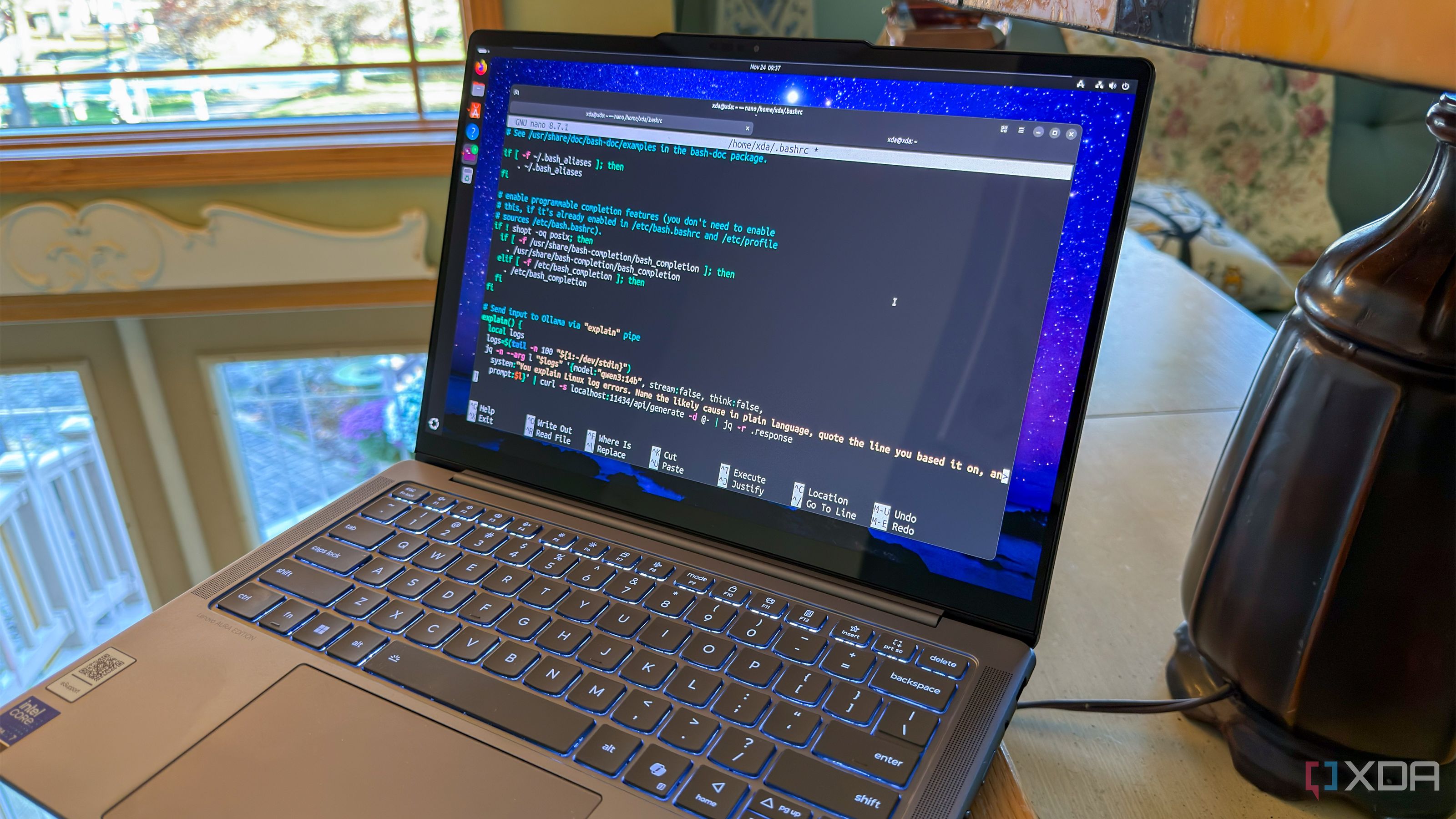
In the terminal, deciphering cryptic log entries often proved challenging. Users would manually copy the log snippet into a browser search bar, hoping to find suitable guidance. However, this method frequently yielded no results or only irrelevant information. To improve this situation, a shell function was created that pipes log output into a local language model (LLM) for AI-assisted explanations.
This approach allows users to receive suggestions within the terminal itself, creating a more cohesive workflow. Utilizing Ollama's API, accessible on port 11434, the function takes advantage of the model's ability to provide concise responses and promptly reject uncertainties. The system prompt is customizable, allowing users to tailor it to their specific environment and requirements.
By providing additional contextual information about the operating system, services, and applications in use, the LLM can generate more accurate recommendations. One significant advantage of this method is that sensitive data, such as hostnames, IPs, file paths, and usernames, remains private since it is not shared with a third party.
Although the local AI models are not as powerful as cloud-based alternatives, the privacy and cost savings offered by this setup make it an appealing solution. The function's integration with the terminal has become an indispensable tool for troubleshooting, saving time and effort compared to the traditional search-and-pray approach.
Rewritten by urgent.news; may contain errors — check the original.
Source: xda-developers.com