Setting up Android's Work Profile properly allowed me to dump my separate work phone forever
One phone, two profiles, and a pause switch for after hours
Keeping work and personal life separate is a common recommendation, however carrying around two phones for this purpose quickly becomes cumbersome. I initially considered returning to a single phone, but desired more separation than a simple dual phone setup offered. This changed when I discovered Android's Work Profile feature. Setting up this feature on my Samsung Galaxy S26 Ultra took under 10 minutes and did not require any assistance from IT personnel.
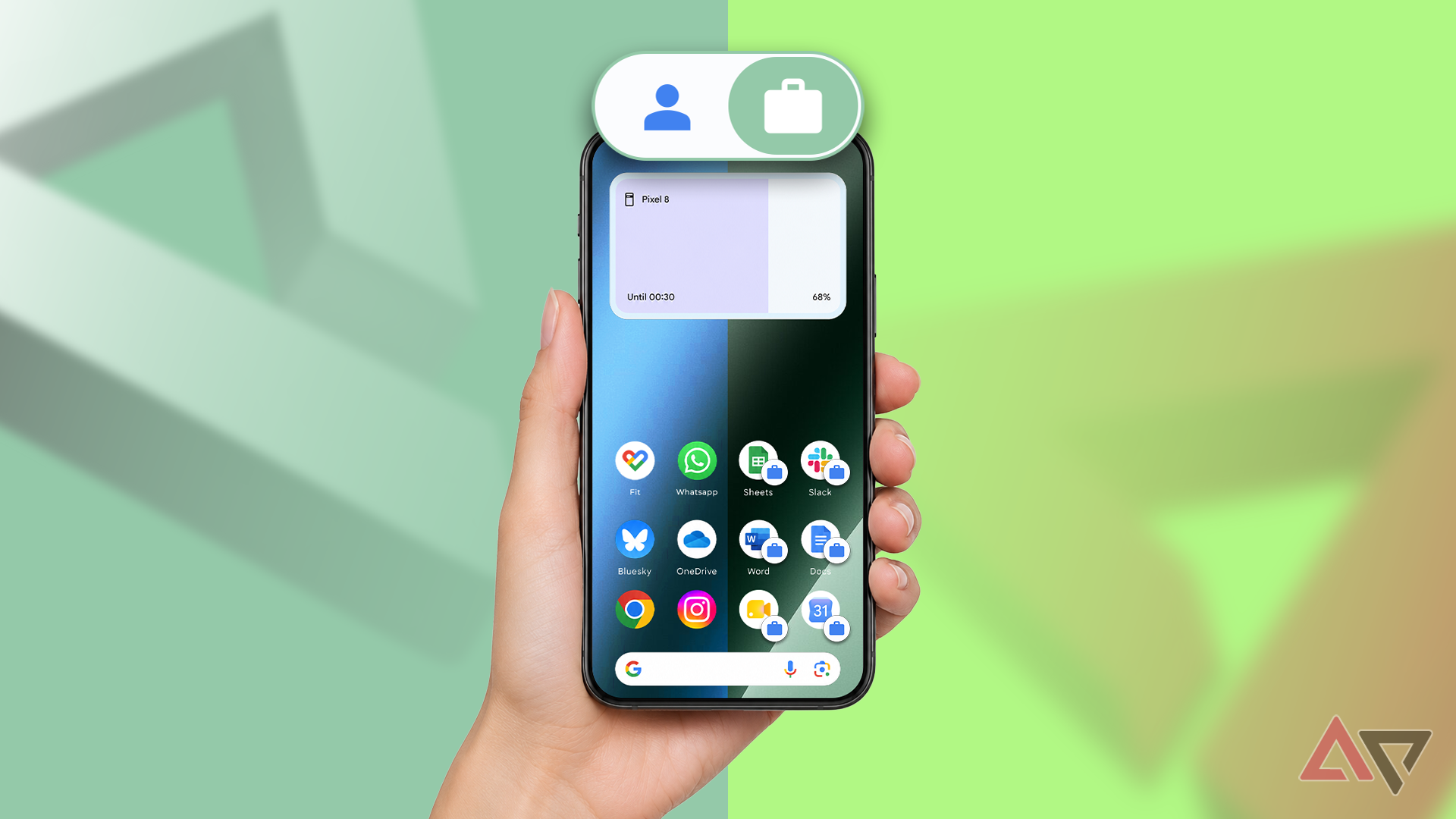
A Work Profile is a separate space on a phone that has its own apps, accounts, and data. Google claims that data within a work profile is fully encrypted, while the personal side of the phone remains private from it. On my Samsung device, the app drawer now includes both Personal and Work tabs at the top. Every app within the Work tab is indicated by a small blue briefcase badge, allowing me to easily identify which version of an app I am using.
Samsung's Digital Wellbeing also tracks statistics separately for each work profile. However, pausing the work profile entirely is possible. This stops work apps from running, sending notifications, or using data and battery, while personal apps continue to function normally. While Google Pixel phones can pause work apps through Settings > Digital Wellbeing > Work apps schedule, Samsung does not offer this option on the S26 Ultra. Therefore, pausing remains a manual process for Galaxy phone users.
Shelter, a free open source app, can be used to create and manage a work profile. It usually appears when an employer's management app requests a work profile and manages it thereafter. Shelter's setup on my S26 Ultra was straightforward, with the app displaying two tabs: Personal and Work. The Work tab included all the system apps automatically added by Shelter.
Although Shelter's developer states that the app is currently in maintenance mode, it successfully set up a working profile on my device without any issues. Installing apps from F-Droid counts as sideloading, which blocks installation and updates for sideloaded apps. Additionally, Google plans to expand developer verification worldwide in 2027, potentially adding extra steps to F-Droid installations.
Installing a work profile on a phone only allows for one work profile, so Shelter cannot create one if an employer manages a profile on the device. To remove Shelter later, one must first delete the work profile and then uninstall the Shelter app. The ability to pause the work profile entirely eliminated the need for a second phone, as the Work tab remains in the app drawer while the profile is paused, disabling all work apps until the profile is resumed.
Shelter also provides additional controls, such as Block Contacts Searching, File Shuttle, and Payment Service Stub, to further differentiate the personal and work profiles.
Written by urgent.news from Android Police's reporting — not their text. Machine-written — may contain errors; check the original before relying on it.
This story
This is one outlet's version. Read the fullest account.