N64 games look blurry in most emulators because of how the console drew them, and one setting can fix it
N64 games look smeared on modern screens, but small tweaks can go a long way
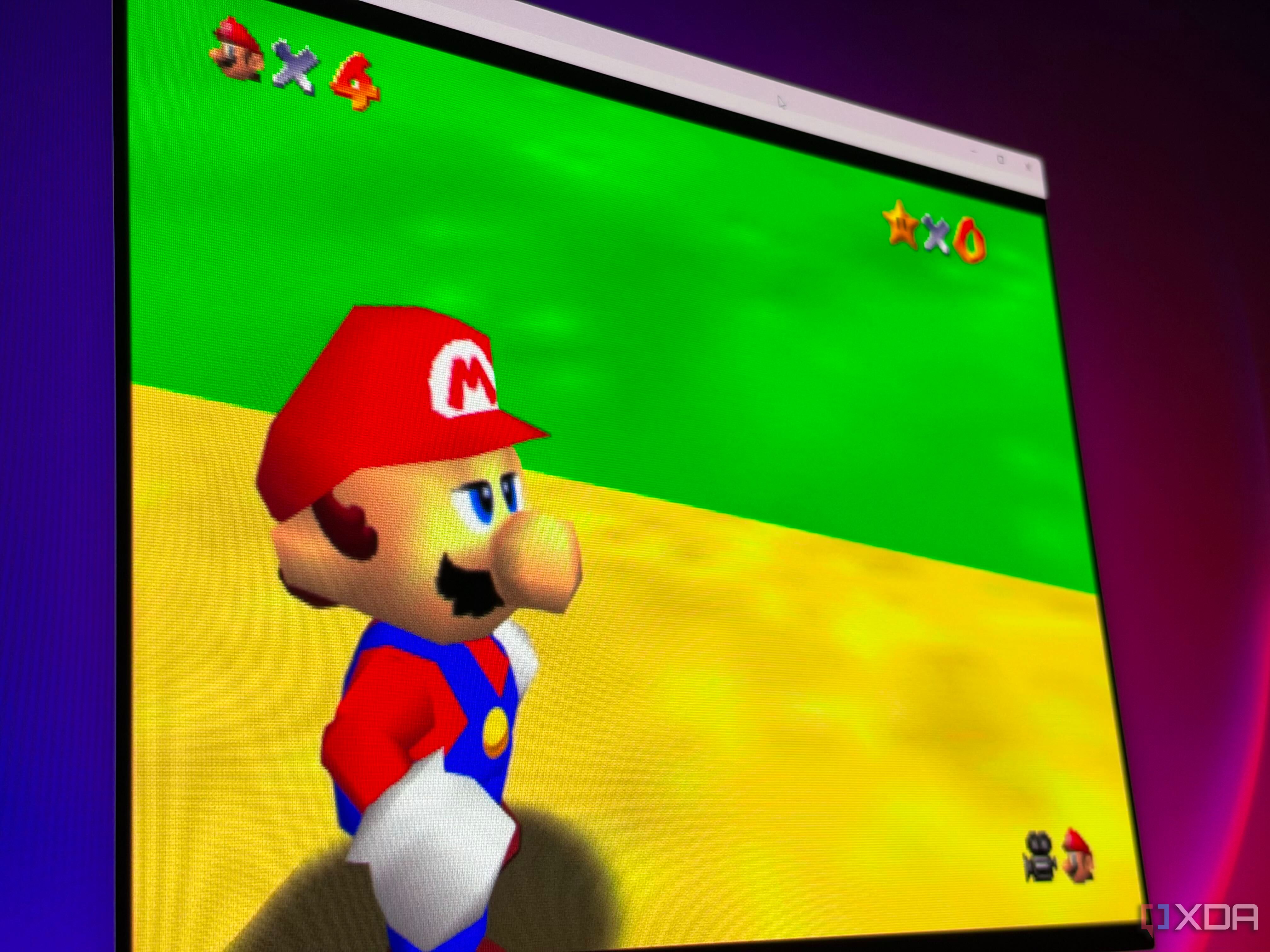
Those who reminisce about their childhood experiences with Nintendo 64 (N64) games often recall the stunning visuals of classics like Super Mario 64. However, when playing these games on modern emulators, the emulation seems to lack the sharpness and clarity that the original console delivered. While the emulation itself is largely faithful to the original N64 experience, the truth is that the games are rendered at a very low resolution, making them appear blurry and smeared on contemporary high-definition screens.
Modern emulators do offer solutions to this issue and enhance the overall appearance of the games. Most N64 games run at around 320x240 pixels, which is a quarter of the pixels in a 640x480 image, limiting the amount of detail that can be displayed. Additionally, the N64's texture memory is limited, and developers often stretched low-resolution textures across large surfaces, resulting in visible blockiness and distortion.
Emulation adds further smoothing, which can be attributed to the video interface and the game's configuration. CRT displays, such as older televisions, smooth out these imperfections through their unique display method and the inherent softness of their scanlines. Unfortunately, modern LCD or OLED screens do not possess these qualities, amplifying the blurriness of the textures and edges in the N64 games.
RetroArch’s Mupen64Plus-Next core, which is set as the default video plugin, renders games at their native 320x240 resolution. Although this setting maintains historical accuracy, it renders the games unappealing on modern high-definition displays. By increasing the internal resolution, developers can render each frame at a higher resolution, resulting in a sharper image.
Adjusting the 4:3 resolution to match the screen's aspect ratio can dramatically improve the game's visual quality, making polygons and distant geometry appear much sharper. Additionally, raising the MSAA setting to 4x can further enhance the image, while FXAA offers a cheaper alternative with slightly softened visuals. Applying an adaptive-sharpen shader can provide an extra boost of sharpness without heavy haloing.
However, employing CRT shaders can provide a more authentic CRT-like image, but this may require lowering the resolution to maintain the desired effect. Lastly, using filters such as xBRZ or replacing textures with HD texture packs can further improve the visual appeal, though results may vary between games. In conclusion, achieving the desired nostalgic N64 experience on a modern display involves increasing the internal resolution and adjusting MSAA settings, providing a comfortable balance between visual quality and performance.
Written by urgent.news from XDA Developers's reporting — not their text. Machine-written — may contain errors; check the original before relying on it.