I swapped Samsung One UI Home for Mango Launcher to fix my messy home screen and app drawer
This is the launcher I've been waiting for
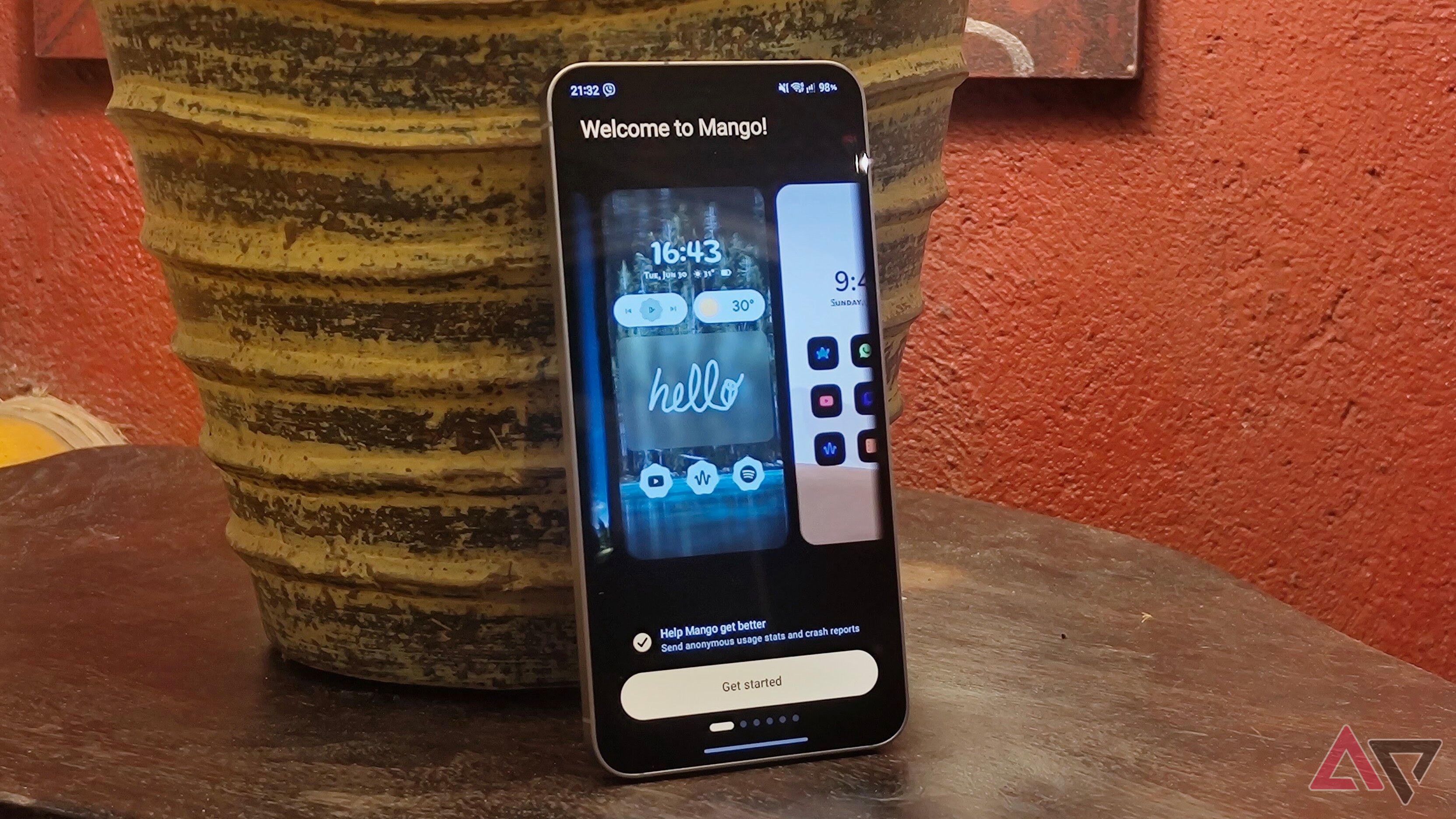
For weeks, I've been frustrated with the limited customization options on my Samsung phone's One UI Home screen and app drawer. One UI Home excels in one-handed use and speed, but I craved more control. That's when I stumbled upon Mango Launcher, a third-party Android launcher that promised to deliver a more personalized experience.
Upon installing Mango Launcher, I was greeted with a guided tour of its gestures and a selection of pre-designed themes. The launcher strikes a balance between minimalism and functionality, offering an intuitive layout that caters to power users. Unlike ultra-minimalistic launchers, Mango lets me add text shortcuts on the home screen and to app icons.
One of my favorite features is the Mango Button, which appears at the bottom of the home screen. It can be set to perform various actions, such as expanding notifications or accessing quick settings. Gestures may require some adjustment, but once mastered, they provide quick access to customization settings, allowing me to change an icon's color, rename it, add it to favorites, or hide it from the app drawer.
Swiping an icon to the side reveals its shortcuts, and swiping a specific app like Gmail opens the compose feature or any of my inboxes. Creating folders is also straightforward – simply press and hold a blank space, add app shortcuts, and choose from various folder icon designs. The app drawer can be navigated alphabetically with an on-screen scrubber, and I prefer using the home screen's search icon for instant app access.
Mango Launcher's categories are optional, as its search function is remarkably accurate and intuitive. I've found that region-specific apps, such as gas stations and ride-hailing services, correctly categorize themselves under Navigation, while a niche networking app falls under Productivity. However, categories can be disabled in the Mango Settings.
While the free tier allows hiding apps, some features require payment. The Pro version costs $7 per year or a one-time lifetime license of $25. Despite its speed, I found Mango Launcher slightly laggy on my midrange phone when multiple animations occur simultaneously. Most features, like notification replies and handwriting scribble, are locked behind the Pro tier. However, the ad-free experience and reasonable price make it a compelling alternative to One UI Home.
Written by urgent.news from Android Police's reporting — not their text. Machine-written — may contain errors; check the original before relying on it.