This professional camera app gets my phone photos so right that post-processing feels unnecessary
It's free and open source, too
When using a smartphone camera, capturing great photos right away is a priority. While some post-processing is acceptable, the ideal scenario involves minimal adjustments. Smartphones generally aren't considered professional cameras, but with the right tools, they can deliver professional-grade results. Among the numerous camera apps available on Google Play, one stands out as my preferred choice for serious photography.
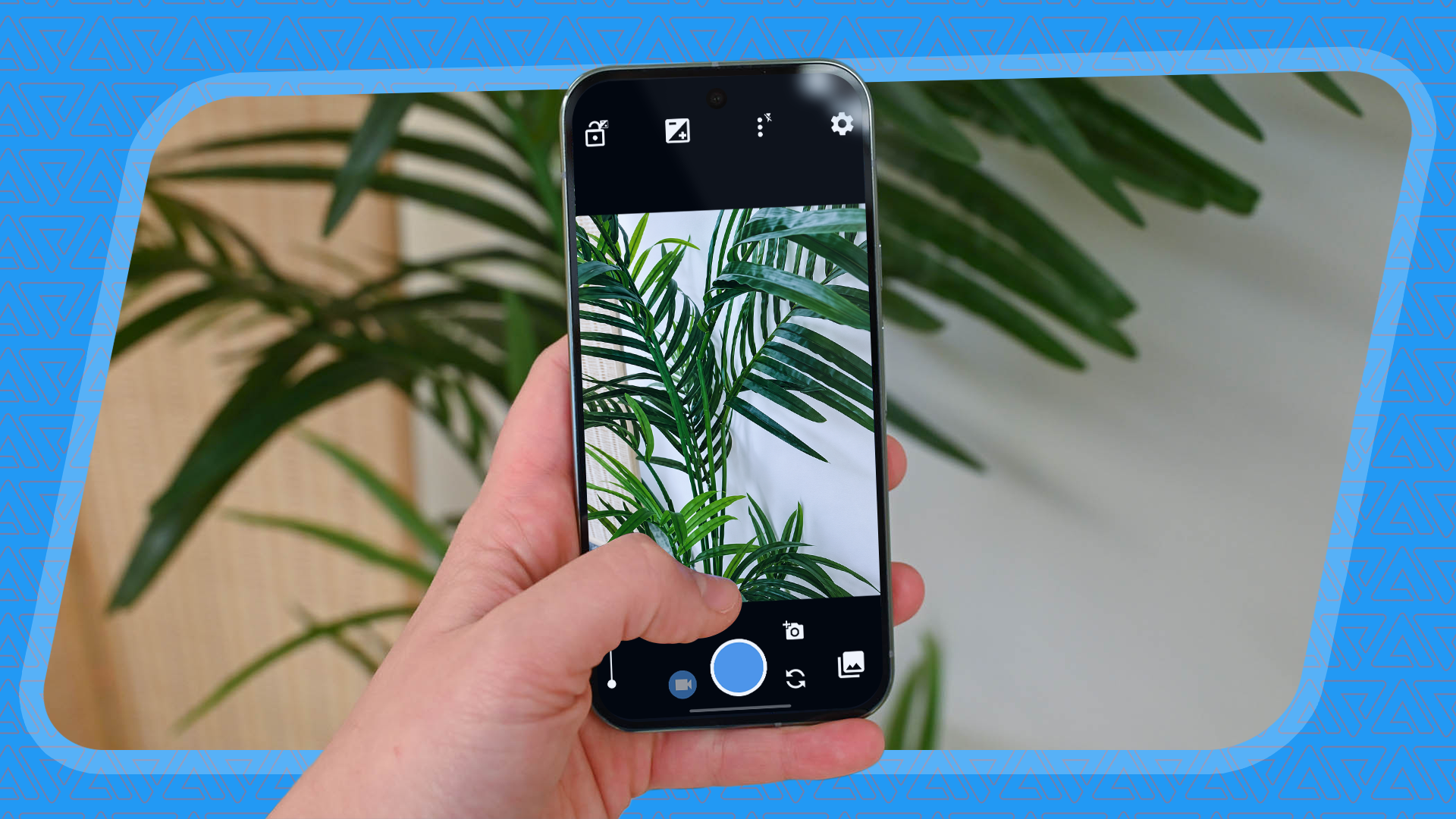
Open Camera is my go-to professional camera app. Despite its seemingly outdated interface, this app offers more than meets the eye. Utilizing a third-party camera app provides advantages over the default Android app, such as Samsung and Google's. These apps often rely on excessive post-processing and computational photography. In contrast, Open Camera grants greater control over the output, bypassing the bloat of post-processing by providing raw Camera2 API control.
To activate the Camera2 API, navigate to Settings > Camera API and select Camera2 API. This enables manual modes and RAW support. Shooting in RAW prevents JPEG processing, resulting in clean photos and videos. The viewfinder offers all necessary manual controls, including the ability to adjust and lock exposure, change focusing modes from automatic to fully manual, and utilize a single menu for most control settings near the viewfinder. Auto-level within the viewfinder settings captures leveled shots using the phone's gyroscope.
Open Camera's Dynamic Range Optimization (DRO) feature combats HDR by combining multiple frames to create high-contrast photos with vibrant colors. This prevents the halo effect often seen in HDR photos. To enable DRO, head to Photo Mode in the viewfinder settings. Additional options to toggle include adjusting the shutter sound, timer beep, and volume key functions. The volume keys can activate Auto-level or focus on demand, eliminating the need for traditional zoom or capture functions.
The Camera preview menu in Open Camera allows customization of what appears in the viewfinder. By default, it displays battery level, time, storage, and basic exposure settings. Users can remove or replace these with other information, such as a histogram and compass direction. Open Camera offers various viewfinder grids, including unique golden ratio and triangular orientations.
In the On screen GUI menu, users can add or remove any viewfinder element in the main shooting mode, ensuring easy access to functions like flash control and face detection.
Most of Open Camera's default processing techniques are ideal for everyday shooting. Once comfortable with the UI modifications, there's little need for post-processing adjustments. Although some modern camera apps may offer additional features, Open Camera remains straightforward, open-source, ad-free, and free from tracking or cloud support. Using Open Camera on various phones for several years, I consistently find its output to be more refined than any stock camera app I have used.
Written by urgent.news from Android Police's reporting — not their text. Machine-written — may contain errors; check the original before relying on it.