I replaced Excel's Copilot with a local LLM, and spreadsheet work finally feels private
My spreadsheets stay on my Mac, and now the AI helping me with them does too.
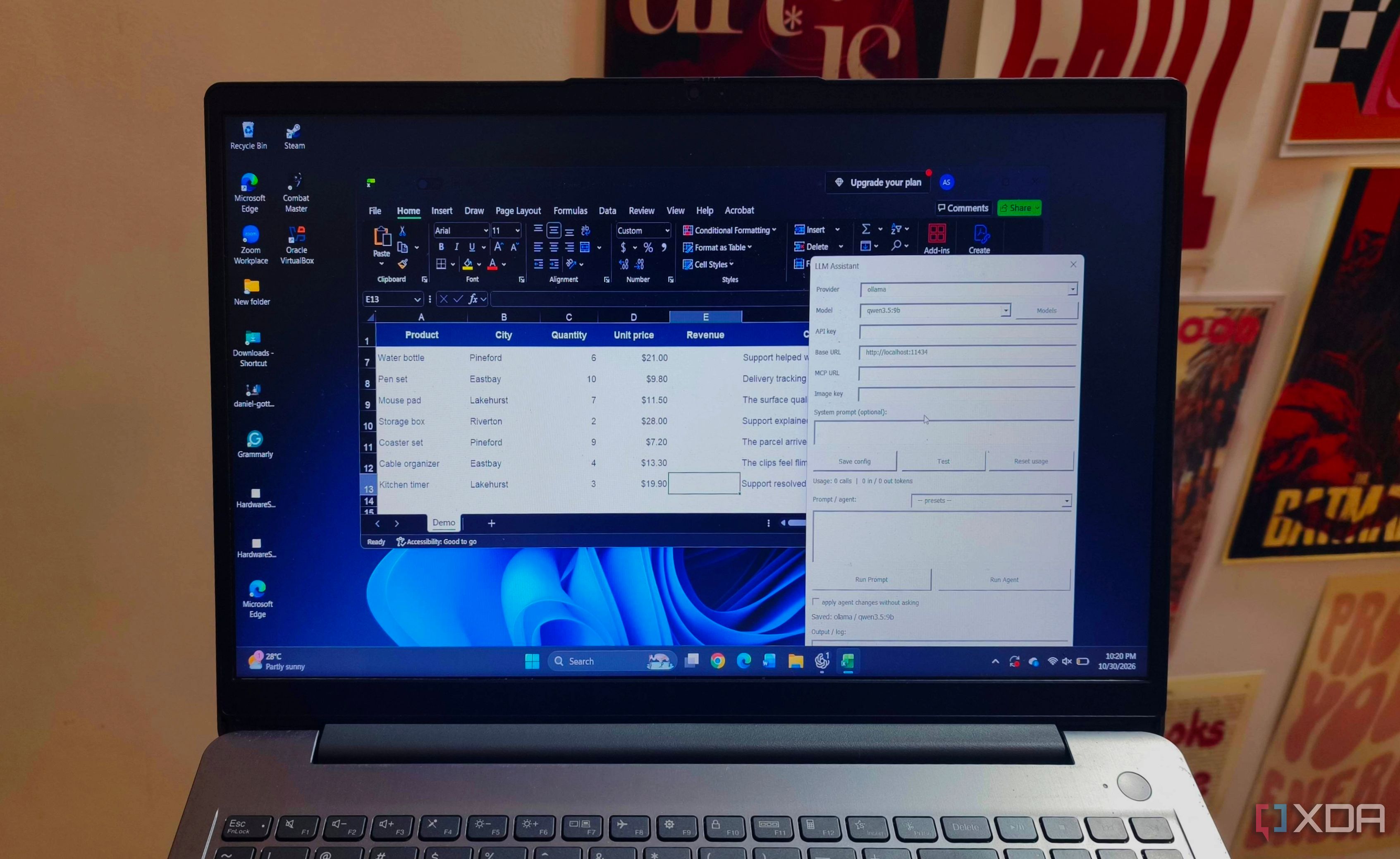
I store my spreadsheets locally and prefer not to upload them to AI services when seeking help with formulas or messy data. Excel's AI assistant, Copilot, can be useful, but I want assistance without sending the contents of my workbook elsewhere. To achieve this, I connected Excel to Qwen3.5-9B, a local large language model (LLM) running on my computer via Ollama.
An add-in allows the model to access the spreadsheet, enabling me to ask for help directly within Excel. The model supports tool calling, allowing it to request actions like reading cells or inserting formulas instead of merely describing what to do. Ollama runs the model and establishes the local connection for the Excel add-in.
The Excel LLM Add-in, an open-source project, connects models to Excel. It comes in two editions, but the VBA version is relevant here as it runs inside desktop Excel without requiring a hosted web interface. After downloading and loading the .xlam add-in into Excel, you can select Ollama as the provider, set the model to qwen3.5:9b, and specify the server address as http://localhost:11434, pointing to Ollama running on the same computer.
Ollama must remain running whenever you use the AI features, but you don't need to maintain a separate chat interface. The add-in facilitates communication between the workbook and the model, allowing worksheet functions to pass cell contents to Qwen and return its response to the sheet. You can also use the add-in's agent to read ranges, write formulas, apply formatting, create charts, read ranges, apply currency formats, change headers, and create charts.
These changes remain ordinary Excel cells and charts that you can edit afterward. Unlike Copilot, which offers a broader feature set, including PivotTable creation and access to external information, this local setup focuses on everyday assistance relevant to the workbook currently open. By keeping AI processing on the local computer, you avoid uploading workbooks to AI providers and maintain local control over your data.
Written by urgent.news from XDA Developers's reporting — not their text. Machine-written — may contain errors; check the original before relying on it.