Windows 11 tries new shortcuts for Xbox gaming mode and search
The latest Windows 11 Insider build adds some powerful new search features and quick settings while in Xbox mode. The Xbox shortcuts let you control things like Bluetooth, WiFi, and power settings without having to exit gaming mode. The search improvements are quite comprehensive. You can now filter results for files, actions, or web results. […]
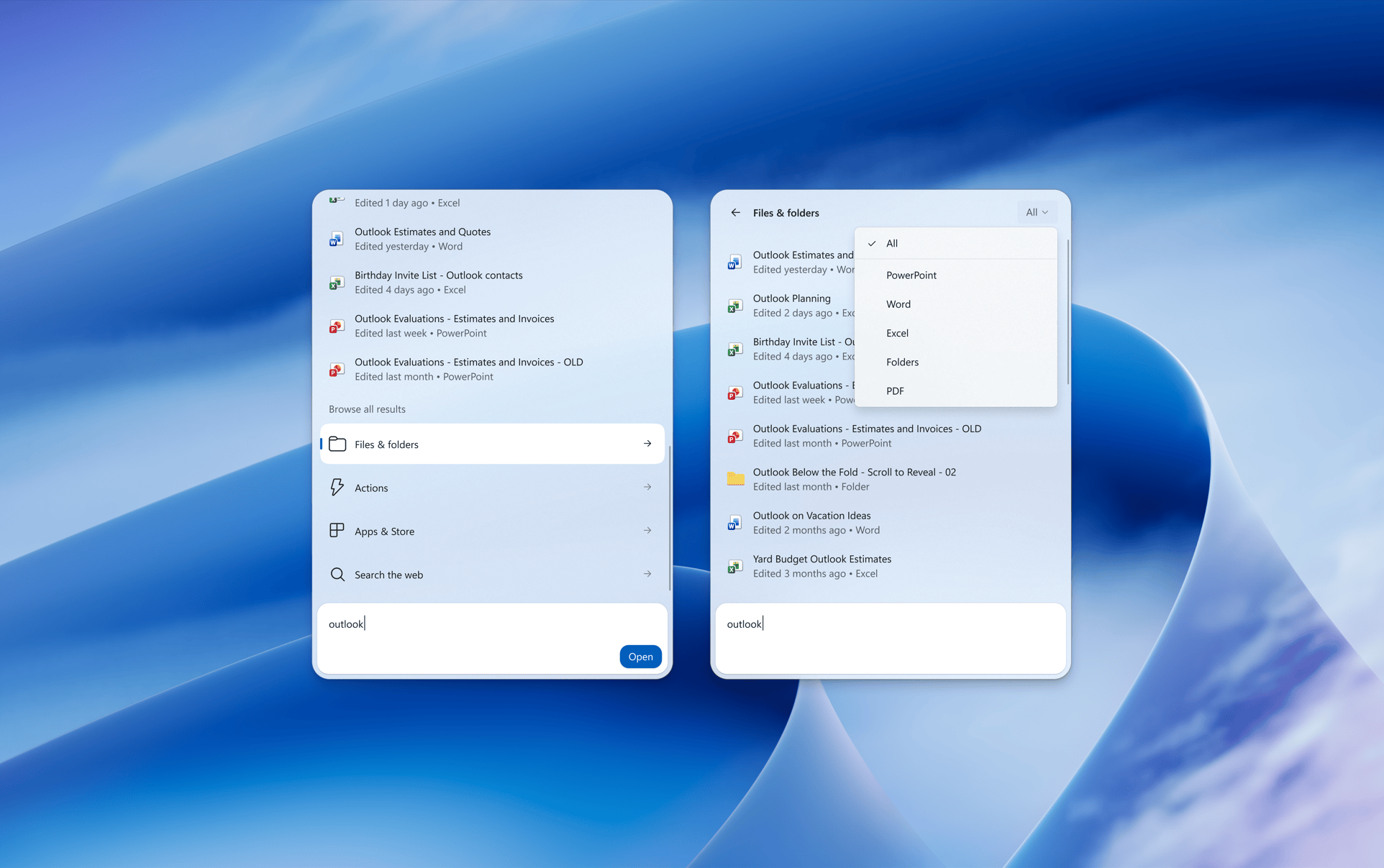
Windows 11 is rolling out new features to enhance the Xbox gaming mode and search functionality. The latest Windows Insider builds now offer more comprehensive search features, including filters, actions, and phone controls. These updates allow users to control various settings such as Bluetooth, WiFi, and power options directly from the Xbox mode without needing to exit the gaming experience.
Search improvements are extensive, enabling users to filter results based on files, actions, or web content. Additionally, the search box can perform actions like adjusting screen brightness, volume, and even interact with connected phones for tasks such as making calls. The search results provide detailed information, such as the last modification date of a file, its author, and can also include charts for stock prices and weather forecasts.
Users can further personalize their search experience by giving thumbs-up or thumbs-down on relevant results, helping Windows 11 improve search accuracy over time. The full list of these changes is detailed in Microsoft’s blog post. The new builds, Beta Build 26220.9836 and Experimental Build 26340.9843, are currently available to Windows Insiders for testing.
Written by urgent.news from The Verge's reporting — not their text. Machine-written — may contain errors; check the original before relying on it.