How to change and customize your Android Auto display
Tailor your tech to fit your daily drive seamlessly.
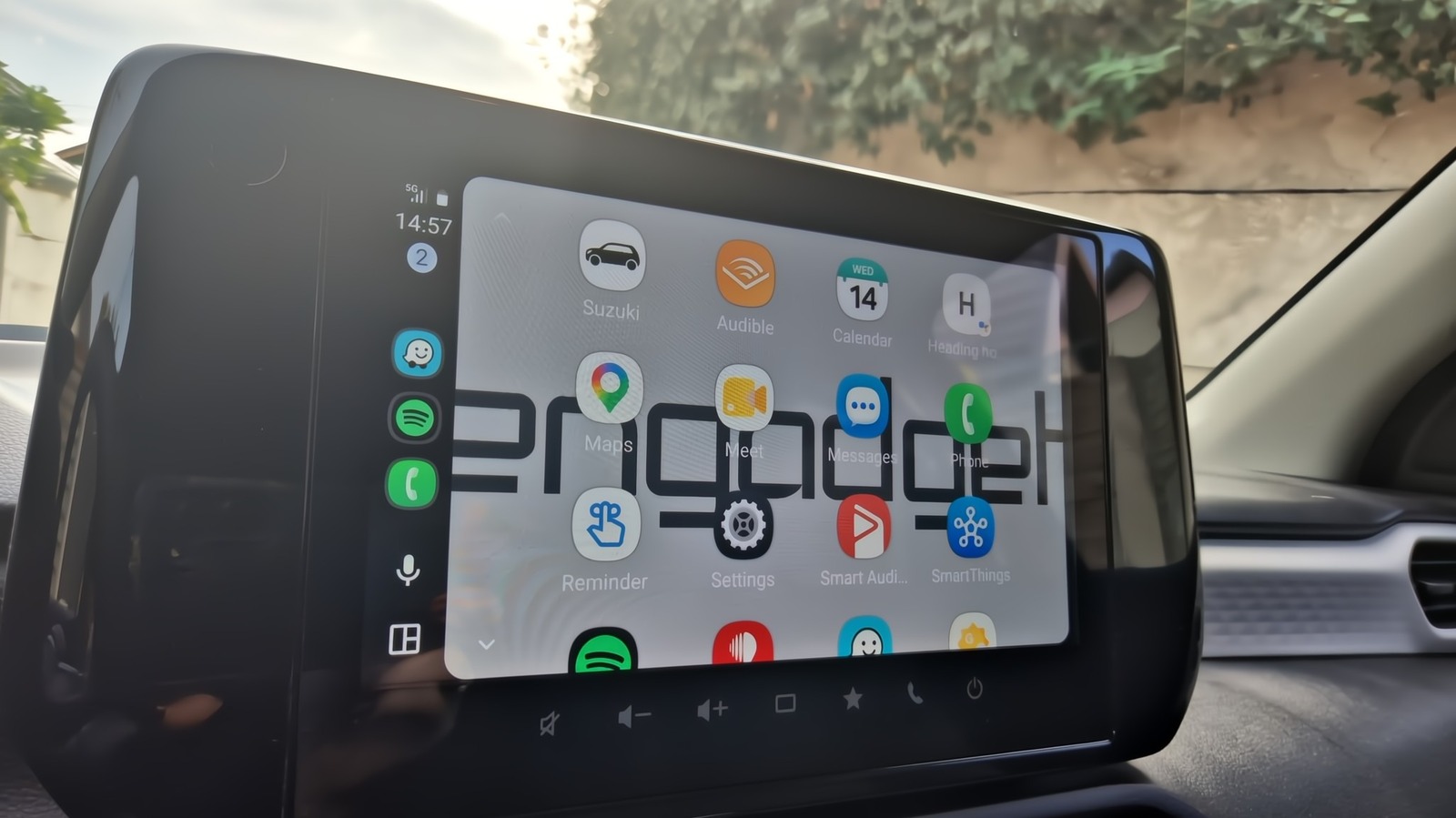
Transform your Android Auto display into a personalized dashboard that enhances your daily driving experience. Most drivers remain unaware of the customization options available, but Android Auto provides numerous ways to tailor the interface to your preferences. From rearranging icons to creating shortcuts, you have greater control over the display than its default appearance suggests.
To start customizing, access the Android Auto settings from your phone and navigate to Connected devices > Android Auto > Customize launcher. Here, you can choose which apps to display or hide, and even rearrange their order on the screen. For example, placing your most-used apps like Spotify at the top for quick access, while relegating less frequently used apps like Reminder or Weather further down. Remember, hiding an app removes it from the car screen but does not uninstall it from your phone.
Additionally, you can add shortcuts for contacts or Assistant actions directly onto the launcher, making them accessible with a single button press or voice command. One practical shortcut is to set up Gemini to navigate home, check ETA, and send a message to a family member, all activated by a simple button press or voice command. Personalizing the layout is also crucial, as you can choose whether the map or media player takes precedence, depending on whether navigation or entertainment is more important to you.
Your car's display can also reflect your personal style by mirroring your phone's wallpaper. Although this feature requires adjustment directly from the car, launching Android Auto and enabling the "Use Phone's Wallpaper" option instantly changes the background to match your phone's current wallpaper, adding a touch of personalization without clutter.
Finally, you can customize the appearance of your map display by enabling day or night mode directly within Android Auto settings, or even force it based on your personal preference, overriding the default system toggle that adjusts according to ambient light and time of day. Lastly, if you wish to prevent Android Auto from automatically starting media playback when you begin driving, you can toggle off this feature under the Startup section, ensuring a smoother transition from ignition to entertainment.
These adjustments, though simple individually, collectively create a more intuitive, efficient, and enjoyable driving experience, tailored precisely to your needs.
Written by urgent.news from Engadget's reporting — not their text. Machine-written — may contain errors; check the original before relying on it.