Astropad Workbench 1.4 adds terminal access, iPhone Duo support, and more
Astropad is out today with Workbench 1.4, the latest update to its remote desktop app for Mac. The release adds a built-in terminal, native iPhone Duo support, and a new way to transfer files between Macs. more…
Astropad has released Workbench 1.4, an update to its remote desktop app for Mac. This release introduces a built-in terminal, iPhone Duo support, and a new method for transferring files between Macs. Workbench initially debuted in April, focusing on remote Mac access via iPhone or iPad, including monitoring AI agents. Version 1.3, released in August, brought faster streaming, a privacy curtain, picture-in-picture support, and features to maintain access to unattended Macs.
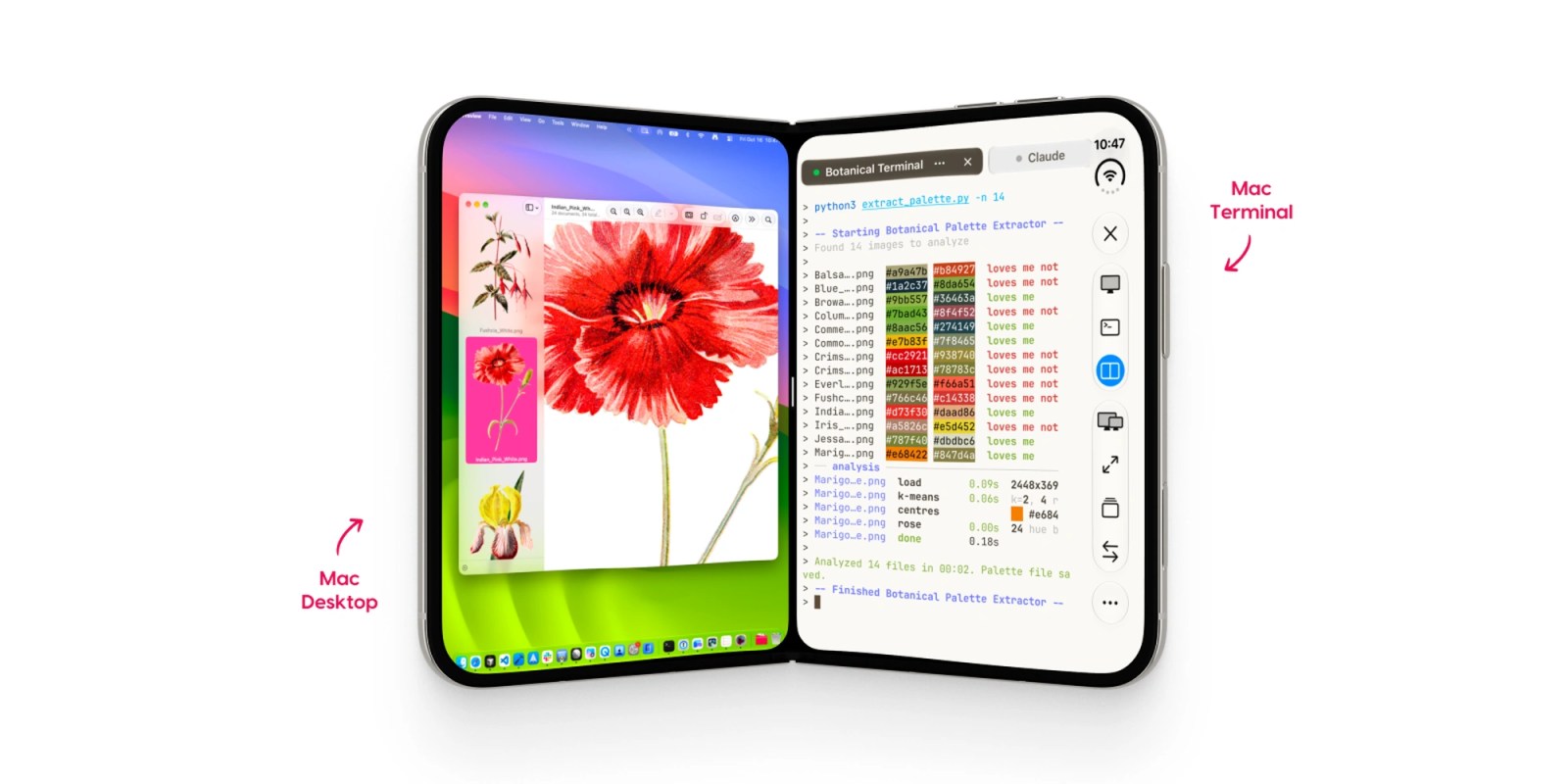
The standout feature in Workbench 1.4 is the ability to switch between the remote desktop and terminal without reconnecting. Users can toggle between Screen and Terminal views using a toolbar control. On Mac, the terminal opens in a standalone window, allowing users to view logs, edit scripts, or restart processes without launching a separate SSH app. Additionally, terminal sessions persist across connections, enabling users to pick up where they left off whether on an iPad, iPhone, or another Mac.
Voice input is also supported in the terminal, enabling users to dictate prompts and commands. For Mac-to-Mac connections, Workbench now facilitates dragging and dropping files while in terminal sessions. The update is compatible with iPhone Duo, allowing users to keep an agent visible in one pane while engaging with the rest of the phone.
Workbench continues to offer free access for 20 minutes daily, with unlimited access available at $14.99/month or $79.99/year. The app mandates macOS 15 or later, iOS 26 or later, or iPadOS 26 or later.
Written by urgent.news from 9to5Mac's reporting — not their text. Machine-written — may contain errors; check the original before relying on it.