I tried 3 Claude Code mods, and now waiting for it to finish is actually fun
Who knew waiting could be this entertaining?
I have been utilizing Claude Code since its early stages, and one thing I've discovered is that there's often a way to enhance its capabilities beyond initial expectations. Just when I believed I had grasped all its potential, Anthropic released new features that altered my approach entirely. Claude Code mods exemplify this concept.
While numerous methods to personalize Claude Code exist, mods elevate the customization process by modifying the tool's appearance and functionality. Intrigued by this potential, I experimented with various mods, which eventually morphed into a habit I couldn't break. This led me to three mods that significantly elevate the enjoyment of my Claude Code sessions.
Waiting for Claude Code or any AI agent to finalize a task can be tedious. Even mundane tasks sometimes seem to drag on, leaving little to do while waiting for the agent to complete its work. As someone who easily gets sidetracked, I usually fall into two traps: either staring endlessly at the terminal window awaiting the spinner words to cease, or the less appealing option, which is mindlessly scrolling through social media for extended periods.
Both scenarios are unproductive, with the latter often resulting in spending much more time on my phone than intended. That's where cc-arcade comes into play. Rather than fixating on the terminal or jumping onto my phone, I can engage in mini-games directly within Claude Code while it processes my task. The mod adds a selection of games above the Claude Code prompt, allowing me to stay engaged while Claude works in the background.
With nine games to select from, including classics like Snake, Tetris, Minesweeper, 2048, Flappy Bird, Pong, Typing, Invaders, Pet, and an abridged version of Doom, all I need to do once installed is type "/arcade" into Claude Code, revealing a list of games to choose from. I can switch between them at will, and the game pauses automatically once Claude finishes its task, so I don't miss any responses.
Another desirable addition is the auto mode, which selects a game based on Claude's duration of work. For instance, if Claude works on a task for over a minute, it suggests a longer game like Tetris or Snake, while shorter tasks might result in quicker games like Flappy Bird or Pong. My favorite feature, however, is the virtual pet, which grows as Claude completes tasks, passes tests, edits files, and creates commits.
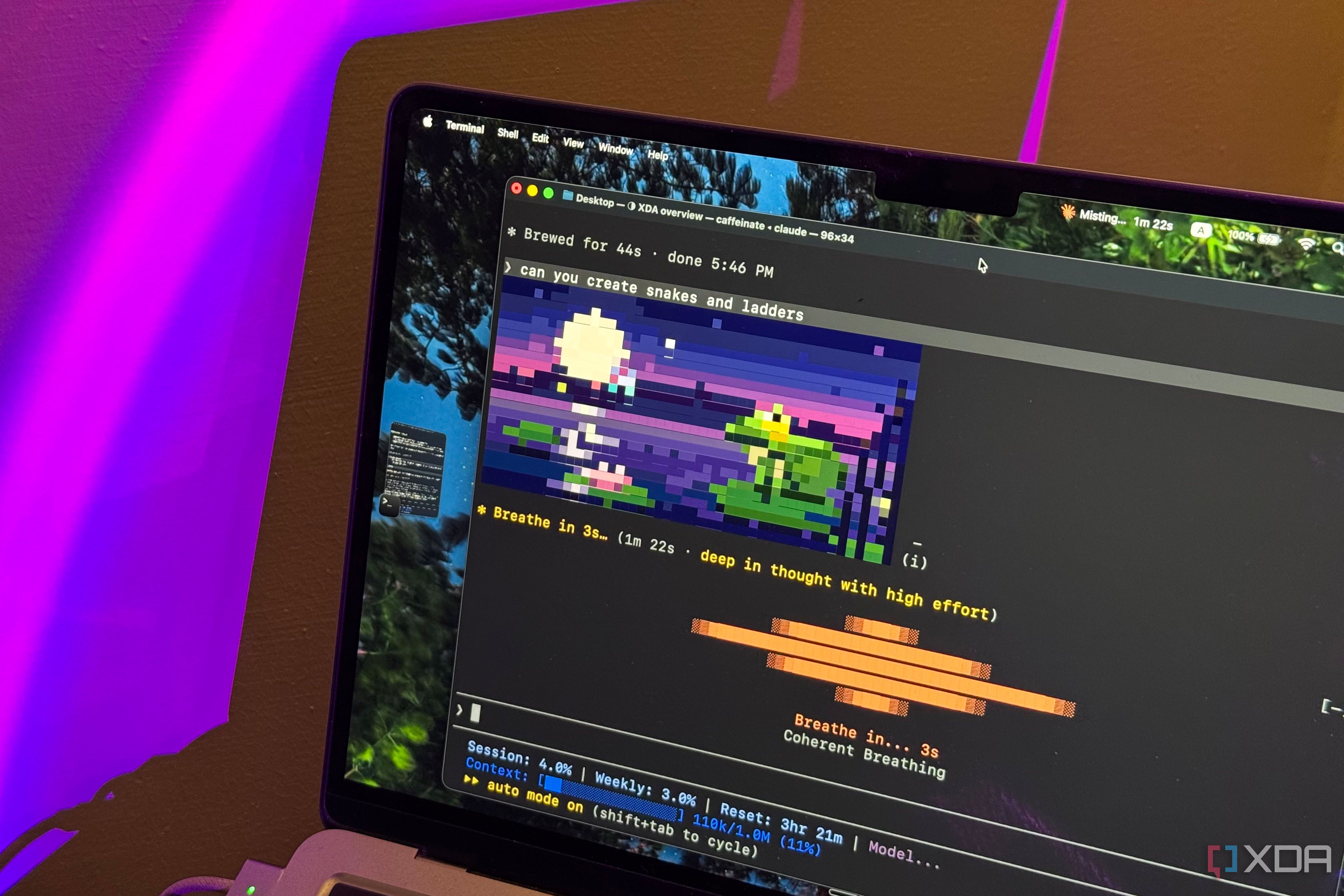
While somewhat redundant, this feature is undeniably entertaining. Despite Claude Code's unique personality developed by Anthropic, which deviates from the norm for a terminal-based coding tool, mods such as verbs enhance the experience further. This mod transforms Claude Code's spinner verbs into animated pixel-art illustrations displayed above the loading indicator.
With all 188 spinner verbs represented by animations, the previously static words now come to life with tiny animations. While this mod doesn't speed up Claude Code or improve its responses, it adds a delightful layer of visual interest. The last mod I incorporated into my setup, one my therapist would likely appreciate, is Mindful Claude.
This mod substitutes the standard spinner words with a breathing animation that guides you through inhaling, holding your breath, and exhaling. Four breathing exercises are available, including box breathing, 4-7-8 breathing, coherent breathing, and physiological sighing. You can switch between exercises using the "/breathe" command, and customize the animation's appearance with various styles like waves, ripples, and dots.
The mod automatically displays the animation when Claude begins working and fades away as soon as it finishes. Although this brief breathing exercise won't magically eliminate stress, it offers an opportunity to pause and slow down during otherwise unproductive waiting periods. All these mods enhance Claude Code sessions without altering its coding abilities, ensuring the code it generates remains unchanged.
Written by urgent.news from XDA Developers's reporting — not their text. Machine-written — may contain errors; check the original before relying on it.