iPhone Duo: Open Two Apps Side by Side and Lock Them As an App Pair
iPhone Duo is the first iPhone that can run two apps on the screen at the same time. Unfold the phone in landscape orientation, and Split View puts two apps side by side on the 7.6-inch inner display. It's especially handy for things like keeping Messages open next to Maps, or Safari next to Notes. Indeed, if there's an app combination that you use often, you can lock two together as an app pair,…
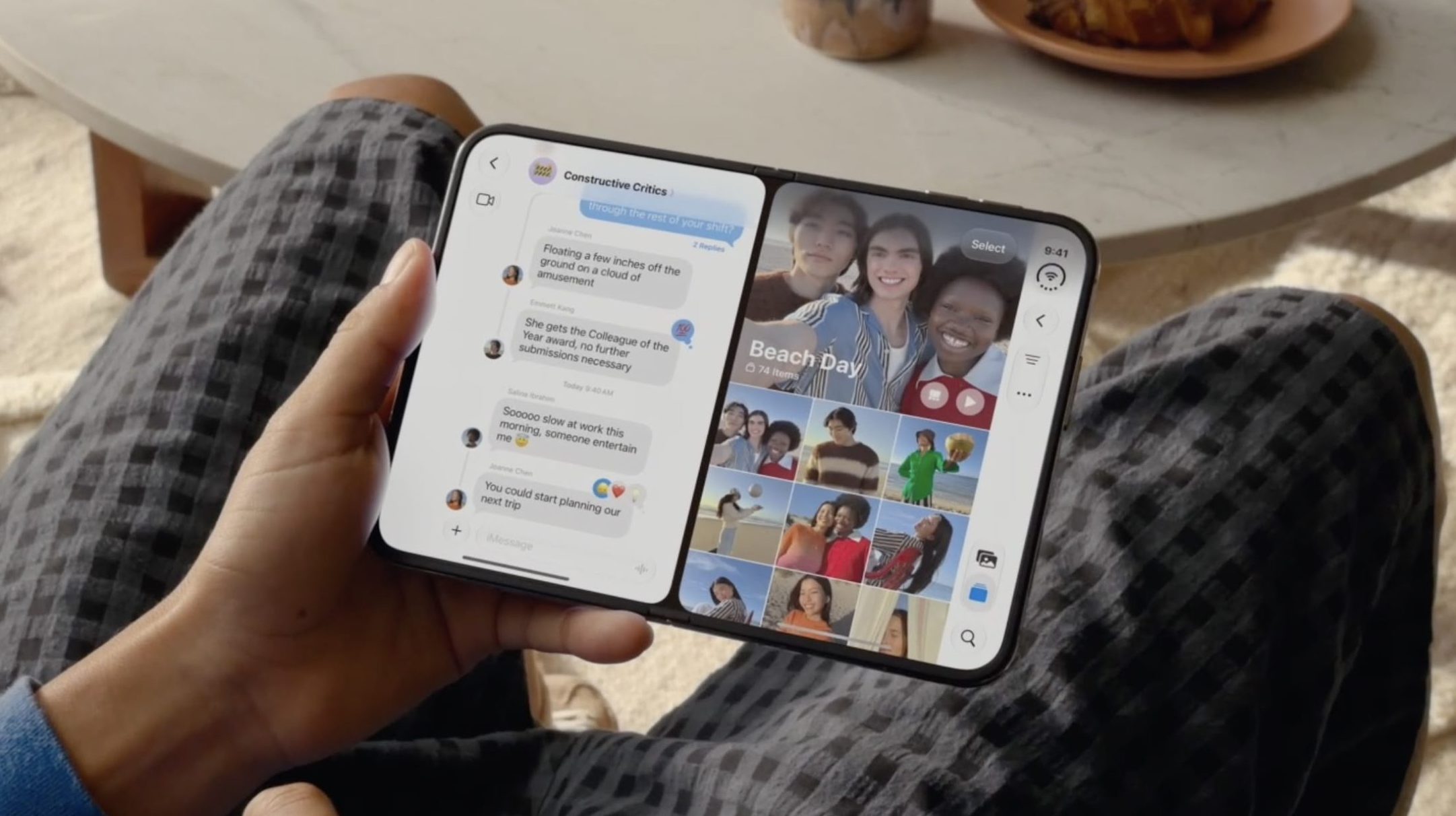
The iPhone Duo is an innovative new iPhone model that allows users to run two apps simultaneously on the same screen. By unfolding the phone in landscape orientation, the inner 7.6-inch display can display two apps side by side, a feature known as Split View. This functionality is particularly useful for multitasking, such as keeping Messages open alongside Maps or Safari next to Notes.
One convenient feature of iPhone Duo is the ability to lock two apps together as an app pair. Once two apps are open in Split View, tapping the divider between them locks the two apps together. From this point forward, whenever either app is opened, the other app will open automatically as well. This ensures seamless multitasking, especially for frequently used app combinations.
To create an app pair, open two apps side by side in Split View. Then, tap the divider separating the two apps. The two apps are now paired, and the next time either app is launched, the paired app will also launch alongside it. To separate the app pair, drag the divider all the way to either the left or right edge of the screen, and the app being pushed off will close, while the other app returns to full-screen mode.
It's important to note that on iPhone Duo, the app split is fixed at 50/50, unlike in iPadOS where the divider can be adjusted. Additionally, only one app can play audio at a time, so it isn't possible to scroll two video feeds side by side and expect to hear sound from both.
Written by urgent.news from MacRumors's reporting — not their text. Machine-written — may contain errors; check the original before relying on it.