Gemini Can Now Browse For You, But Should You Let It?
Google has switched on auto browse in Chrome for India, on desktop and Android, for AI Pro and AI Ultra subscribers. Gemini no longer just answers questions about a page. It acts on the page, with Google's examples including booking parking for an event, filling out a long form and placing a week's grocery order. After using it for a bit, I find it useful, but only on a short leash. Think of an…
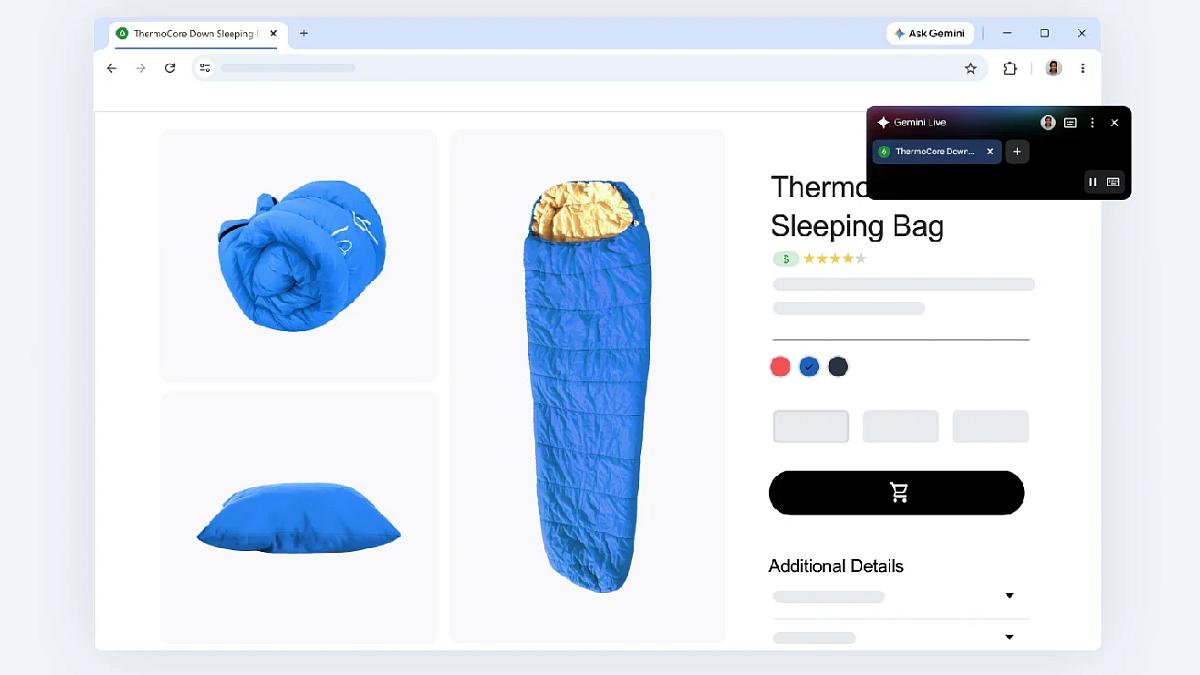
Google has introduced auto browse for Google Chrome in India, for AI Pro and AI Ultra subscribers. Gemini can now browse websites and perform tasks such as booking parking, filling out long forms, and ordering groceries. While I find it useful, I believe it should be used with caution. Consider Gemini as an intern - fast and tireless, but lacking the ability to discern when something seems amiss.
Gemini shines when handling mundane, low-risk tasks like repetitive forms or grocery shopping. If a mistake costs only a few minutes to fix, it's best to let Gemini handle it. However, if the mistake is significant, it's advisable to take control. A key concern is prompt injection - hidden instructions within webpage text that might instruct Gemini to send sensitive information elsewhere.
While Google states that Gemini's models are trained to detect such threats and pause before completing sensitive tasks, the risk remains. For financial matters or any portal requesting OTP, Aadhaar, or PAN, it's best to avoid using auto browse. Always read confirmation prompts, as the pause feature provides some safety. Before submitting forms or bookings, always double-check the summary.
If anything is submitted without your explicit request, immediately stop the process and close the tab. For purchases, using a card with a lower limit serves as a safety net. Currently, auto browse in Chrome for Android is available in India, but it's limited to English and paid subscribers. Many Indian users, especially those who prefer Hindi or regional languages, cannot access it yet.
In conclusion, auto browse is ideal for tasks you'd delegate to an intern, such as booking a service or filling out a form. Avoid using it for sensitive matters like banking, especially as an agent that makes decisions independently poses a risk rather than a convenience.
Written by urgent.news from Free Press Journal's reporting — not their text. Machine-written — may contain errors; check the original before relying on it.