Digital insight: How to scan QR codes on your smartphone - without a camera
QR codes can actually be read directly on a smartphone without a camera. What functions iOS and Android offer for this and how it works step by step.
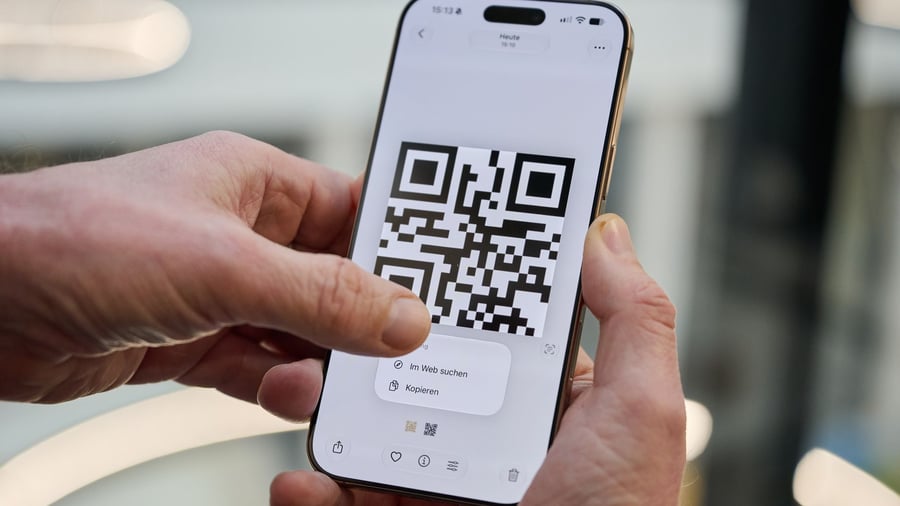
When property owners send QR codes for smart locks or Wi-Fi access via email, users often struggle to understand how to scan them using their smartphone cameras. The challenge arises when trying to scan a code on the display of the screen, which seems impossible. However, both iOS and Android operating systems have features that make this process possible.
For iPhones, users need to save the QR code as an image in the Photos app, either directly or as a screenshot. Once the image is open, placing a finger on the QR code and holding it down will highlight the area and provide an option to open the link in the browser or perform another action. If this doesn't work immediately, tap the Live Text symbol located at the bottom right corner (the icon resembles a camera with three lines) and press the QR code on the image again.
Google Lens can help under Android devices. Simply open the QR code image or screenshot within the app, and the contents or suggested actions within the QR code will be displayed or proposed. If the smartphone has the Circle-to-Search feature enabled and is active, users can also circle the Home button at the bottom of the display until the Google search bar appears and then circle the QR code to see the associated information or link.
Written by urgent.news from Handelsblatt's reporting — not their text. Machine-written — may contain errors; check the original before relying on it.