Headless WordPress on Kubernetes: A Cloud-Native Setup
WordPress and Kubernetes don’t immediately sound like natural partners. WordPress grew up in the world of fairly traditional web servers, while Kubernetes was designed around containers, distributed workloads, and infrastructure that can be replaced rather than carefully maintained by hand. Headless architecture changes the equation. Once WordPress is responsible mainly The post Headless…
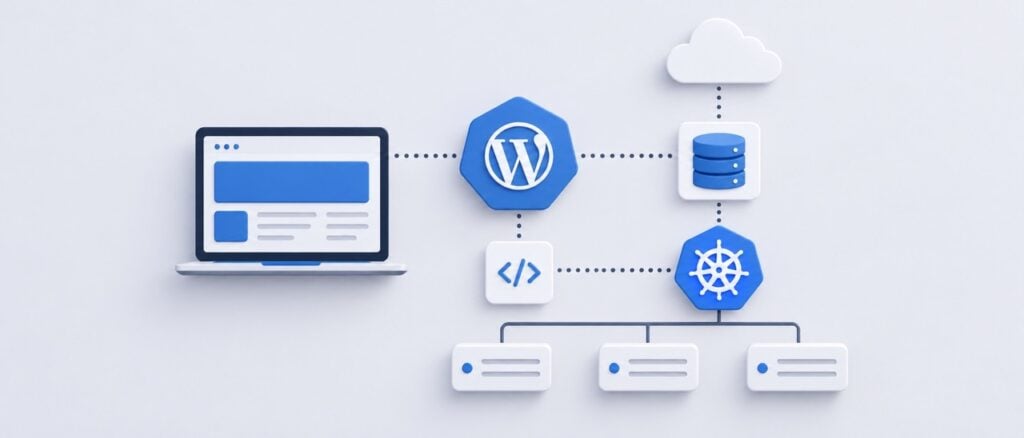
WordPress and Kubernetes may appear an unlikely duo at first glance. Traditional web servers have long hosted WordPress, while Kubernetes embraced containers, distributed workloads, and dynamically replaceable infrastructure. Headless architecture alters the dynamic, as WordPress focuses primarily on content management and APIs.
The frontend becomes a separate application, allowing containerization, deployment, scaling, and updating independently. For teams operating within cloud infrastructure, this separation facilitates seamless integration into broader platforms. However, it adds complexity. Kubernetes excels at solving infrastructure challenges, not architectural ones.
Thus, a compelling reason for deployment is essential. A conventional WordPress site functions perfectly without Kubernetes. Adding a cluster to a small corporate site likely generates more work than value. The situation becomes more compelling when traffic is unpredictable or WordPress constitutes a component within a larger application environment.
A headless setup might employ WordPress to serve content via REST or GraphQL through a plugin, a React or Next.js frontend rendering the user experience, Redis handling object caching, and multiple internal services consuming identical content. Kubernetes provides these components a unified deployment environment. Individual services can scale independently.
The frontend may require extra replicas during traffic surges, whereas WordPress administration demands minimal additional capacity. Clear architectural separation must precede container deployment. WordPress retains its role as the editorial system, enabling writers and marketers to create and manage content using familiar dashboards.
Instead of themes rendering public pages, the frontend requests structured content via API. This frontend can then utilize any technology suitable for the project. A headless WordPress arrangement decouples content from presentation, making it a natural fit for container platforms designed for high-traffic workloads. Occasionally, teams lacking in-house expertise collaborate with WordPress development studios like IT Monks to develop custom headless architectures that separate the frontend from WordPress, serving as the content source.
Crucially, the frontend shouldn't become reliant on WordPress theme behavior again to preserve the benefits of decoupling. Containers thrive when they can be destroyed and recreated without loss. Traditional WordPress installations, however, often store plugins, themes, and uploaded media directly within the local filesystem. A Kubernetes deployment should avoid such dependence.
Application code should reside within the image or deployment pipeline. Media can reside in object storage or appropriate persistent storage. The database must also persist outside the disposable application container. Once these responsibilities are segregated, replacing a WordPress pod becomes routine rather than daunting. Scaling the database presents greater complexity.
Every WordPress instance still relies on shared application data. For many deployments, a managed MySQL-compatible database proves more practical than directly running the database within the Kubernetes cluster. Backups, replication, failover, updates, and monitoring are then managed by infrastructure specifically designed for database workloads.
Regardless of the chosen approach, application replicas require consistent access to the same data. While this seems obvious, treating the entire WordPress stack as if every component can scale horizontally equally leads to problems. If a user uploads an image via one WordPress pod and that image exists solely within the pod, another replica may lack it.
The file might also vanish upon container replacement. Object storage offers a clean solution, enabling WordPress to store media in an external service while the frontend retrieves images through a CDN. This reduces reliance on local container storage and enhances delivery to geographically dispersed visitors. Persistent volumes are another option, though the appropriate approach depends on the infrastructure and media usage patterns.
Headless WordPress introduces numerous caching opportunities. WordPress can utilize object caching to minimize repeated database work. API responses might be cached as appropriate. The frontend framework could generate or revalidate pages preemptively, while a CDN manages public assets and cached responses closer to users. These layers must be planned collaboratively.
Over-caching can lead to stale content, while insufficient caching generates unnecessary requests back through WordPress and the database. Editorial expectations play a significant role here. If a writer presses Publish and expects immediate visibility, the system must provide a reliable method to invalidate or revalidate relevant cached content.
Kubernetes facilitates horizontal scaling, but simply enabling autoscaling does not guarantee optimal results. CPU utilization, request rates, latency, or queue depth may offer better indicators for specific workloads. Simply adding more replicas does not resolve inefficient application code. If a single API request triggers a substantial database query, multiplying WordPress pods merely amplifies database strain.
Performance testing should therefore precede determining autoscaling thresholds. Scaling functions most effectively after obvious application bottlenecks have been addressed. Containers' predictable deployment is another advantage. The same tested image can transition seamlessly from development to staging and production instead of relying on someone to reproduce the environment manually.
Rewritten by urgent.news; may contain errors — check the original.
Source: cloudnativenow.com