This simple Apple Watch hack can change the way you train — and you’re probably not using it
Using this simple hack on your Apple Watch can save you from overtraining.
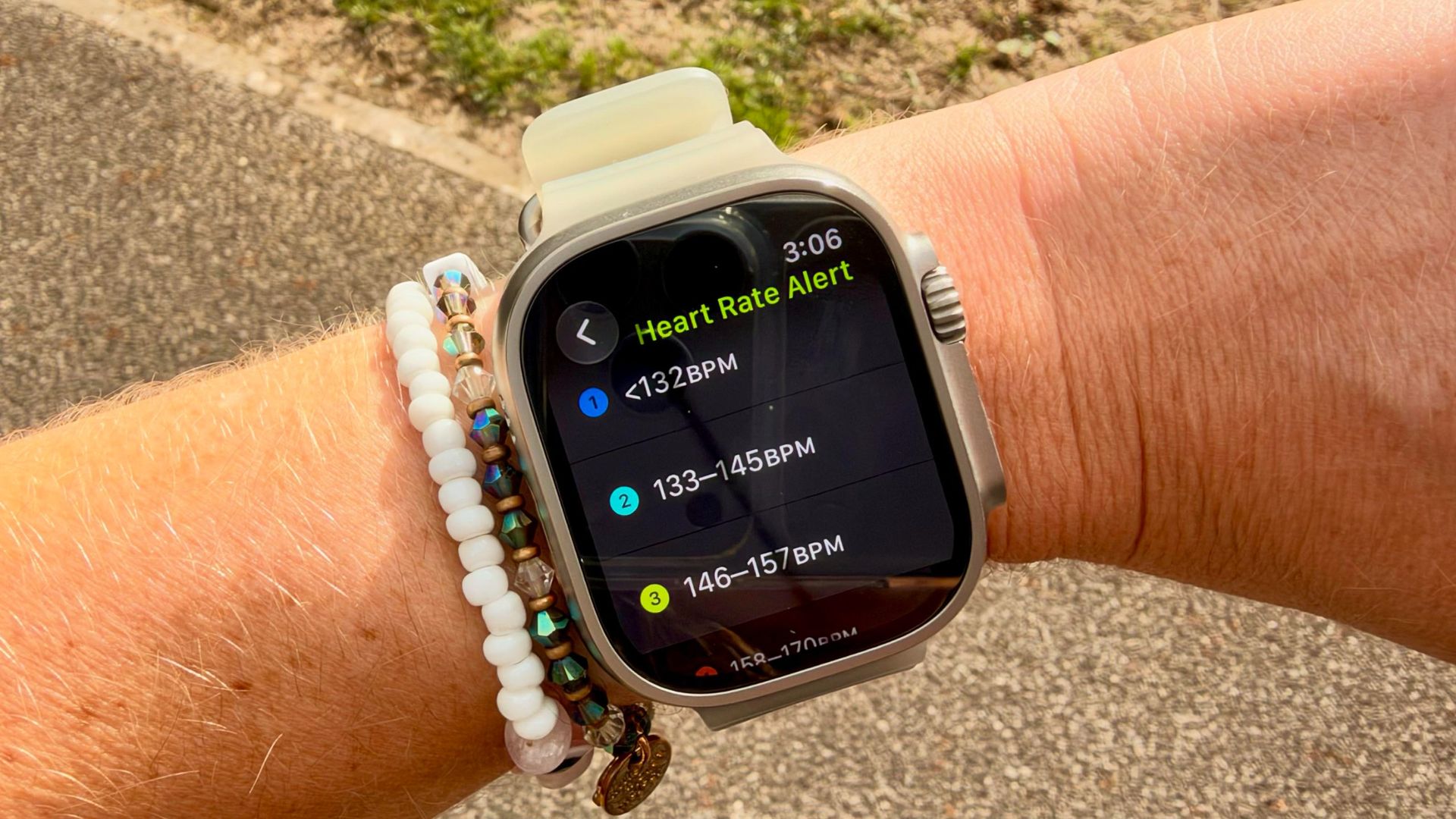
Every running coach I've spoken to emphasizes that easy runs should remain just that—easy. The temptation to ease into a run and gradually quicken the pace often leads to overtraining and injuries. This is where Zone 2 training comes into play. Zone 2 refers to 60-70% of your maximum heart rate and is a pace where your body primarily burns fat for fuel.
By engaging in these sessions, your body builds more mitochondria, improving its energy production efficiency and reducing lactic acid production, meaning less recovery time is needed. (Image credit: Future) A study in the Healthcare journal showed how cross-country ski athletes enhanced their performance through Zone 2 training.
Not confined to skiing, this technique is widely used across endurance sports such as running, cycling, and swimming. On a scale of one to ten, with one representing sitting at your desk and ten symbolizing an all-out sprint, Zone 2 should feel like a three or four. You should be able to maintain the pace for extended periods or comfortably hold a conversation with someone running alongside you.
However, for solo runners, maintaining this light pace can be challenging, which is where your smartwatch becomes handy. Monitoring your heart rate zone ensures you're not exerting yourself excessively, particularly on days when you may be fatigued or on a steep route where your heart rate may spike. While you might be aware that your Apple Watch displays your heart rate, I, a long-time Apple Watch user, was unaware of a simple trick to streamline Zone 2 runs.
Configuring heart rate alerts on an Apple Watch is a straightforward process, whether you're using the latest Ultra 4 model or an older device. Before starting your run, configure the alert on your watch, and it will notify you if you venture out of the designated zone. To set up the alerts, open the Workout app on your Apple Watch, tap the bell icon, scroll down to Alerts, select Heart Rate, and either choose a predefined Target Zone or create a custom one by inputting your specific heart rate range in beats per minute.
Once completed, you can start your workout, and your watch will alert you if your heart rate departs from the specified range. The beauty of this system is that as you gain fitness and strength, your heart rate zones will adjust as your resting heart rate lowers and your heart becomes more efficient at clearing lactic acid. With automatic adjustments enabled, your Apple Watch will update your zones, allowing you to increase your pace while maintaining a responsible training intensity.
Written by urgent.news from Tom's Guide's reporting — not their text. Machine-written — may contain errors; check the original before relying on it.