How to make Xfce look like almost any desktop you want
Panel Profiles handles the heavy lifting, once you've installed the plugins it expects
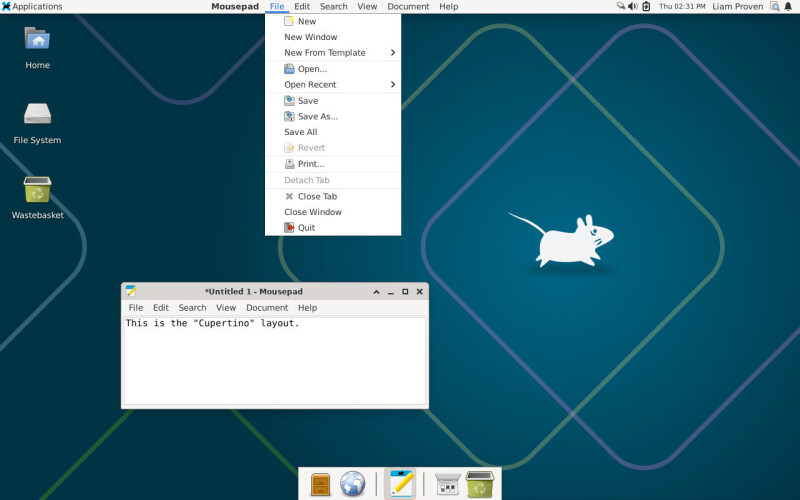
Xfce is a lightweight Linux desktop environment that has been around for 30 years and is known for its configurability. One of its key features is the Panel Profiles tool, which allows users to easily change the appearance and behavior of Xfce to resemble various other desktop environments. With just a couple of clicks, users can switch between predefined layouts that mimic Windows, Xubuntu, MATE, GNOME 2, Mac OS X, or Ubuntu Unity.
The tool also allows users to create custom layouts and save them for future use. To install Panel Profiles, users need to use the apt package manager on Debian-based systems. Once installed, users can choose from the available layouts, such as Cupertino, which resembles macOS. The tool works on the fly and does not require a system restart.
While KDE Plasma offers similar functionality, it requires more manual configuration and uses more system resources. Xfce's Panel Profiles provides a more streamlined and efficient solution for users who want to quickly change their desktop's appearance and behavior.
Written by urgent.news from The Register Software's reporting — not their text. Machine-written — may contain errors; check the original before relying on it.
This story
This is one outlet's version. Read the fullest account.
- How to make Xfce look like almost any desktop you want theregister.com