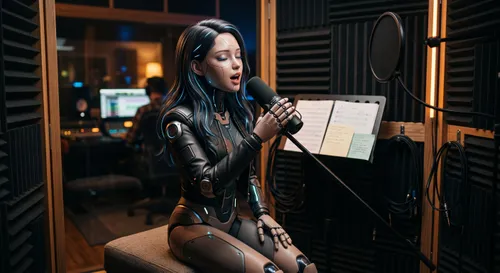
Turning a flat-lay photo into an on-model shot with two prompt segments
If you sell clothing online you need on-model photography, and on-model photography means booking a model, renting a space, and waiting on retouching. Three to five days per round. flat-lay — from an MIT-licensed skill library I have been working through — collapses that to about 60 seconds. You give it a flat-lay garment photo and a pose reference, and it dresses the person in the garment. The…
The MIT-licensed skill library allows for transforming flat-lay photos of clothing into on-model shots in just seconds. This process involves two key components: preserving the garment's details and adopting the pose, camera angle, crop, lighting, and background from a reference image. The prompt structure is rigid, with one clause locking the product and the other locking the context.
The model then resolves the middle, creating a photorealistic catalog styling with sharp fabric details and soft natural light. The order of the --images command in the prompt is crucial, as it maps directly to image 1, image 2, and image 3. Swapping the order can result in the model dressing the flat-lay in a person. The garment description is the most important aspect, with specific details like "olive green cable-knit crewneck sweater with a chunky diamond cable pattern" providing constraints that the model can hold onto.
The scene and mood can be flexible, but the garment must remain unchanged. Specificity is key, and using English for the garment section can improve results. Symptoms of failure include color drift, texture blur, broken hands, warped collars, and changes to the face or background. To prevent these issues, append specific sentences to the prompt, such as matching the garment color exactly, ensuring the hands are five fingers with symmetric shoulders, and only changing the garment region.
Before running the command, validate input constraints like image size, format, and the presence of occluded garments or multiple tops and bottoms. The reference image should control pose, camera angle, crop, lighting, and background, with a frontal standing pose and plain background being ideal. Batch consistency is essential, with a single locked reference and model producing a coherent catalog.
Specifying a locked model adds time to each call. Parameters can be adjusted for size, quality, image format, and batch size, with --dry-run helping to identify potential issues before execution. After generating outputs, check for color drift, texture blur, print displacement, and hand or collar artifacts. The library also offers a dedicated skill for detecting these issues, which can save credits and time.
Written by urgent.news from Dev.to's reporting — not their text. Machine-written — may contain errors; check the original before relying on it.