This app does with Pixel 11 Pro’s HiLight what Google should have done in the first place
HiLight Studio adds custom colors, light animations, and app notifications to your Pixel 11 Pro's underutilized HiLight LED.
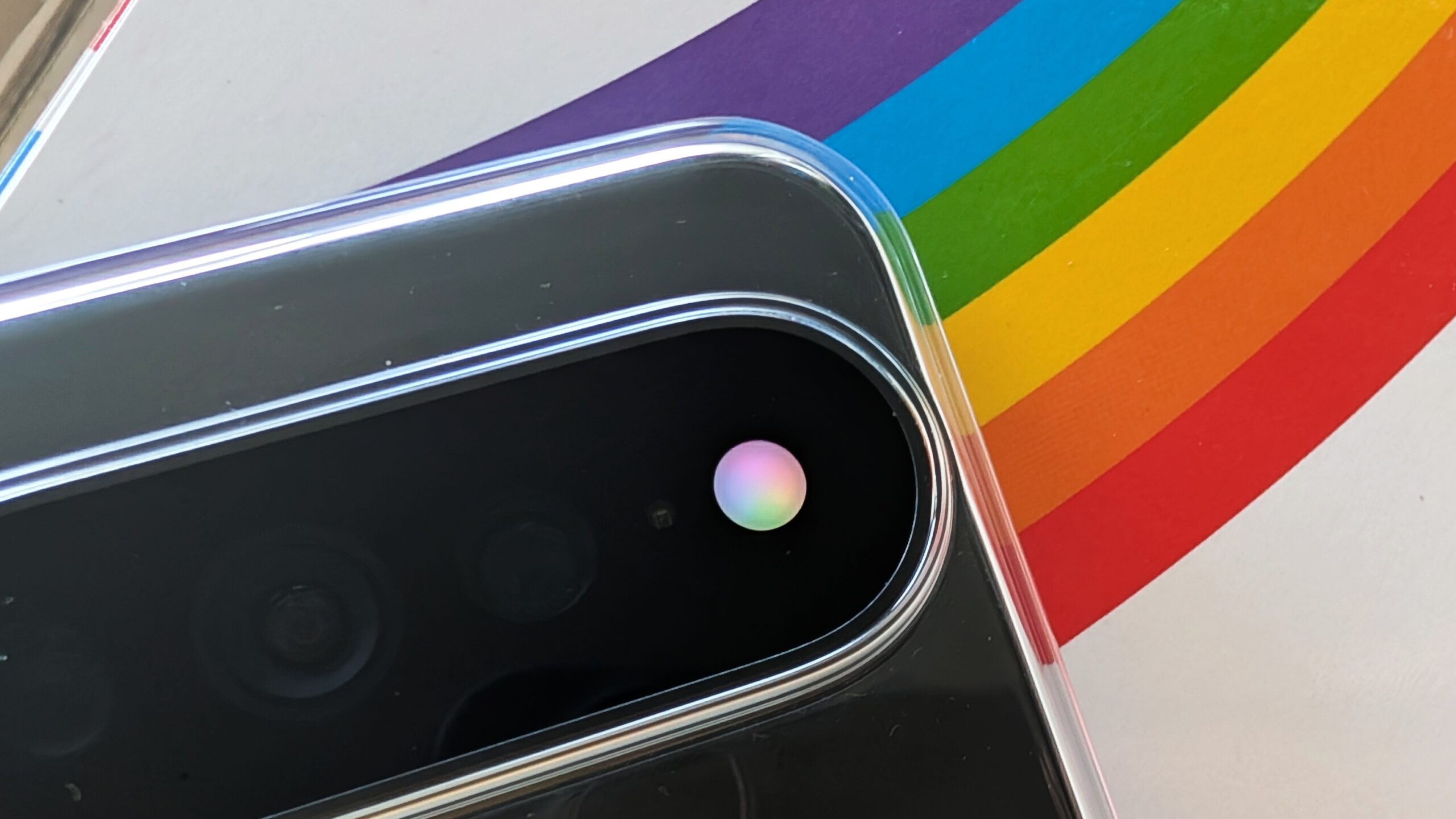
Google's Pixel 11 Pro has a rear HiLight LED array that can be used as a notification light for calls from favorite contacts and during Gemini conversations. However, the LED's capabilities are severely limited by default, only functioning for Gemini and preferred contact calls. An open-source app called HiLight Studio replaces this limited functionality with a range of enhancements, allowing users to customize the LED's behavior with app notifications, unique light patterns like comet and pulse, Quick Settings toggles, and built-in hardware protection.
To use this app, Pixel 11 Pro users must sideload the APK and grant the necessary permissions via Shizuku through Wireless debugging. The Pixel 11 Pro series introduces a new "HiLight" LED system that leverages the camera's flash on the back of the device, but as it stands, Google has barely tapped into the LED's potential. For those seeking more from their HiLight LED, HiLight Studio provides a powerful solution, transforming the LED from a basic notification tool into a versatile and customizable feature.
Written by urgent.news from Android Authority's reporting — not their text. Machine-written — may contain errors; check the original before relying on it.
This story
This is one outlet's version. Read the fullest account.
- Camera Looks on the Pixel 11 delivers what I’ve wanted from Google’s photos for years 9to5google.com
- Google Pixel 11 review: Can this new smartphone lure away iPhone users? cityam.com
- Google Pixel 11 Pro Fold reviews are in: rivals are moving faster techspot.com
- Google missed the plot with HiLight on the Pixel 11 Pro, but an app just unlocked it digitaltrends.com
- Android 17’s new distraction-killer is a Pixel 11 exclusive, Google confirms androidauthority.com
- Pixel 11 XL Pro: Google's big flagship is more Pro than ever, but the camera is no big thing zdnet.com
- Google Pixel phones are getting emoji size settings mashable.com
- I now understand why Google's keeping Pixel 11's best features locked away from older phones androidpolice.com