This free app unlocks a G-Sync setting Nvidia hides from you, and now I can't live without it
Your OLED flickers at 60 FPS because Nvidia's driver is swapping between refresh rates, and this free app fixes it
For those who own OLED gaming monitors and Nvidia graphics cards, you might have noticed a phenomenon known as VRR flicker. This flicker typically appears as a subtle pulse on dark loading screens or when shadows shimmer in cutscenes with little to no movement. The issue tends to be most pronounced at 60 FPS on high refresh-rate displays.
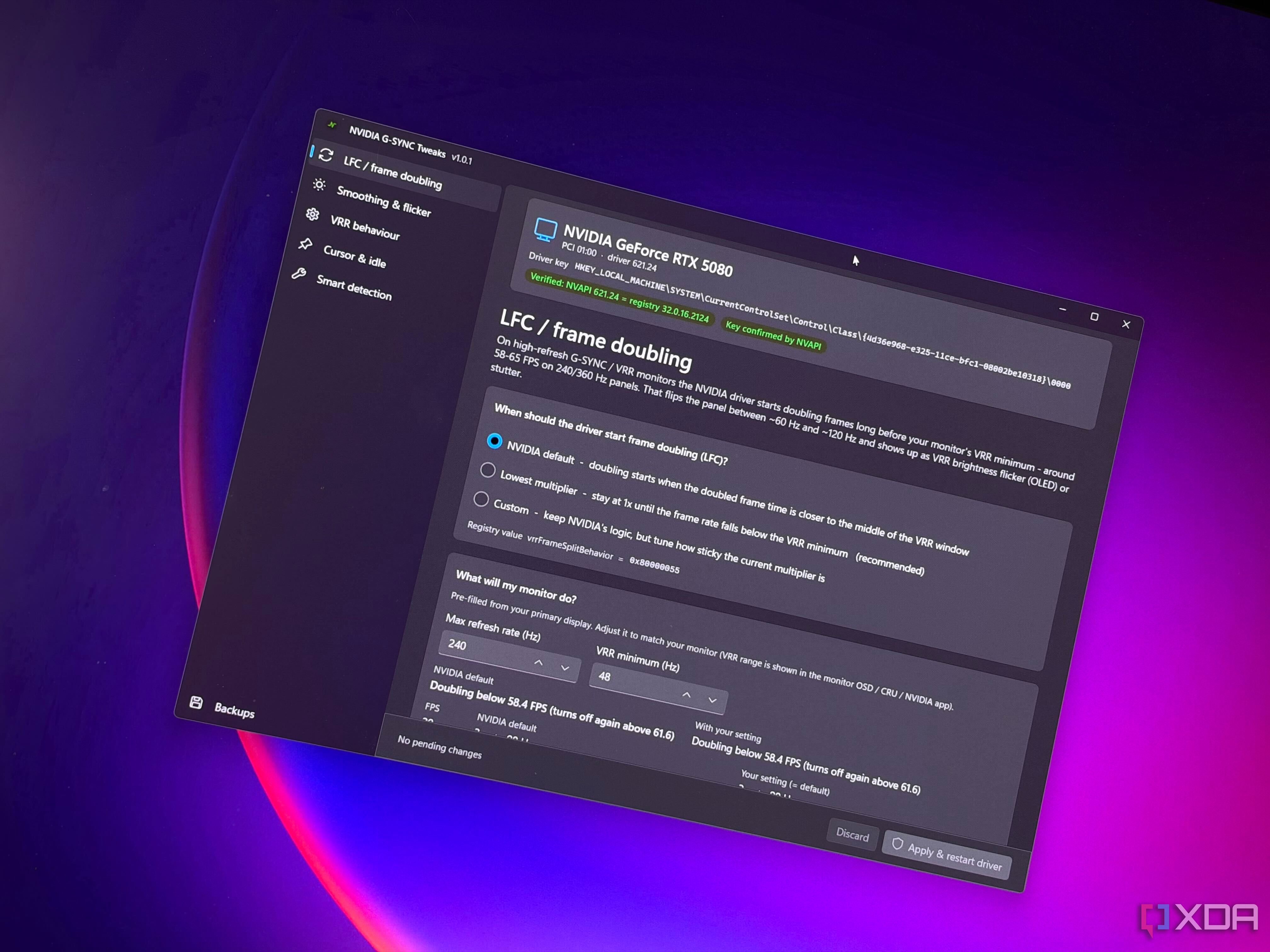
While many users simply adapt to the flicker, others turn off VRR or lower their monitor's refresh rate to 120Hz, which isn't an ideal solution. A significant reason behind the flicker at 60 FPS is how the Nvidia driver deals with doubling frames, and a free app allows you to adjust this setting with just a couple of clicks.
Variable refresh rate, or G-Sync as Nvidia calls it, enables your monitor to change its refresh rate dynamically based on your game's frame rate. This approach avoids tearing without the input-lag penalty associated with V-Sync. However, there's a catch: not all displays behave the same way when it comes to VRR, especially OLED panels.
OLED panels' gamma, which translates a signal into on-screen brightness, is usually tuned for their native refresh rate. When VRR pulls the refresh rate away from this point, it can cause brightness shifts that appear as flickering to your eyes, particularly affecting darker content.
Loading screens are common culprits since they're often dark and static, paired with fluctuating frame rates. VRR flicker is mainly an OLED issue, though some VA LCD panels can also be affected. All monitors that support VRR have a supported range, usually between 48Hz and the monitor's maximum refresh rate. Below this floor, the GPU driver employs low framerate compensation to display each frame multiple times.
If the floor is 48Hz, you'd expect frame doubling to start at that floor, but on high-refresh rate displays, it often doesn't. Nvidia's driver typically starts doubling frames around 58 to 65 FPS, depending on the monitor's maximum refresh rate.
To combat this flicker, Nvidia G-SYNC Tweaks, developed by Orbmu2k, targets a hidden driver value called vrrFrameSplitBehavior. This tweak sets the driver to use the lowest multiplier that fits, moving the point where frame doubling kicks in down to the very bottom of your monitor's VRR range. Once applied, the driver restarts, and you'll notice the flicker lessening, if not disappearing completely.
This free, reversible change is a worthwhile few minutes of your time if you have a G-Sync Compatible OLED and play games that fluctuate around 60 FPS.
Rewritten by urgent.news; may contain errors — check the original.
Source: xda-developers.com