iOS 28 will either fix notification abuse or make it all worse
Apple is reportedly planning to revamp how iPhone notifications work in iOS 28, although with no further details, it can only be hoped that it will be an improvement. An example of an Apple ad notification. Let's not over-state this, because it's annoying but not exactly the end of the world . Apple will sometimes send notifications to your iPhone that are simply advertisements, but a sparse…
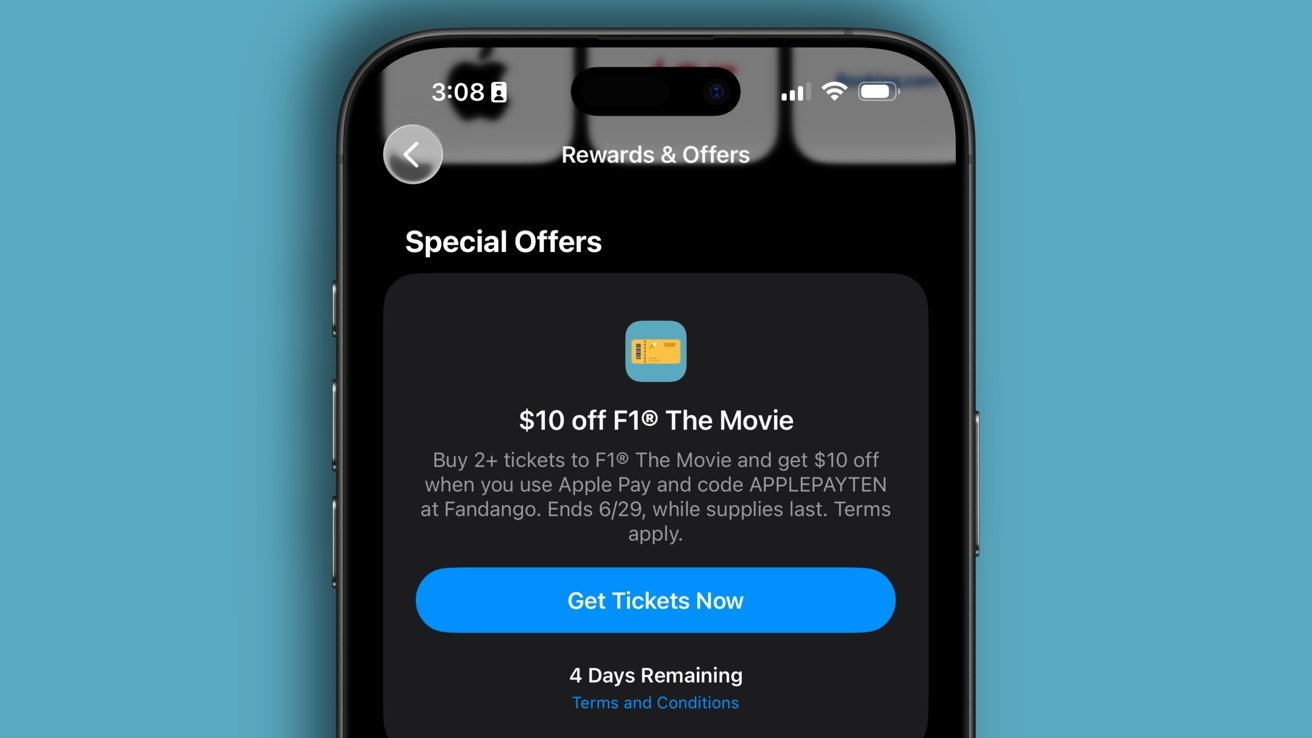
Apple is reportedly planning to overhaul how iPhone notifications function in iOS 28, though the specifics remain unclear. These changes could either rectify the issue of intrusive ads or potentially exacerbate the problem. The rumor suggests Apple intends to implement some substantial modifications to notifications, but it remains uncertain whether this will involve reducing or increasing the frequency of ads.
The only concrete detail is that users have the option to opt-out of these ads, but many disregard this choice, either by ignoring the setting or having the app convince them to re-enable it. This behavior is not solely attributable to developers; Apple may also be circumventing its own guidelines. The potential for Apple to showcase ads at any moment, such as promoting an Apple Arcade game every twenty minutes, has tarnished its image.
While it's unlikely Apple will introduce a novel method for advertising, improving its oversight of the App Store could be a step in the right direction. Apple Wallet, introduced in iOS 26, already features a notifications setting that allows users to disable notifications for new features and updates. However, it's unclear whether enabling this setting in Wallet effectively disables all types of notifications.
Despite these concerns, there is a silver lining: Apple's strategy of applying advertising across various platforms may face increased scrutiny with iOS 28.
Rewritten by urgent.news; may contain errors — check the original.
Source: appleinsider.com