La función de Samsung para acelerar el tiempo de carga de un celular
¿Tu Samsung tarda en cargar? Activa esta función y recupera su batería en menos tiempo
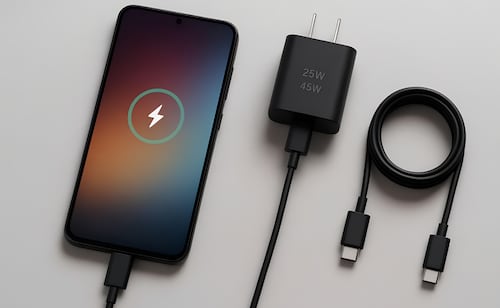
Samsung has introduced a feature to expedite the charging time of their mobile devices. This capability, known as fast charging, can be activated through the phone's "Battery Settings." To enable fast charging, users should open the "Settings" app, navigate to the "Battery" section, then select "Charging Settings" and turn on the "Fast Charging" switch.
The term may differ based on the model and operating system version. Some devices might offer "Wireless Fast Charging," which requires a compatible base. In newer models, fast charging and super fast charging options are consolidated into a single switch, thus the configuration varies across different devices. If the feature is not visible, users should explore the options available for their specific phone.
Compatible chargers and cables, which are usually included with the device, facilitate fast charging. Samsung advises using original, certified accessories that comply with the phone's specifications to ensure optimal charging speed. Additional tips to enhance charging speed include avoiding heavy usage of the device while it's charging, keeping the screen off during charging, ensuring the cable is correctly connected to both the adapter and the phone, and avoiding charging in excessively hot environments.
Rewritten by urgent.news; may contain errors — check the original.
Source: eluniversal.com.mx