I tried this Docker backup tool, and it solves a problem I’ve been ignoring for years
My Docker backups were a mess until this self-hosted tool fixed them in minute
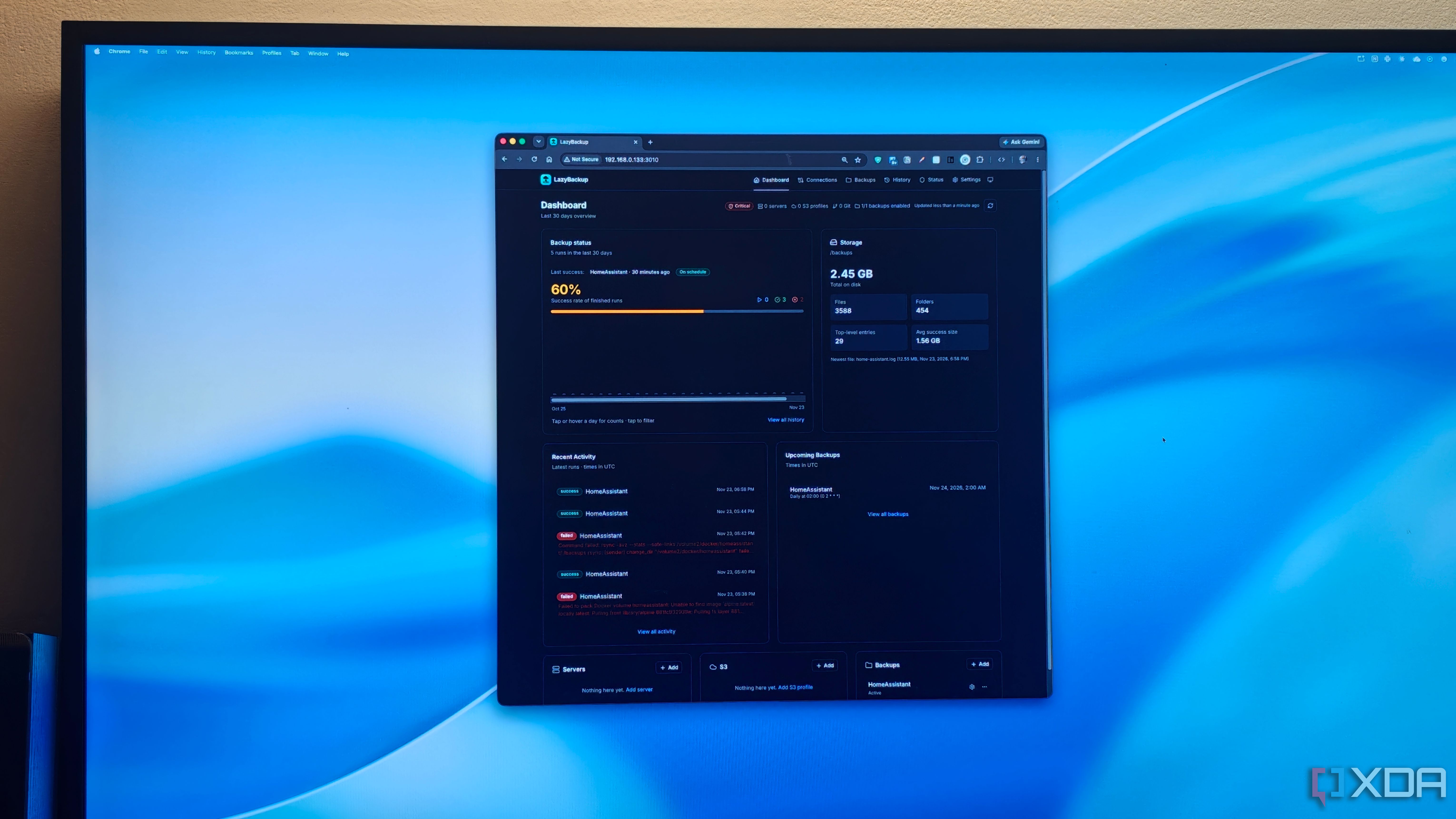
I recently tried out LazyBackup, a self-hosted backup tool for Docker containers on my NAS, and found it to be an excellent solution for a problem I had been neglecting for years.
Running Docker containers on my NAS is straightforward with built-in tools and Docker managers like Portainer. However, ensuring that these critical services are properly backed up becomes more complex. I have multiple self-hosted applications, including Home Assistant, Immich, and RomM, all of which require regular backups. While I had a comprehensive 3-2-1 backup strategy for my essential files, I had been putting off setting up backups for these crucial applications.
That's where LazyBackup came in. This self-hosted backup manager simplifies the backup process for Docker volumes and databases, offering a single dashboard to handle all backups. No scripting or directory management is required. With LazyBackup, I could configure backups to various storage endpoints, such as local directories, remote servers over SSH, or S3-compatible storage.
Setting up LazyBackup on my Synology NAS was a breeze using Portainer, where I manage most of my Docker containers. The deployment was simple using the provided Compose file, and I only needed to set up a persistent directory for application data and map a folder on my NAS to store backups. The web interface was easy to navigate, making it accessible even for those new to self-hosting.
I started with the Home Assistant application, which is essential to my setup and takes the longest to rebuild in case of failure. Home Assistant stores its unique configurations, such as YAML files and automations, in its internal database within the configuration directory on my NAS. To back this up, I changed the Docker Volume option in LazyBackup to a filesystem path, pointing to the actual configuration directory on my NAS.
The dashboard provided an easy way to view the backup history and inspect the data transferred, without needing to SSH into my NAS or manually check individual directories. It also allowed me to validate the backup setup before running, ensuring that the source and destination were accessible. LazyBackup supports various backup sources, including Docker volumes, filesystem paths, database dumps, and GitHub repos, making it a versatile tool for managing backups.
In addition to the essentials, LazyBackup offers features like logical database backups for popular databases like PostgreSQL, MySQL, MariaDB, and SQLite. This is particularly useful because databases are actively written to, and copy-only file backups could lead to data loss. The tool also allows for multiple backup locations and co-location with other LazyBackup users, although I haven't explored these features yet as they don't align with my current use case.
Overall, LazyBackup has been an excellent tool for solving the backup problem I had been procrastinating on. It provides a more organized way to manage different backup sources, destinations, schedules, and retention policies. For anyone running a growing collection of Docker applications or a home lab on a NAS or server, LazyBackup is definitely worth considering.
Rewritten by urgent.news; may contain errors — check the original.
Source: xda-developers.com