I gave a local model six months of my shell history, and it wrote the aliases I should have written years ago
I am starting to think local LLMs aren't entirely useless
For many hours each day, I found myself using the terminal to manage Docker containers, work with Git, and tinker with Home Assistant. Despite these frequent activities, my shell configuration had remained largely unchanged. I knew I could benefit from some useful aliases, but I had never taken the time to identify which ones would truly make a difference.
I thought that an artificial intelligence could help me in this regard, so I provided six months of my shell history to a local language model. It analyzed the data and suggested several aliases I should have created years ago. Terminal command history can be accessed on macOS without any additional software. In Zsh, which is typically the default shell, command history is stored in a file called .zsh_history in the user's home directory.
This history includes a range of commands, from simple Git status checks to more complex Docker and SSH operations. Before using the historical data, it's important to note that it may not contain every command executed, as the number of saved entries is limited by configuration. Additionally, Zsh records timestamps, which can help isolate commands from specific periods.
Given the sensitive nature of shell history, it's crucial to review and remove any entries containing server addresses, authentication tokens, or accidentally entered passwords before processing the data. I asked the language model to do more than just list popular aliases. I instructed it to identify commands I frequently repeated, group similar commands together, and suggest shortcuts based on their frequency and complexity.
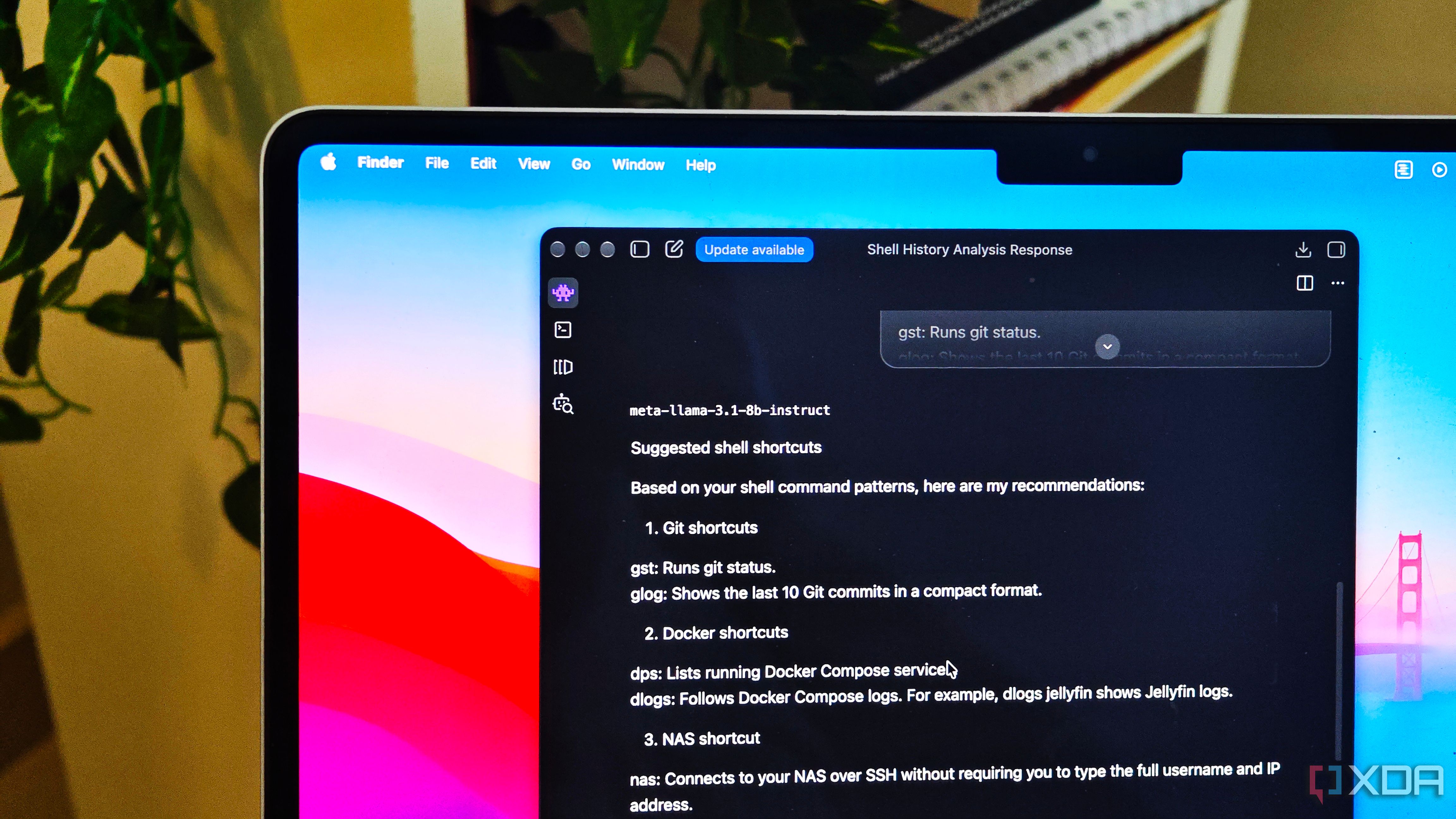
The model also recommended shell functions for repetitive workflows that couldn't be handled by simple aliases. Some of its suggestions were quite basic, such as creating aliases for common Git commands like git status and git log --oneline -10. However, it also provided more complex suggestions, such as creating an alias for docker compose ps and docker compose logs -f.
For example, I can now use dlogs jellyfin to follow the logs of my Jellyfin service without typing the full command. One of the most useful suggestions was a function called immichlogs, which combines the steps of navigating to the Immich Compose directory and starting log streaming. When using generated aliases, it's important to review and consider their necessity.
Some commands may be used frequently but may not necessarily require a shortcut. Additionally, creating too many aliases can make them difficult to remember. It's also crucial to avoid creating aliases for destructive operations, especially those that involve deleting files, removing volumes, or resetting configurations. After reviewing the suggestions, adding the recommended aliases and functions to Zsh is a straightforward process.
By modifying the .zshrc file, adding the desired aliases and functions, and reloading the configuration with source ~/.zshrc, you can start using the new shortcuts immediately. Regularly reviewing the configuration after a couple of weeks of use is also recommended. If certain aliases become redundant or are not being utilized, they can be removed.
The six months of command data provided the local AI with sufficient context to suggest shortcuts that I actually found useful. Giving a local language model dedicated tasks has become one of my favorite uses for small models.
Rewritten by urgent.news; may contain errors — check the original.
Source: xda-developers.com