I put WLED on an ESP32 and built an LED strip for a fraction of what a Philips Hue lightstrip costs
Smarter and cheaper lighting without Hue tax
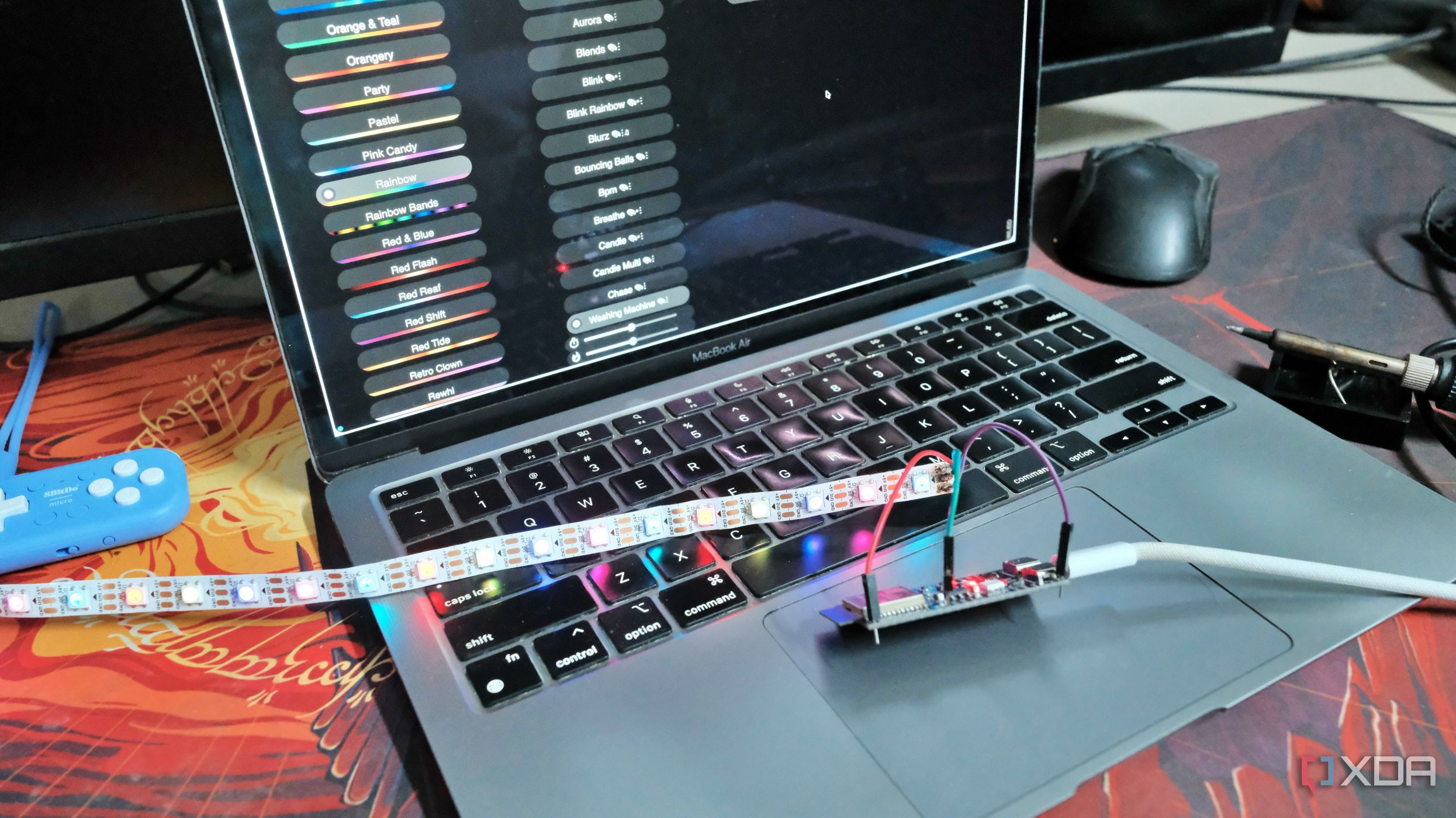
For years, the Philips Hue LED strip dominated the smart lighting market, priced at $99.99 with few discounts. This high cost stemmed from the need for a Hue Bridge, an extra purchase, and the option to control it via Bluetooth without one. Discontented, a creator crafted their own LED strip using an ESP32 board, a WS2812B addressable LED strip reel (1 to 5 meters), and a 5V power supply.
This project offered numerous colors and effects at a fraction of the price. To construct such a setup, one requires three essential components: an ESP32 board, a WS2812B LED strip reel (1 to 5 meters), and a 5V power supply suitable for handling the strip's current draw. For instance, a 5-meter strip with 150 LEDs, requiring 30 LEDs per meter, can draw up to 9A at 60mA per LED for full white brightness.
Determining the power supply size is straightforward: divide the total LED count by 16, implying roughly sixteen LEDs consume approximately 1A, or 60mA per LED. In the author's test, a 5-meter LED reel with 150 LEDs (30 LEDs per meter) used an Apple 20W power adapter, sufficient for full brightness without overloading a typical USB port.
The author's assembly cost under $35, significantly cheaper than the $100 Hue strip, and operated without a dedicated bridge. The ESP32-S3 cost $8, the LED strip $15, and the power supply adapter added $10. Connecting the LED strip to the ESP32 is simple: connect the data wire to the ESP32's open pins while sharing the ground connection between the board and the strip.
For longer LED strips (3 to 5 meters), ensure the power supply and LED strip share the ground connection. Wiring the 150 LEDs to the ESP32's 5V pin could damage the voltage regulator, so use an external power supply to avoid harm. WLED, an open-source firmware for controlling addressable LED strips, replicates Philips Hue's features.
Flashing the WLED firmware is simple, requiring a web installer in the browser and USB connection to the ESP32 board. Once flashed, WLED creates a temporary Wi-Fi network, connecting it to the home network via a phone or laptop. From there, a web interface enables control over data PIN, LED count, and lighting effects. The strip appeared in Home Assistant without a separate hub, app, or proprietary account.
Automations and integration with other smart lights occur seamlessly, akin to managing any other device. The DIY build allowed for color changes, lighting effects, and smart home synchronization. However, the trade-off involves soldering wires and flashing firmware instead of a simple unboxing and app opening. This method provides control over LED customization, though it requires technical skills.
For the author, this transition to DIY smart lighting proved hard to reverse, offering a third of the cost of Philips Hue strips while retaining smart home integration.
Rewritten by urgent.news; may contain errors — check the original.
Source: xda-developers.com