4 Google apps I swapped for lightweight alternatives, and my Pixel feels faster
These lightweight replacements brought a refreshing change to my Pixel.
Google apps are deeply integrated into the Pixel experience, often accepted as default choices. However, it's worth questioning if these apps always provide the best options. The author decided to test alternative apps to evaluate their merits. Upon doing so, the results led to a reevaluation of some default choices. Google Photos, while convenient, constantly feels like more than just a photo gallery.
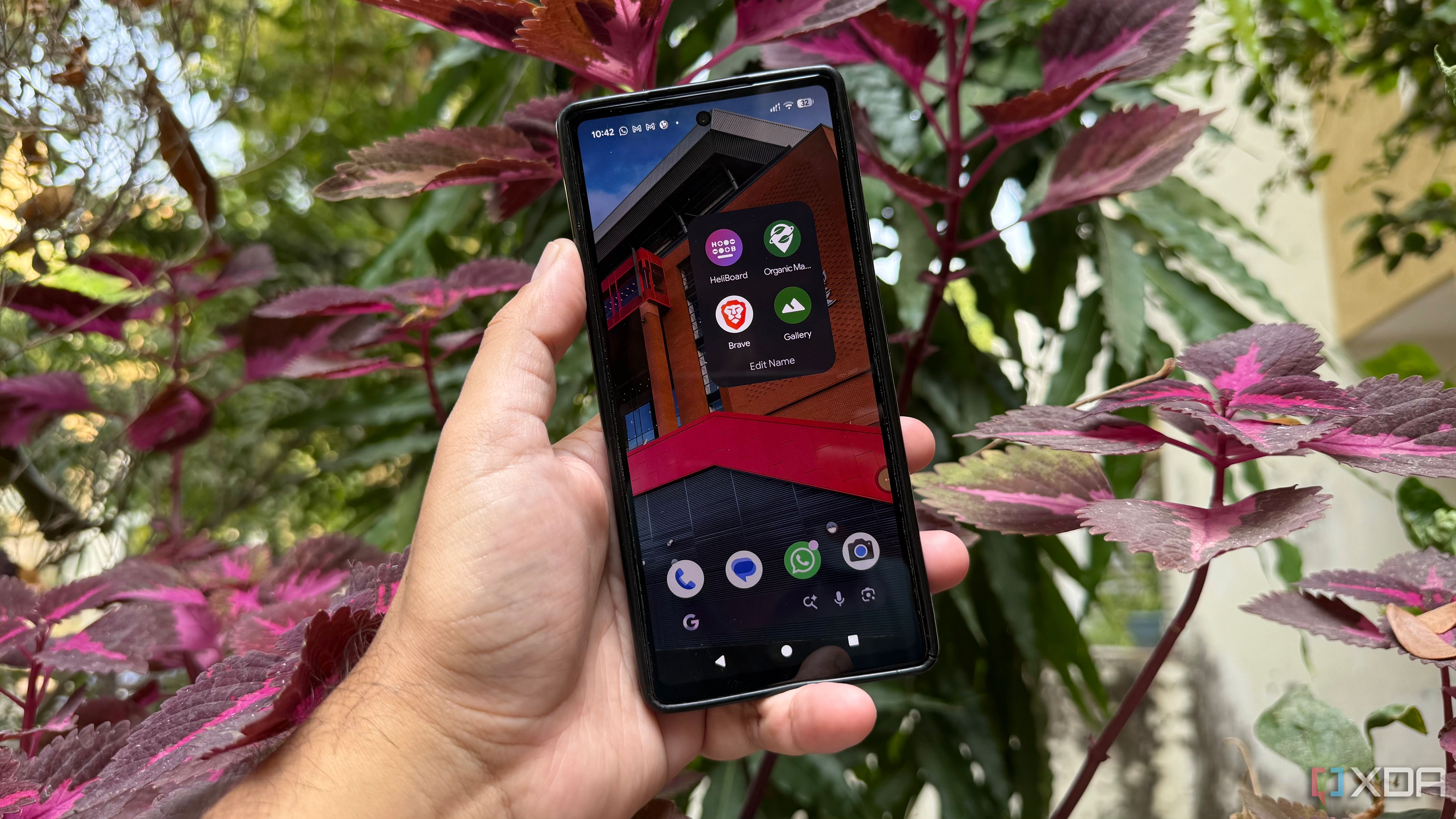
It encompasses cloud features, automatic backups, AI-powered tools, and recommendations, creating additional background activity that feels unnecessary for merely browsing stored photos. Fossify Gallery emerged as a viable alternative, focusing solely on locally stored photos. With a clean interface, it allows for easy navigation through albums and photos without cloud libraries or recommendations.
Fossify Gallery also includes image editing, app locking, hidden albums, and a recycle bin. This app eliminates the need for cloud backups or sign-ins just to view photos. The author found Fossify Gallery to be a refreshing replacement for Google Photos, especially for those who primarily use their Pixel for photo capture and browsing.
Replacing Gboard, the default keyboard, was a different experiment. While Gboard offers smart features like voice typing, translation, GIF search, and predictive suggestions, most regular typing doesn't rely on these extras. HeliBoard provided a balance, retaining essential typing functions without the clutter of additional features.
Its support for multiple languages, custom themes, and a personal dictionary ensured a familiar typing experience. Word suggestions and autocorrect were still effective, making HeliBoard a practical switch for those who value a streamlined typing interface. Google Maps, the go-to app for directions, often offers more than needed for simple route planning.
Features like business recommendations, reviews, and discovery tools can be excessive. Organic Maps, based on OpenStreetMap data, focuses on navigation and offers offline maps, useful in areas with poor mobile coverage. It provides detailed maps with driving, walking, and cycling options, allowing users to download city maps before heading out.
Organic Maps includes details such as hiking trails and points of interest, though it lacks live traffic updates, extensive business reviews, and comprehensive local listings. For straightforward route planning and offline use, Organic Maps is a useful alternative, even though it lacks some Google Maps features. Switching to Chrome for everyday browsing was considered, but a more privacy-focused browser was desired.
Brave, being based on Chromium, offers a familiar browsing experience with built-in privacy tools. Features like Brave Shields block ads and trackers, reduce network requests, and give users control over cookies, trackers, and unwanted content. Brave proved to be a comfortable browsing option with useful privacy features, suggesting that preinstalled apps are not always the best choices.
Written by urgent.news from XDA Developers's reporting — not their text. Machine-written — may contain errors; check the original before relying on it.