Google’s Create My Widget can transform your Pixel home screen. Here’s how to use it
Why settle when you can create?
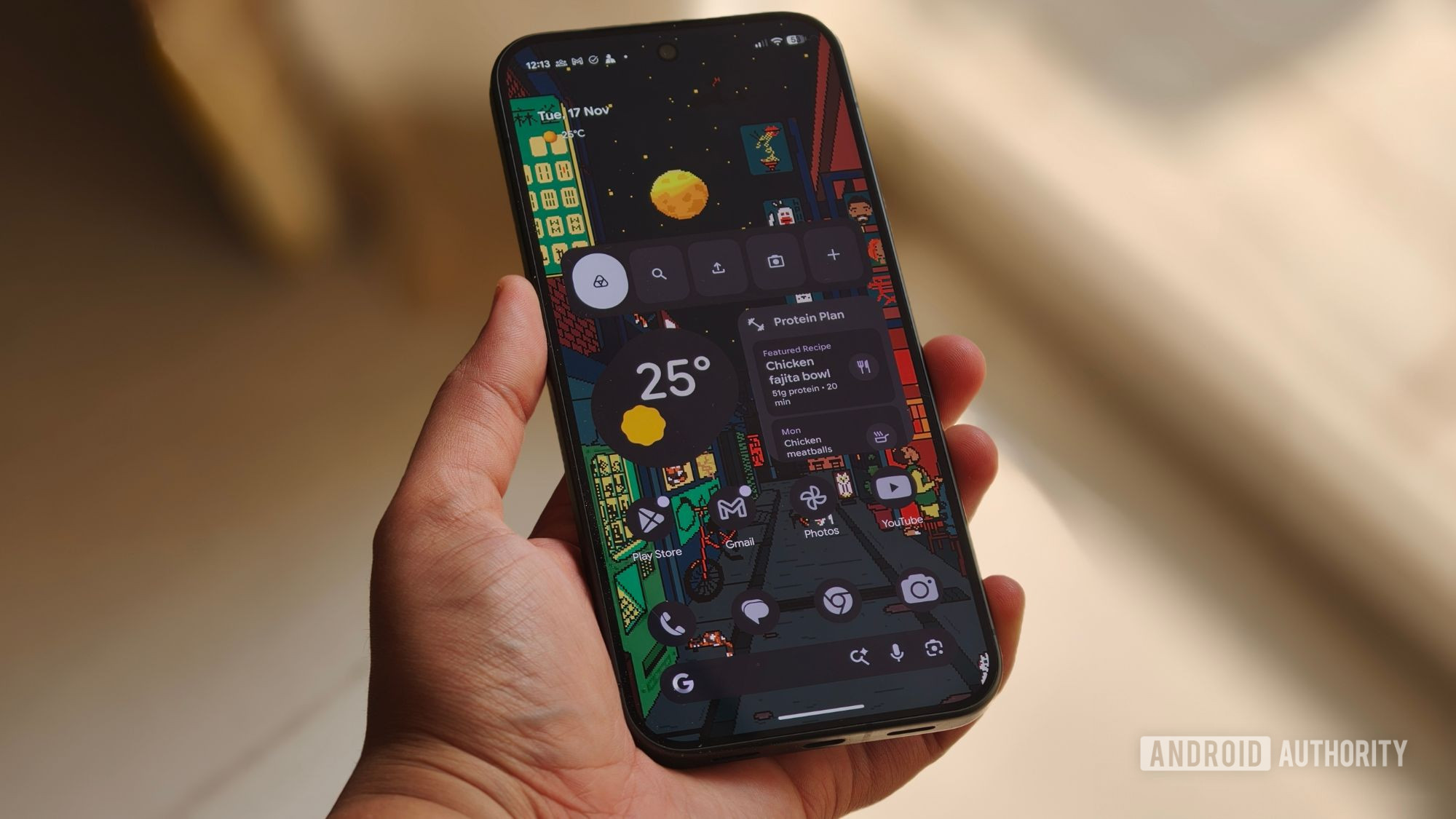
Google has included the Create My Widget feature as part of its November Pixel Drop. This Gemini Intelligence feature allows users to generate personalized home screen widgets through natural language prompts, such as tracking sports games, setting event countdowns, or displaying weekly spending data from Gmail. According to Android Police, the tool is currently exclusive to the Pixel 10 and Pixel 11 series, though the Pixel 10a is excluded.
Despite the update being released over a week ago, many users have not yet seen the feature. Android Authority reports that in a poll of over 950 respondents, 62.4% said they had not received the November Pixel Drop, and 15% of those who did receive the update noted that some new features were still missing. Android Police notes that the November Pixel Drop also introduced 10 new icon styles, calculator upgrades, and expanded Rambler support for the Pixel 10 series.
Brief written by urgent.news from Android Authority, 9to5Google, Engadget, Android Police — 4 reports on this story. Machine-written — may contain errors; check the original before relying on it.
This story
This is one outlet's version. Read the fullest account.
- The Pixel Watch 5 is Google’s most complete smartwatch yet, and a must-buy androidauthority.com
- Which Google Pixel phone is most similar to the Galaxy S26+? engadget.com
- Phone by Google 246 rolls out gradient icon redesign on Android [U] 9to5google.com