The iPhone Duo gets face unlock with the latest iOS 27 beta.
You won't need to wait for TouchID on your $2,000 foldable.
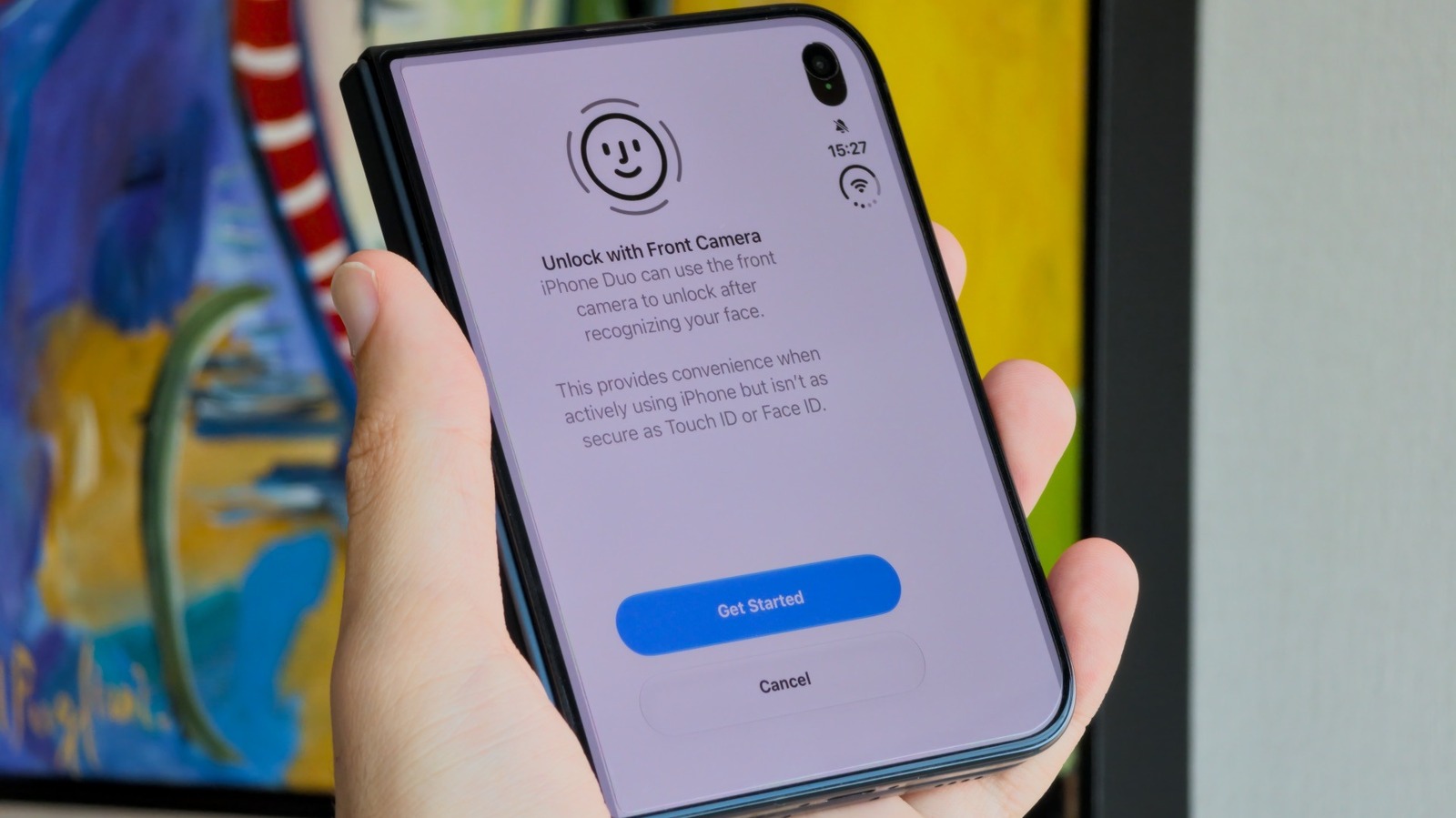
The latest iOS 27 beta introduces a new feature called "Unlock with Front Camera" for the iPhone Duo, allowing users to unlock their foldable device using facial recognition through the front-facing camera. This option is accessible in the Touch ID & Passcode settings within the Settings app. Unlike most contemporary iPhones, the iPhone Duo lacks a TrueDepth camera, relying instead on regular cameras on both the outer and inner screens for facial recognition.
When setting up this feature, users are alerted that it offers convenience but is less secure than Touch ID or Face ID. Engadget's tests revealed that the feature unlocks faster than Touch ID and is not easily fooled by a photo of the user's face. However, it doesn't work in total darkness and requires Touch ID for more sensitive actions like accessing apps, viewing passwords, or using Apple Pay.
Apple has implemented safeguards to prevent malicious use of this feature, such as limiting its functionality to unlocking the Lock Screen and disabling it after 45 minutes of inactivity. The feature also does not function with the iPhone Duo's under-display camera. This approach mirrors Apple's implementation in HomeView, where Face ID is absent, and a simpler facial recognition system is used to identify the user for personalized content display.
While the iPhone Duo's Touch ID was deemed accurate but somewhat slow in unlocking in Engadget's review, the company is expected to release iOS 27.3 to the public around mid-December, making the feature available to the general public.
Written by urgent.news from Engadget's reporting — not their text. Machine-written — may contain errors; check the original before relying on it.
This story
This is one outlet's version. Read the fullest account.
- Apple adds ‘face unlock’ to the iPhone Duo, but it’s not Face ID techcrunch.com
- Apple adds facial recognition unlock to iPhone Duo investing.com
- Apple is adding face unlock to the iPhone Duo — without new hardware theverge.com
- ‘Unlock With Front Camera’ — New Feature for iPhone Duo in iOS 27.3 Beta 2 macrumors.com
- Apple Watch Series 12 hits a new all-time low at $329 androidauthority.com
- Apple releases iOS 27.3 beta 2 for iPhone 9to5mac.com
- Apple is adding face unlock to its foldable iPhone in a software beta qz.com