I replaced Claude Code, Codex, and Google Antigravity with a coding tool that makes all three feel outdated
The AI coding game has changed.
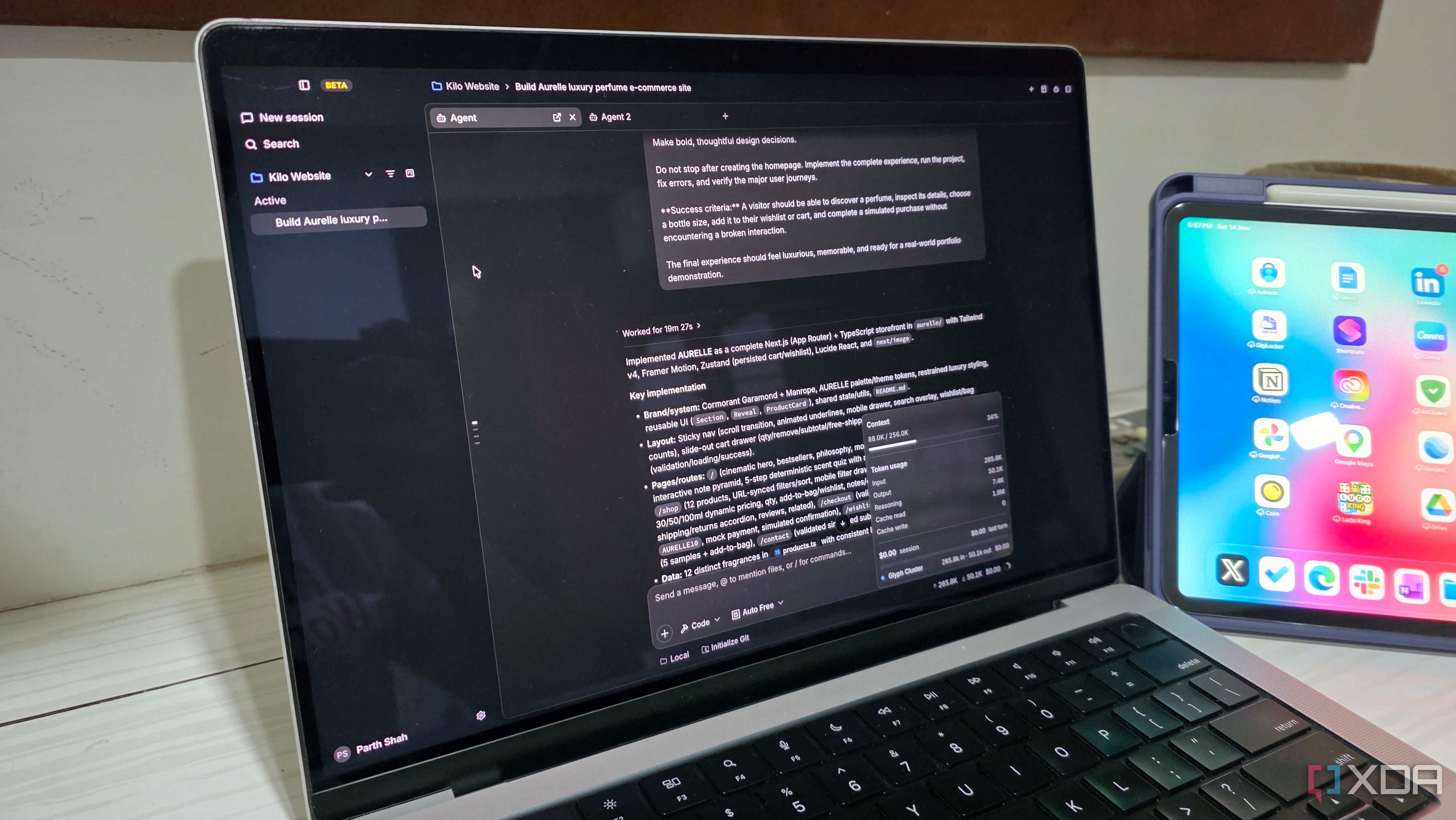
AI coding tools have advanced significantly in recent years, and I have had the opportunity to experiment with some of the leading platforms, including Claude Code, Codex, and Google Antigravity. However, after tests with these major players, I sought a solution that combines the best features of these tools without sacrificing adaptability or control. That is when I discovered Kilo Code, a coding tool that revolutionized my perspective on AI-assisted programming.
Kilo Code stands out for its extensive features, offering access to hundreds of AI models, powerful agent capabilities, and a highly customizable development environment. Initially introduced as an AI coding assistant for Visual Studio Code, Kilo Code has evolved into a comprehensive AI coding platform, supporting various environments like Visual Studio Code, JetBrains IDEs, the terminal, and cloud-based workflows.
Kilo Code is available across different operating systems, including Windows, Mac, and Linux, making it a versatile choice for developers.
One of the most significant advantages of Kilo Code is its ability to access over 500 AI models from different providers, including Anthropic, OpenAI, Google, DeepSeek, and others, all through a unified interface. This flexibility allows users to choose the most suitable model for each project, whether it be a powerful Claude model for complex applications, Gemini for development, or a more cost-effective model for minor tasks.
Additionally, users can connect their own API keys or integrate local models using Ollama and LM Studio.
A standout feature of Kilo Code is the Auto model, which automatically routes model requests based on a user's preferred balance of performance and cost. This feature, along with the Auto Free tier for supported free models, significantly enhances the user experience by streamlining the decision-making process. Kilo Code also introduces Agent Manager, enabling users to run multiple AI agents simultaneously.
This feature is available in both the VS Code extension and the standalone desktop app, allowing for separate coding sessions with Git worktrees to avoid conflicts.
To illustrate the benefits of Kilo Code, I undertook a project to create a premium e-commerce website for a fictional perfume brand. By dividing the workload into smaller tasks—such as the homepage, product browsing experience, and shopping cart functionality—I was able to utilize separate coding sessions for each aspect of the project.
I experimented with different models for various components, highlighting Kilo Code's flexibility and adaptability. While Kilo Code is not without its shortcomings—such as the still-beta desktop app and potential cost increases with premium models—the platform's flexibility and comprehensive features have made it an integral part of my development workflow.
Written by urgent.news from XDA Developers's reporting — not their text. Machine-written — may contain errors; check the original before relying on it.