I used this 3D scanner on my household items, and it turned out to be a killer addition to my 3D printing suite
The Elegoo M1 Ultra is great for scanning reference models for DIY projects
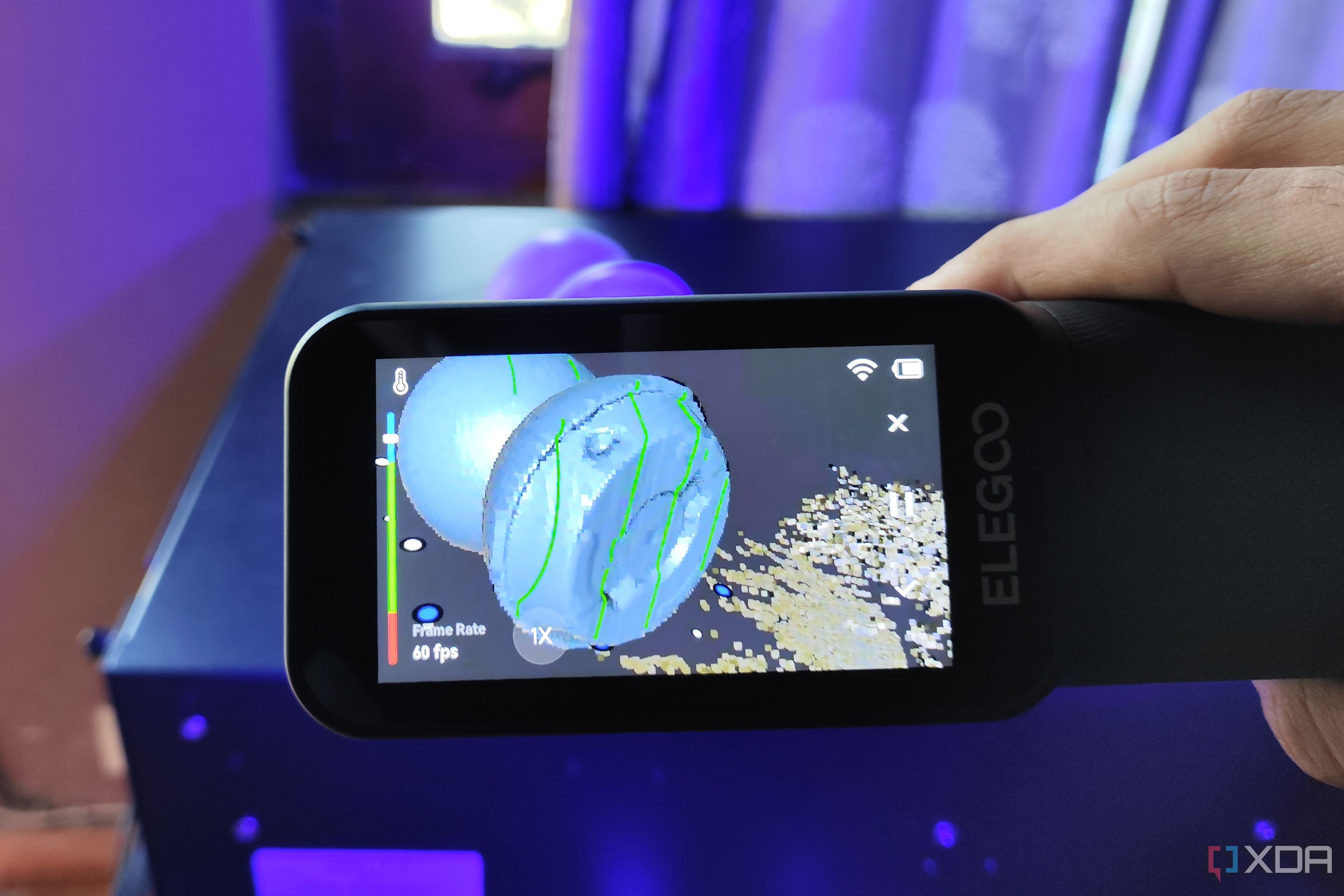
I've been experimenting with 3D scanning for my home improvement projects, primarily using a 3D scanner from Elegoo. Initially, I found manually creating functional prints to be quite challenging, especially when designing objects that needed to fit together. Upon hearing about the Elegoo M1 Ultra, I was eager to give it a try. This 3D scanner has proven to be a valuable addition to my 3D printing toolkit, despite a few quirks and high price tag.
The M1 Ultra is lightweight and user-friendly, allowing for various scanning modes. By creating a 3D printed turntable, I've managed to achieve accurate virtual copies of real-life objects. I've utilized the scanner for camera mounts, controllers, utensils, and microphones, with satisfactory results. The 34-line crossed blue laser mode works well for medium- and large-sized objects, while the 7 parallel-line laser mode excels at capturing intricate details. For complex models, I sometimes use both modes to ensure all details are accurately captured.
The single-line blue laser mode, designed for scanning holes, cavities, and tight spaces, has shown mixed results. It performs well with boards lacking GPIO pins, but struggles with detecting such pins on certain boards, leading to noise in the mesh. This mode also has issues with PC cases and models with many cavities, filling in the tiny fan vents. However, these inconsistencies can be easily rectified in CAD tools, allowing me to estimate dimensions and design accessories for tech parts.
The blue laser scanner can be used without markers, making it suitable for scanning large outdoor objects. While not as clean as marker-based scans, it still provides decent results. The infrared scanner mode, which captures color textures and body surfaces, is useful for creating reference models of body parts for cosplay props. However, it sacrifices some performance compared to the blue laser mode.
Overall, the Elegoo M1 Ultra is not a standalone scanner; it requires a PC to handle mesh processing tasks. I've tested it with both a MacBook Air M4 and a desktop PC equipped with an RTX 3080 Ti. The performance varies depending on the scanner mode and the host computer. The software, Elegoo Scan app, is intuitive and helpful, eliminating the need for extensive post-processing in a separate CAD tool.
Written by urgent.news from XDA Developers's reporting — not their text. Machine-written — may contain errors; check the original before relying on it.