I checked my router's security settings and found features I should have disabled years ago
You might be ignoring several compromised settings on your router
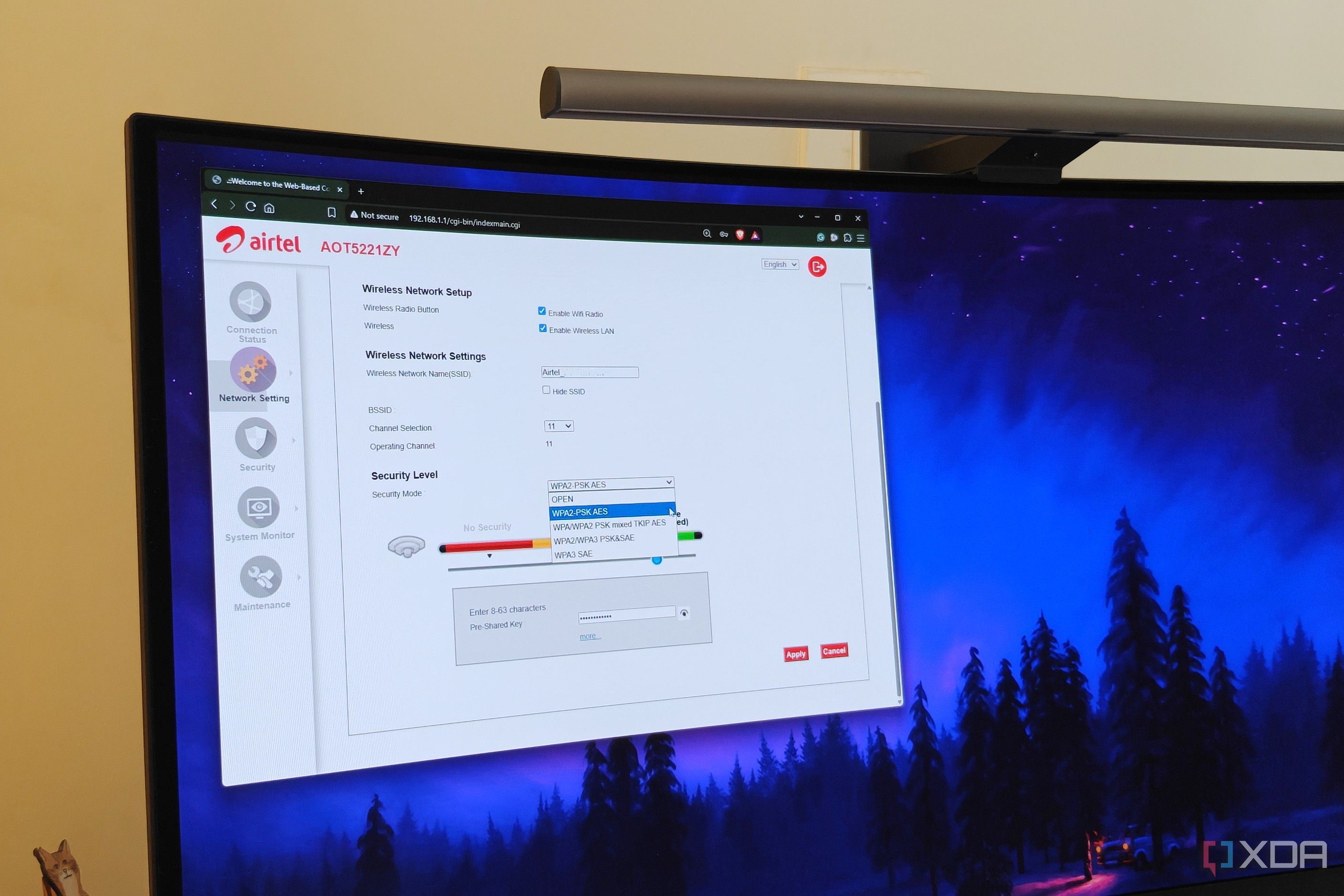
Many people who frequently adjust their router settings often overlook crucial security configurations. I recently uncovered some concerning security settings left enabled on my router's admin page. While the intentions might not be malicious, leaving certain router settings unchecked leaves your network vulnerable to unauthorized access.
Unauthorized access isn't always the result of cyber attacks; your Internet Service Provider (ISP) can also gain access to your router without your consent. This is due to legacy encryption protocols, simplified connection methods, and compatibility considerations.
Remote management, a feature that allows access to your router from outside your local network, can be disabled. It's useful when you want to change your settings while away from home, but it also exposes your network to potential brute-force attacks. Hackers often scan the internet for routers that can be accessed remotely, increasing the risk of compromised settings. Once they gain access to your router's admin page, they can control your network, redirect traffic to malicious sites, and change your credentials.
Universal Plug and Play (UPnP) is another feature that needs to be disabled. UPnP allows devices on your network to automatically open ports, which can be convenient for port forwarding. However, it doesn't differentiate between secure and malicious devices, allowing any device to open ports. This can leave your network open to various cyberattacks, including the installation of malware like banking trojans and botnets, data leakage, or Distributed Denial of Service (DDoS) attacks.
While WPA3 became the standard around 2020, many routers still default to WPA2. WPA2-Personal networks, which use a pre-shared key (PSK) or network password, can be cracked using brute-force or dictionary attacks. Once the passphrase is obtained, hackers can capture the 4-way wireless handshake. To enhance security, it's recommended to enable WPA3 if possible, as it uses stronger encryption and doesn't rely on a single shared passphrase for every device.
If you have legacy devices that don't support WPA3, consider isolating them on a WPA2 guest network or VLAN, while shifting newer devices to a WPA3-only network. Lastly, the WPS feature, which allows easy device authentication using an 8-character PIN, should also be disabled. Although its physical button might be considered more secure, it's still vulnerable to brute-forcing.
Modern routers, including ones that support WPA3, no longer support WPS, so there's no reason to keep this feature enabled on your home router.
Written by urgent.news from XDA Developers's reporting — not their text. Machine-written — may contain errors; check the original before relying on it.