Photographers can now save all their favorite Lightroom sliders in one place. Here's how
Lightroom 2027 contains a handful of new tools to customize the workspace, including a new section for favorite sliders
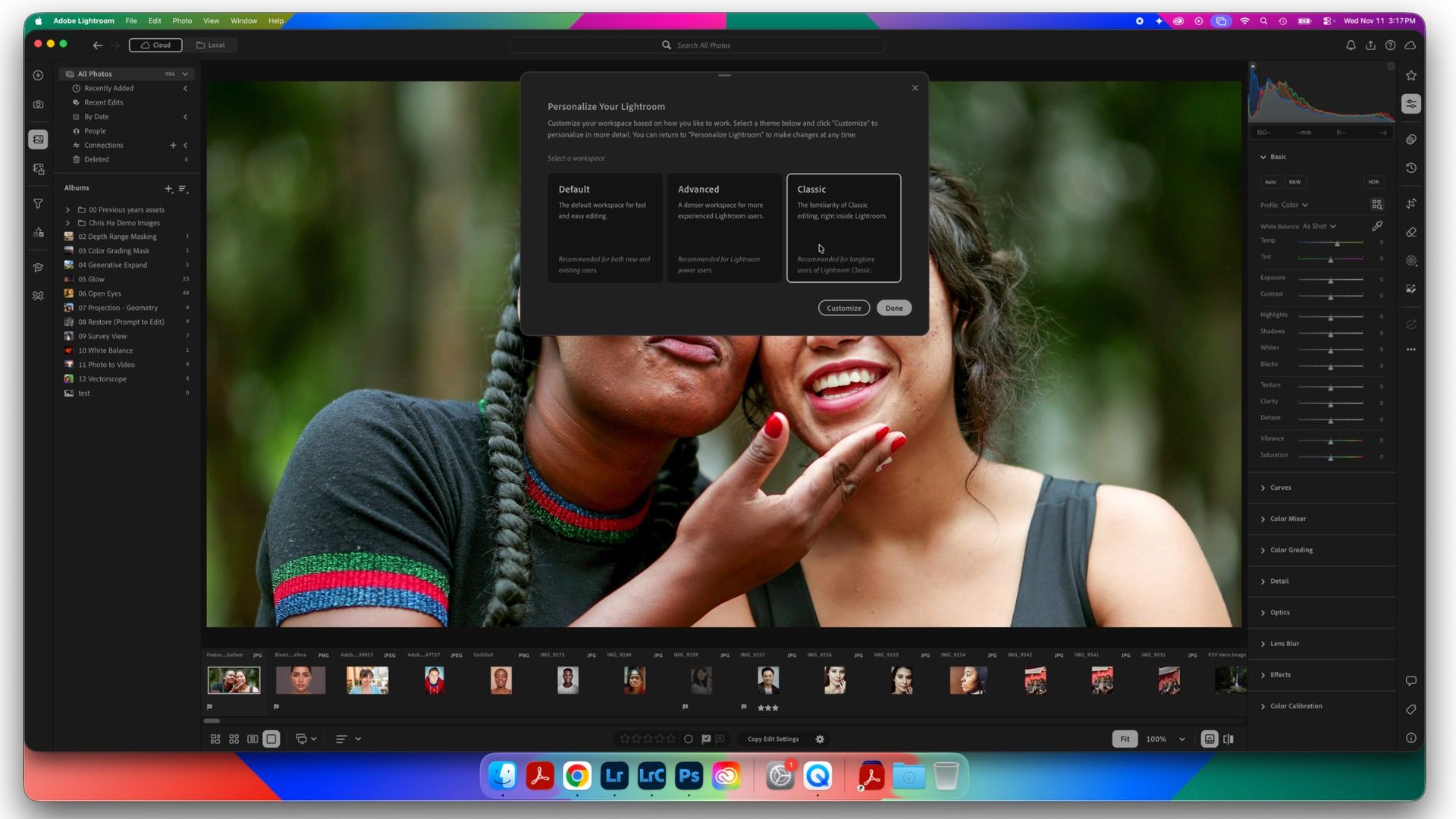
During Adobe Max 2026, Adobe Lightroom introduced a new feature allowing users to customize their workspace and save favorite sliders in one place. This custom workspace can be chosen from three options: default, advanced with more controls, or classic, which mimics the appearance of Lightroom Classic. Upon updating to Lightroom 2027, a pop-up appears asking users to select their preferred workspace.
Clicking the "Customize" button opens a new window with options like the light user interface and the choice between Lightroom and Lightroom Classic keyboard shortcuts. After making selections, Lightroom restarts to apply the new workspace.
Within Lightroom, photographers can now save their favorite sliders in the Favorites section located on the right-hand side. Star icons appear next to all tools in the sidebar, and users can save a tool as a favorite by clicking the star icon. Inside the Favorites panel, sliders can be reordered by dragging and dropping them. Once customization is complete, click "Done" to finalize the changes.
Selected favorites are then consolidated into one panel accessible by clicking the star icon within the edits stack. The Favorites section can also be exported and imported to share with other creators or across devices. To share or import favorites, tap the "..." menu within the section and choose the appropriate option.
Written by urgent.news from Digital Camera World's reporting — not their text. Machine-written — may contain errors; check the original before relying on it.