A $12 room thermometer now controls how hard my PC's fans spin
Your room is warmer than your CPU thinks.
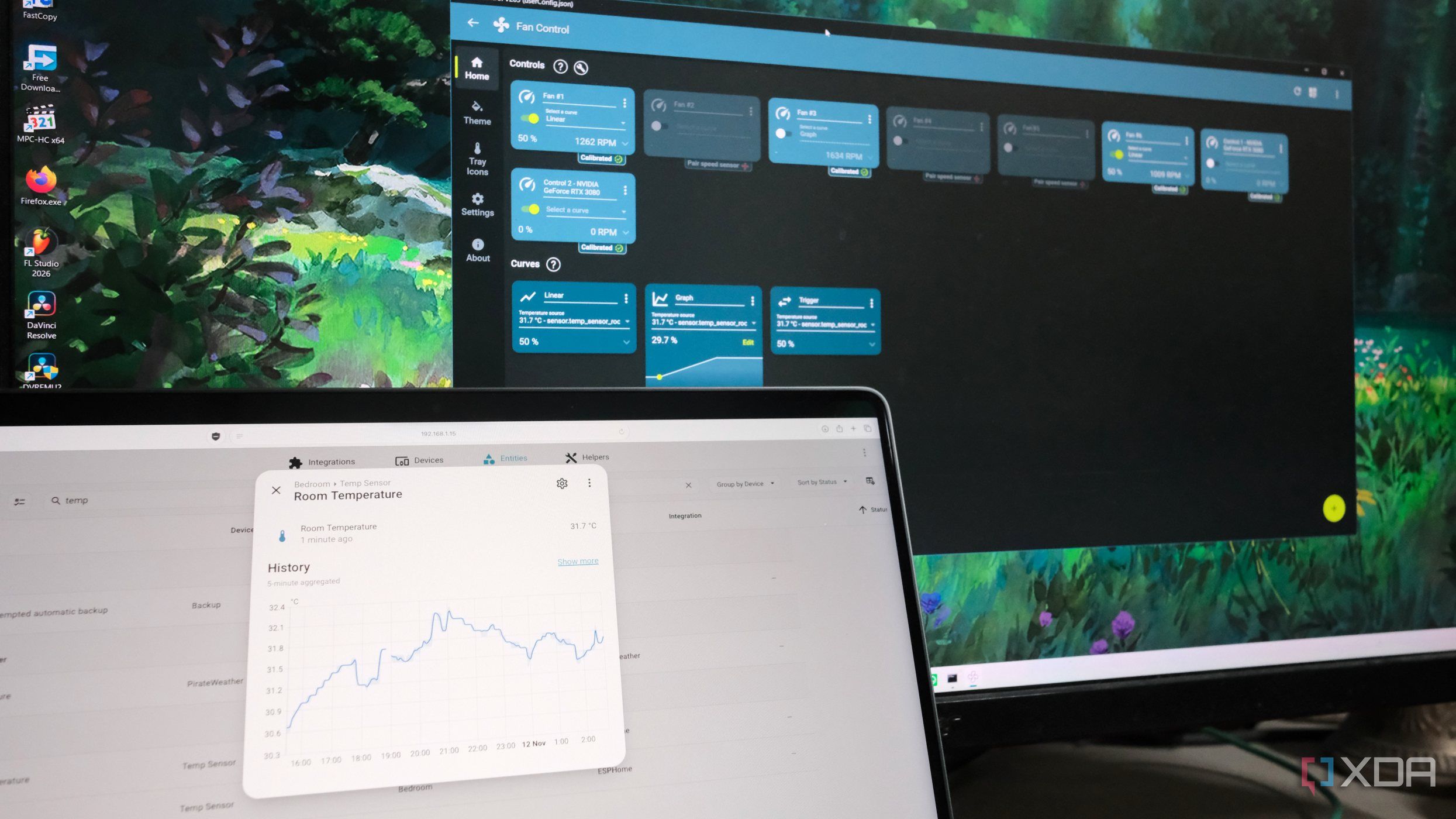
In the past, most PC users set fan curves once through software or their computer's BIOS. However, these curves are limited to a board's onboard sensor, which only measures internal temperatures. To bridge this gap, a community plugin for Windows 11's Fan Control app can pull data from a Home Assistant sensor. This requires a temperature sensor and humidity reporting module built using a DHT22 sensor and ESP32-S3, which costs less than $12.
The DHT22 sensor has three connection points: 3.3V, ground, and data line. Once connected to the ESP32-S3, the module can be configured using YAML in ESPHome. The sensor is ideally placed a foot away from the PC's intake side to avoid measuring internal heat. Fan Control for Windows 11 supports plugins to inject a sensor, and the FanControl.HomeAssistant plugin helps with this.
After installing the plugin, a few configuration steps are needed, including providing the IP address of the Home Assistant instance, a long-lived access token, and the sensor's entity ID. The plugin reads this file on startup, so any changes require a full exit and relaunch. The plugin polls Home Assistant's data over the network, so if Home Assistant is down, it falls back to a predefined value set in the JSON configuration.
This setup allows the PC's fans to react to ambient temperature, providing a more efficient cooling system.
Written by urgent.news from XDA Developers's reporting — not their text. Machine-written — may contain errors; check the original before relying on it.