I gave my local AI model access to my personal documents, and it finally became more useful than a chatbot
The model I trust most with my files isn't the one I pay for
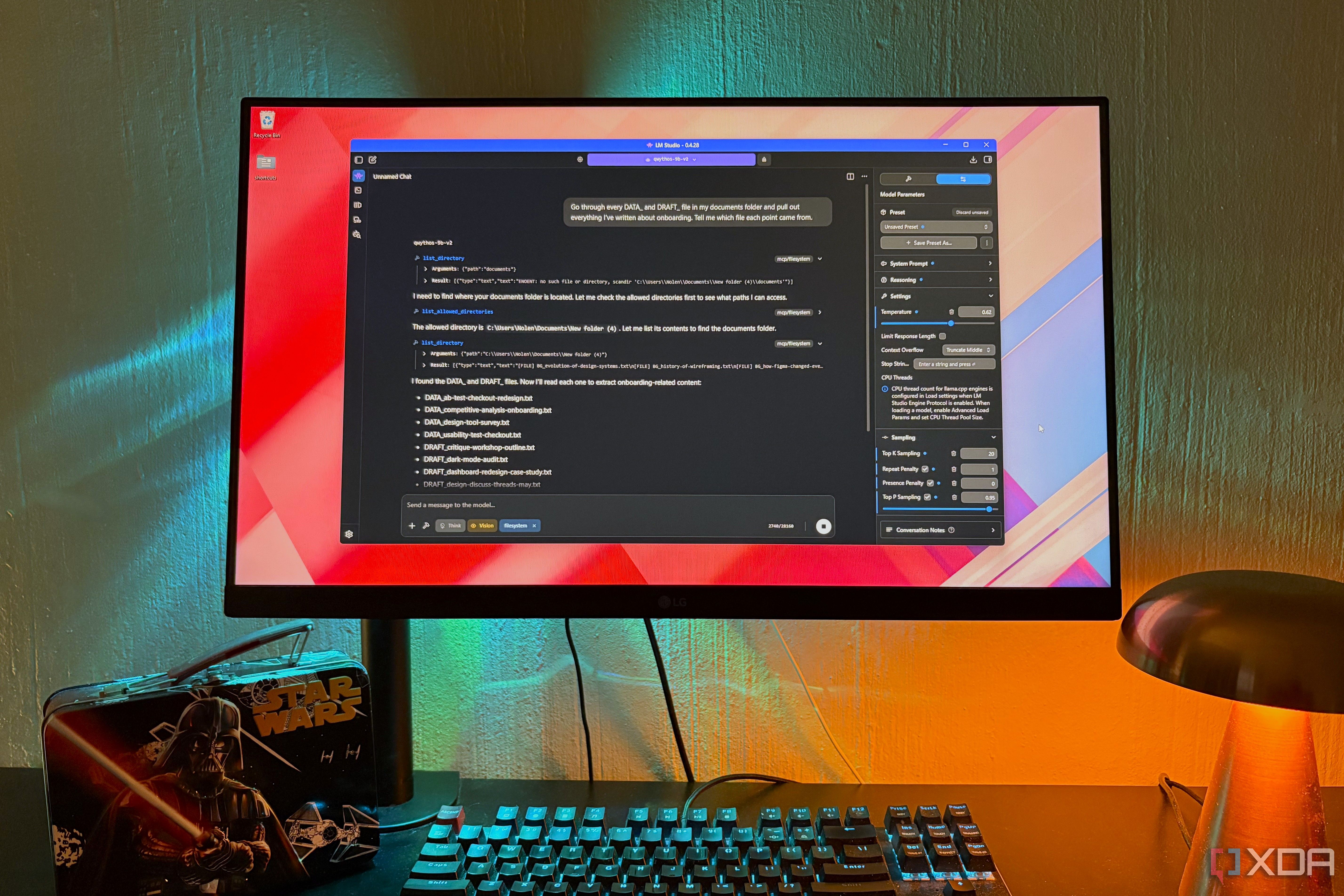
I was initially reluctant to grant my local AI model access to my personal documents, but the experience proved to be a game-changer. Chatbots have become proficient at handling documents, but the issue lies with privacy concerns as sensitive data often ends up on servers such as Google, Anthropic, or OpenAI. Running a local large language model (LLM) eliminates privacy risks, but without access to personal files, it remains just a chatbot.
To address this, I utilized LM Studio, a user-friendly application that loads and runs the model while determining how files reach it. Although I experimented with numerous runners, LM Studio stood out due to its ease of use and workspace features, including an in-chat document upload button. If a runner lacks this feature, alternatives like Cherry Studio or AnythingLLM can be employed.
LM Studio allows users to attach PDFs, Word documents, and text files directly into a chat. The model's context window, which determines how much text it can hold in one conversation, comes into play here. If a file fits within the context window, it goes in entirety; otherwise, LM Studio extracts the most relevant parts pertaining to the question. This feature is particularly useful for attaching multiple files, as LM Studio pulls out relevant sections when the file doesn't fit entirely.
A critical aspect of utilizing a local AI model is its ability to call tools. A less proficient model might simply guess the contents of a file without opening it. However, LM Studio supports tool use, with Qwen 3.5 9B being the most reliable option. I have also used Qwythos 9B v2, which shares the same foundation architecture as Qwen 3.5, making them interchangeable for file work. Larger Qwen models are preferable if hardware permits.
My local LLM primarily accesses health and finance documents along with personal notes. This approach allows me to ask questions spanning multiple documents, such as comparing insurance policies and claim statements, which is far more efficient than manually reviewing two PDFs side by side. The filesystem connection enables the model to work through a whole folder without requiring individual attachments.
Additionally, the model excels at identifying patterns and retrieving information about past decisions, saving me time and effort.
However, context length remains a constraint. Large folders or lengthy PDFs may not fit within the model's context window, and LM Studio may occasionally pull out incorrect sections when switching to chunking. Mentioning known terms within the documents can help mitigate this issue. Scanned documents pose a different challenge, as they lack text for the model to read without an OCR setup.
Despite the slower processing speed of my trusted 9B model running on my hardware, the setup is invaluable for handling sensitive documents. It proves that a local AI model, when properly configured, can be more useful than a traditional chatbot, especially when dealing with personal and sensitive data.
Written by urgent.news from XDA Developers's reporting — not their text. Machine-written — may contain errors; check the original before relying on it.