I got tired of juggling NotebookLM, Notion, and Anki, so I vibe-coded my own study app
I couldn't find my perfect study app, so I made it
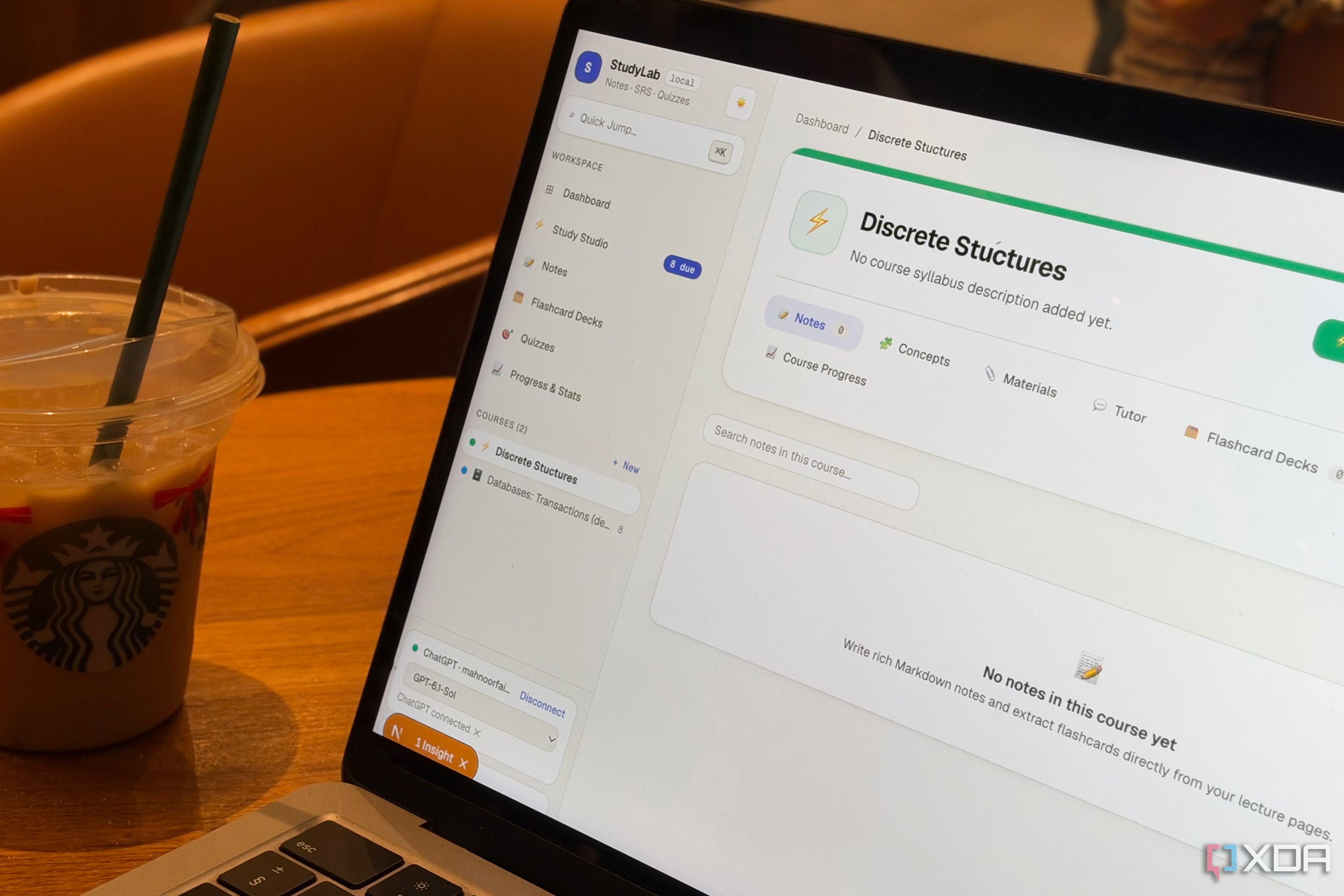
Educators, professors, and academics may not appreciate my perspective on AI, but I firmly believe that artificial intelligence is a blessing for students in numerous ways. While I am not a fan of relying on AI to complete assignments without putting in any effort, I do see the value in using AI to enhance the learning process. I have heavily relied on AI apps like NotebookLM, Quizlet, Anki, Notion, LongCut, and AI chatbots such as Claude and ChatGPT in my study routine.
Recently, however, I decided to take things a step further and build my own study app using Claude Code. My usual study routine involved using Notion for note-taking during classes, NotebookLM for breaking down complex concepts, generating audio overviews, and testing my understanding via its Studio features. When it came to ensuring long-term retention, Anki was my go-to app.
Although having notes, flashcards, and other study materials scattered across three different apps may not seem like a big deal, it can be quite distracting for someone like me who gets easily sidetracked by a single notification. Additionally, digital tools don't offer the same centralized organization as physical study materials.
To address these issues, I spent a weekend working with AI coding agents to create an app called StudyLab. I employed Codex, Claude Code, and Antigravity simultaneously to combine the best features from NotebookLM, Notion, and Anki.
To replicate NotebookLM's AI-powered study capabilities, I developed an integration that connected ChatGPT Pro to StudyLab, streamlining the entire process and consolidating all my study materials into one place. The Notion side of StudyLab enables me to create separate workspaces for each course, write Markdown notes, organize them with tags, and quickly search for information when needed.
The app also features a dashboard providing an overview of my courses, notes, flashcard decks, and upcoming reviews. For revision, I drew inspiration from Anki, allowing me to create various types of flashcards, organize them into decks, and utilize spaced repetition to revisit information at the appropriate intervals. StudyLab also includes separate modes for learning new cards, reviewing due cards, and cramming before exams without disrupting my regular review schedule. Retention, review streaks, and overall progress are tracked within the app.
The NotebookLM-inspired aspect of StudyLab allows me to upload PDFs and other study materials, with the AI identifying key concepts, generating flashcard suggestions, and posing questions about my notes through a built-in tutor. The tutor also provides citations referencing the source material, helping me verify the origin of explanations.
Additionally, the tutor offers grounding capabilities, which reduces the likelihood of generating false information during revisions. For example, while using StudyLab to study for a Discrete Structures course, I asked the tutor about XDA, and it responded with a message explaining that XDA's meaning was unclear, followed by a brief description.
Written by urgent.news from XDA Developers's reporting — not their text. Machine-written — may contain errors; check the original before relying on it.