I replaced Gemini and ChatGPT on my phone with my gaming PC’s 26B model, and the app that does it is free
Farewell, bloated AI apps!
For years, I have enjoyed the convenience of having a large language model on my smartphone. With just a few taps, I can query it on the go, analyze lengthy documents, or review meeting notes without needing to open my desktop first. However, this setup typically required installing heavy apps like Google Gemini, which sent all requests and files to an advertising company's servers.
My powerful RTX 4070 Ti Super graphics card houses several capable models, but they were always confined to my desktop computer. Discovering that I could access the power of these models on my phone was a game-changer.
Through LM Studio's free iPhone app, I can now link my smartphone to a model running on my PC, making it a hassle-free experience. LM Studio, a runtime that enables local models to be downloaded and run on hardware, offers a feature called LM Link. This bridge connects my other devices to the models on my PC, encrypting the connection end-to-end and preventing my PC from being exposed to the internet.
The setup only takes three simple steps, and if I already have an LM Studio account, I'm one step closer to having this functionality.
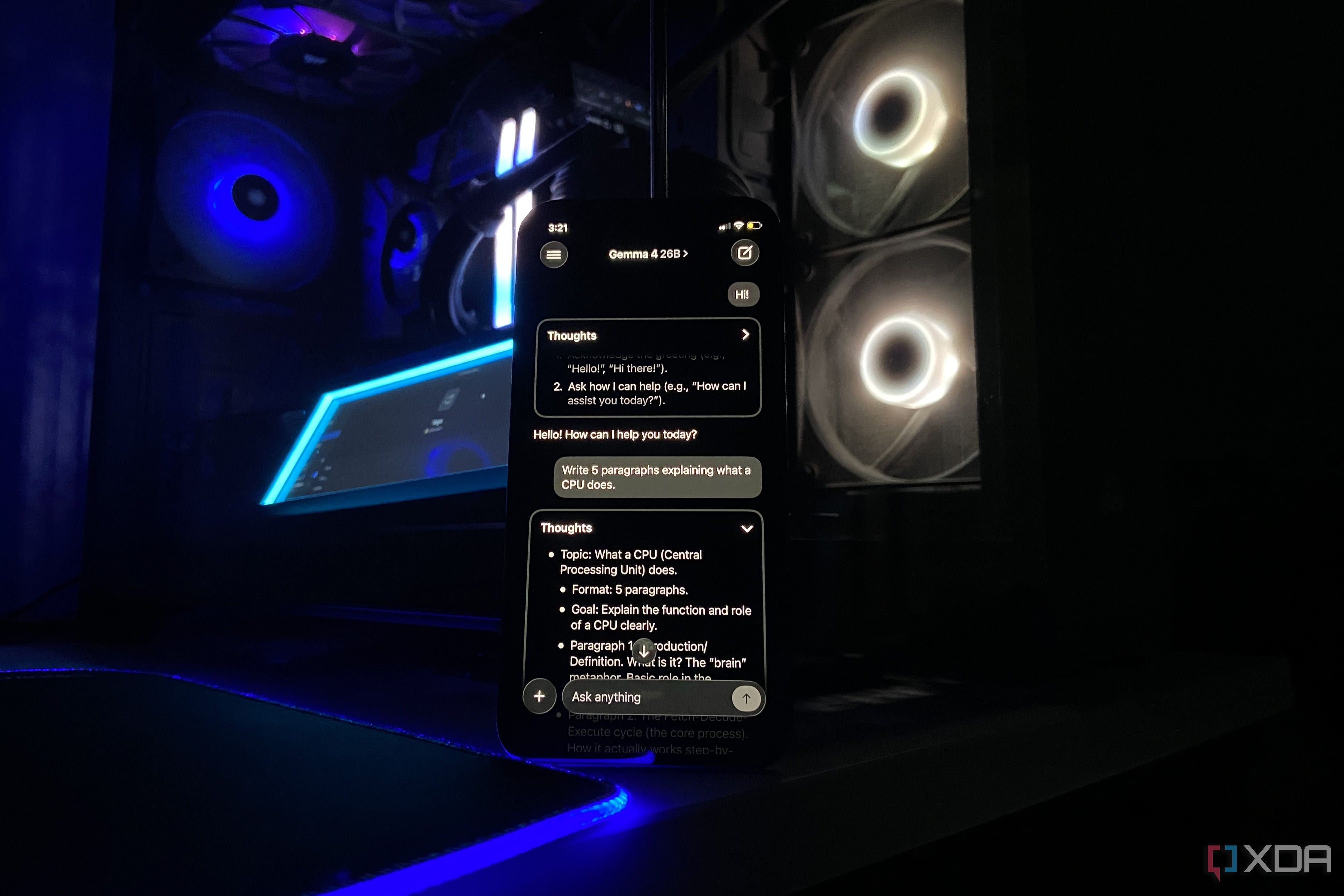
I primarily use Google's 4-bit version of Gemma 4 26B A4B, a Quantization-aware trained (QAT) variant that keeps quality close to bfloat16. This model neatly fits within my available VRAM and boasts a 16K context window, making it perfect for my needs. Locally, a 116MB download from the Apple App Store, is the sole app required on my iPhone. After signing in with my LM Studio account, the app displayed Gemma 4 under the available models, and I could begin using it immediately.
The most impressive aspect of this setup was that Locally on my iPhone could access models on my PC, even when not on the same network. This feature was the main reason I was interested in LM Studio to begin with. I tested this by switching off my iPhone's Wi-Fi and connecting via mobile data, and I still had access to Gemma from my desktop.
Remarkably, I could do this without opening any ports on my router, a task that would be time-consuming and potentially risky with my current llama.cpp server setup. While convenient, this setup does have a few limitations. The PC must remain on and active while I'm away, as Locally only provides a window into the model running on it.
If Windows puts the desktop to sleep, the connection to the server is lost. Additionally, LM Link is currently only available as a preview feature in LM Studio, with paid tiers planned for full launch. For now, Locally is limited to iOS devices, leaving Android users to rely on llama.cpp for now. Despite these limitations, using Locally has significantly reduced my reliance on ChatGPT and Gemini, giving me the powerful models I need to query, all while keeping my documents away from the cloud.
Written by urgent.news from XDA Developers's reporting — not their text. Machine-written — may contain errors; check the original before relying on it.
This story
This is one outlet's version. Read the fullest account.