I tried KefinTweaks on Jellyfin, and my media library now looks like a streaming service
Your own collection deserves a better home screen
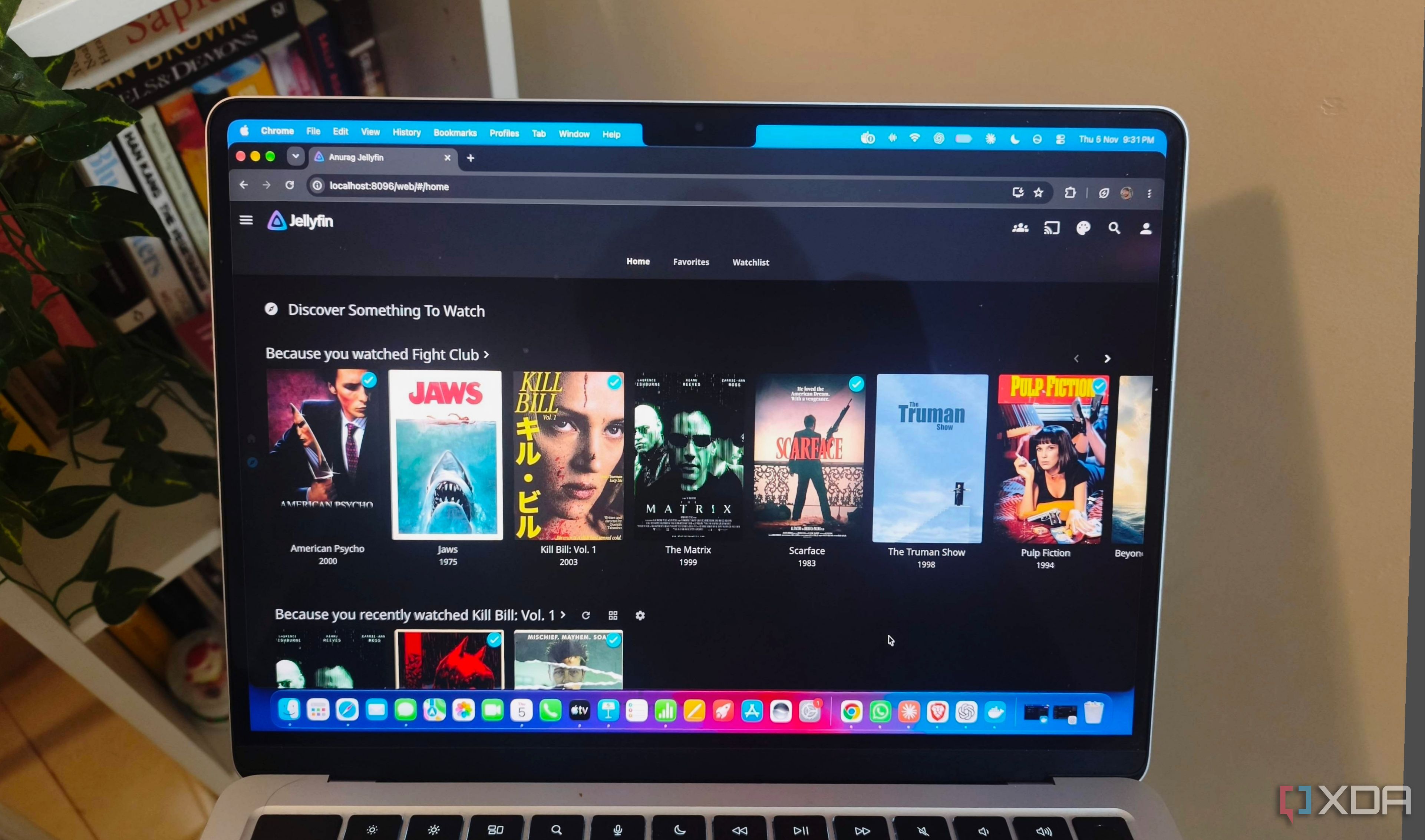
I recently installed the KefinTweaks plugin on Jellyfin, and it transformed my media library into a streaming service-like experience. This community-developed plugin adds customizable home-screen sections, skins, a watchlist, and various browsing improvements to the Jellyfin web interface. By organizing my collection into rows built around genres, recommendations, and saved items, I now have a more engaging way to browse my media.
KefinTweaks provides features such as customizable home-screen sections, skins, and a watchlist, which allow me to save movies, shows, seasons, or individual episodes. The Series Progress page offers a consolidated view of my viewing activity, complete with filtering, sorting, and controls for marking items as watched. Similarly, the Movie History feature presents an overview of my watched films. The plugin also enables viewing statistics for movies, shows, and episodes.
With KefinTweaks, I can easily remove abandoned titles from the Continue Watching section, search for subtitles directly from the player, and browse the library using infinite scrolling instead of pagination. The skin manager and expanded home-screen controls allow me to customize the appearance of my library and choose which sections appear when I open it. Enhanced search functionality lets me filter results by content type, making it easier to find exactly what I'm looking for.
Installation of KefinTweaks is straightforward, starting with the JavaScript Injector which loads the necessary scripts. After adding the plugin through the Jellyfin dashboard and restarting the server, I accessed the KefinTweaks settings to enable individual enhancements through its configuration interface. The watchlist proved to be one of the most useful additions, allowing me to save movies, shows, seasons, or episodes and return to them with ease.
To create a streaming-style layout, I positioned the Continue Watching and watchlist sections at the top of the home screen, followed by browsing sections. I also included new-release rows, genres, studios, and custom sections to give the library a more streaming service feel. The skin manager and expanded controls further enhanced the visual presentation, allowing me to choose different image types, row and grid layouts, and adjust borders and text placement.
Written by urgent.news from XDA Developers's reporting — not their text. Machine-written — may contain errors; check the original before relying on it.