5 things you didn't know Steam's overlay could do
Steam's overlay hides several useful tools beyond its familiar chat window, including features that can help you play, stay organized, and connect with friends.
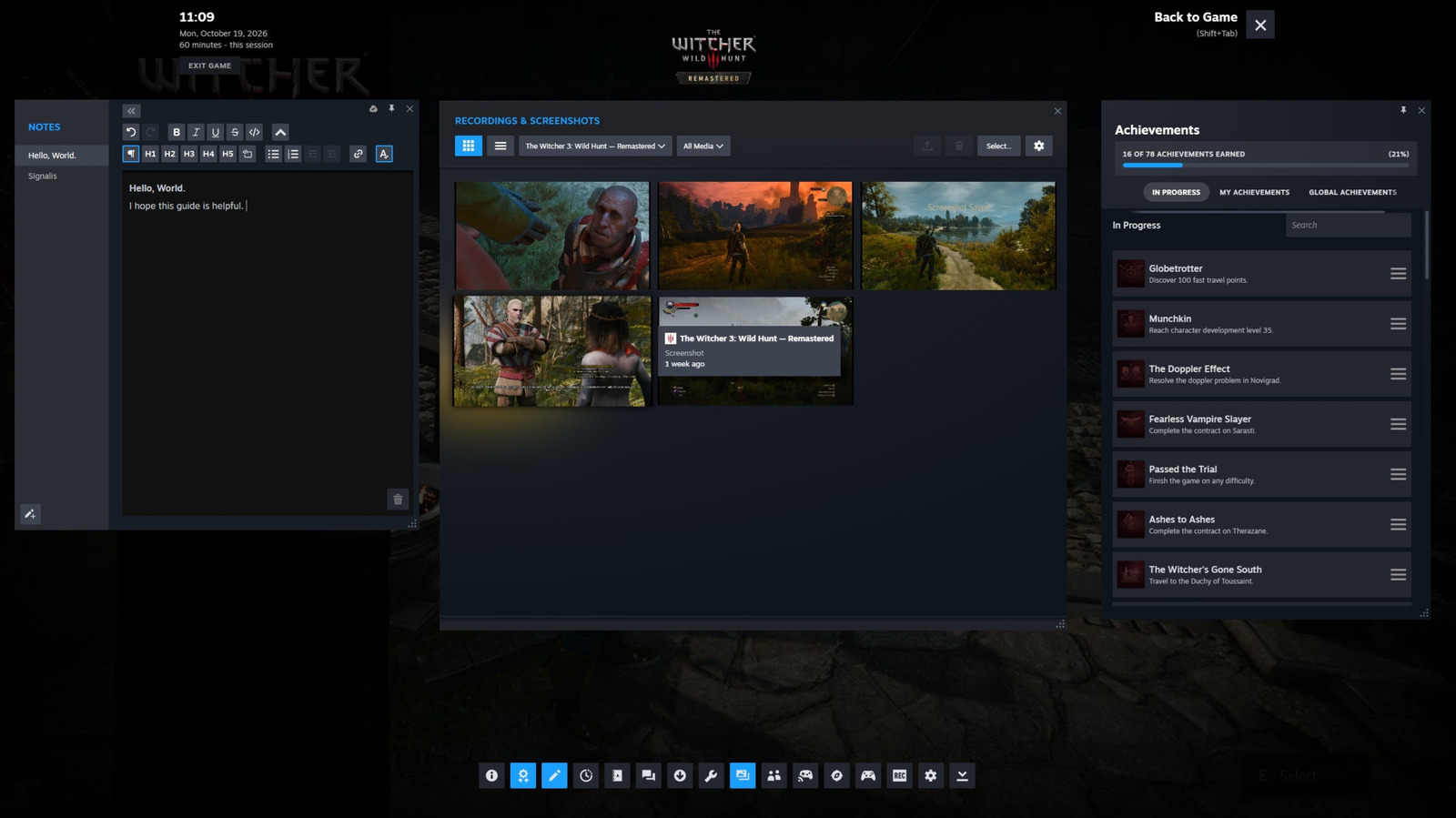
Steam's overlay, often overlooked, houses a myriad of features beyond its basic functionality. Activated via the Shift + Tab shortcut, this tool can be customized through Steam's settings, with each game configuration remembered for convenience. Within the overlay, users can access a variety of tools, including a browser for quick research, a text editor for note-taking, and a timer for managing limited gaming sessions.
The overlay also allows for easy sharing of progress through screenshots and recordings, which can be directly sent to Steam friends or via the Steam Mobile app. For co-op gaming, Steam's Remote Play Together feature enables free local co-operative play across the internet, requiring only a supported game, making it possible for friends without the game to join in.
Written by urgent.news from Engadget's reporting — not their text. Machine-written — may contain errors; check the original before relying on it.