I tried 5 open-source Obsidian alternatives, and one was an easy winner
Five promising apps, one clear winner.
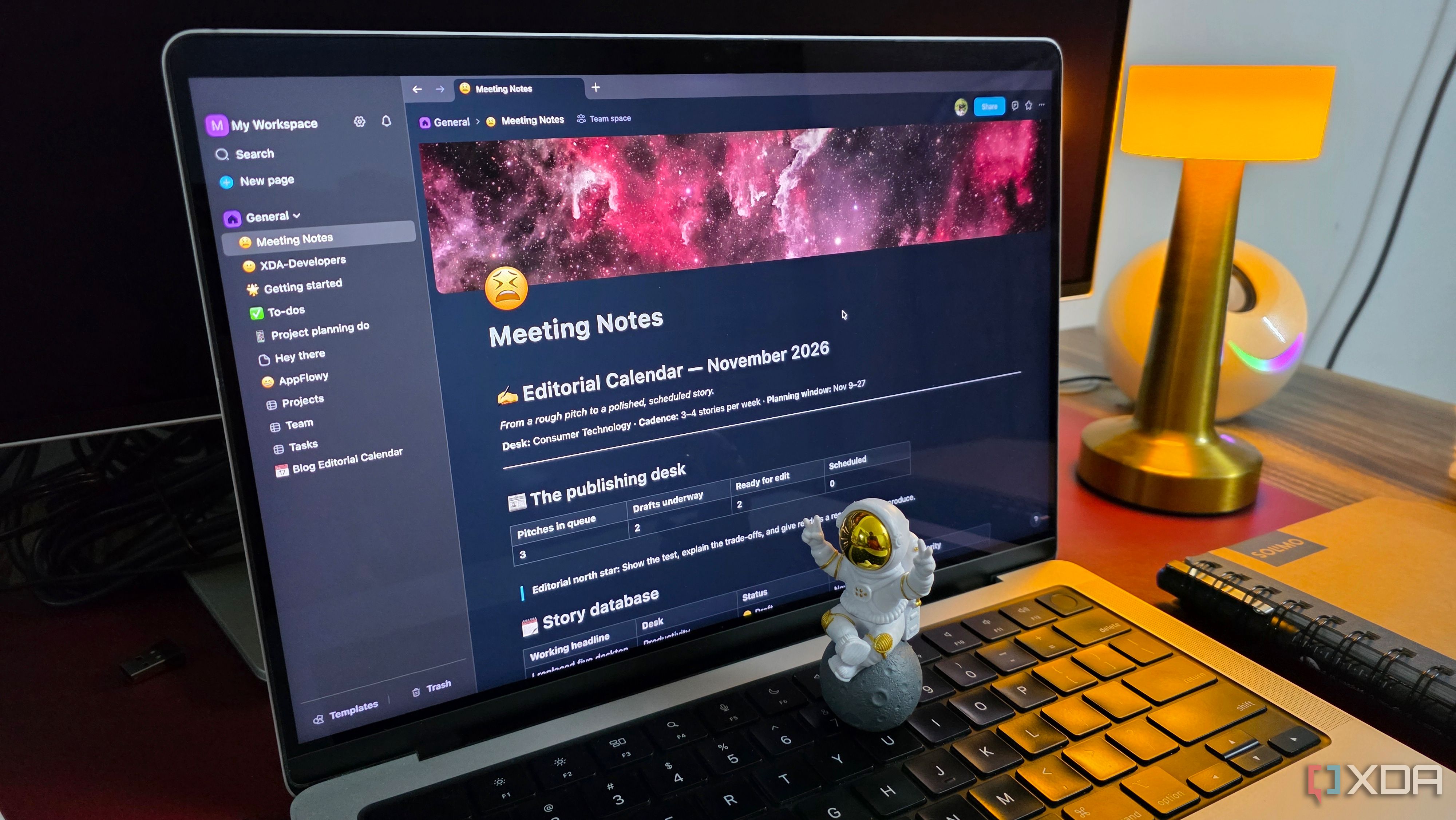
For years, I held a fondness for Obsidian—an app renowned for its power, adaptability, and boundless customization possibilities. However, this very flexibility required significant time investment to establish an ideal workspace. Consequently, I began pondering whether an open-source alternative could offer similar capabilities with reduced effort. To find out, I subjected five potential Obsidian replacements to testing, with one emerging as a clear favorite: AppFlowy.
I did not opt for the first promising alternative, so I narrowed down five open-source applications, each with a unique approach to note-taking and productivity. Initially, I tried Logseq, which initially felt familiar due to its backlinks, knowledge graphs, and interconnected notes. Despite this, I found its outline-first structure less appealing and requiring a steep learning curve.
Next, I examined Joplin, a straightforward note-taking application providing Markdown support, notebooks, and synchronization options. While it excelled in basic functions, I felt its overall experience was somewhat constrained.
TriliumNext presented an intriguing option, particularly due to its robust hierarchical organization and advanced knowledge management features. However, its interface felt somewhat overwhelming. SiYuan impressed me with its block references, databases, and extensive built-in functionalities, making it among the stronger contenders.
Yet, I was not fond of its user experience. Ultimately, I delved into AppFlowy, which introduced a distinctive approach by synthesizing note-taking, databases, and project management within a contemporary workspace.
After testing all five alternatives using everyday notes, tasks, and project workflows, AppFlowy distinctly impressed me with its comprehensive functionality. Upon launch, I was welcomed by a clean, contemporary interface akin to a complete productivity workspace rather than a conventional note-taking tool. The sidebar efficiently organized my pages and workspaces, while the block-based editor facilitated the creation and formatting of content effortlessly.
Adding headings, checklists, tables, and other elements was seamless, as I could navigate menus without switching between them.
AppFlowy proved intuitive to use. In contrast with Obsidian, where I frequently spent considerable time installing plugins, adjusting settings, and customizing my vault to align with my workflow, AppFlowy offered several essential productivity features from the outset. Creating nested pages, organizing documents, and constructing a structured workspace required minimal initial configuration.
Additionally, the polished icons, menus, and page layouts, combined with the natural navigation between sections, enhanced the user experience.
One of the most significant factors in my decision to adopt AppFlowy was its database functionality. While I had previously utilized Obsidian Bases for information organization, AppFlowy surpassed it with a more visual, intuitive approach. I created databases, incorporated custom properties, filtered entries, and switched between various views with minimal effort.
Everything integrated seamlessly into the workspace; for instance, I established a database to manage my editorial workflow. Columns for articles, publication dates, priority levels, and current status enabled me to use grid view for an overview or transform it into a Kanban board to visualize article progress. Comprehensive notes about each article could be maintained within the same workspace, managing its advancement concurrently.
As I immersed myself in AppFlowy, its extensive feature set continually impressed me. It offers templates that expedite the starting process, and I appreciate the Slash command, enabling swift formatting of sentences and paragraphs. AppFlowy also incorporates AI capabilities for writing, summarizing information, and organizing ideas, speeding up repetitive tasks; however, certain functionalities depend on the plan and setup.
Another thoughtful addition is Google Drive integration, which allows embedding relevant Drive files directly into pages instead of constantly switching between applications.
While each alternative had its strengths, AppFlowy distinctly outshone the rest. Its polished interface, built-in databases, adaptable Kanban boards, and project management capabilities make it more than just a simple note-taking application; it unifies everything without necessitating dozens of plugins. Although AppFlowy is not without flaws, and Obsidian still excels in specific areas, if you are in search of an open-source productivity workspace that extends beyond mere note-taking, AppFlowy is undoubtedly worth serious consideration.
Written by urgent.news from XDA Developers's reporting — not their text. Machine-written — may contain errors; check the original before relying on it.